


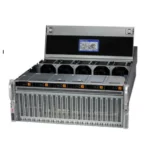

Buying eight or sixty-four GPUs is the easy part. Most GPU cluster projects that disappoint do so because of what surrounds the GPUs: a network that cannot keep up, racks without enough power, storage that starves training jobs or software that nobody planned to maintain. Below are the mistakes we see most often when companies build their first AI training or inference cluster, and how to avoid them before the purchase order is signed.
1. Treating the network as an afterthought
In multi-node training, GPUs constantly exchange gradients. If the fabric is slow or lossy, expensive GPUs wait idle.
- Plan for one high-speed NIC per GPU (400G NDR InfiniBand or 400G RoCE Ethernet) for serious training clusters.
- With RoCE, configure lossless Ethernet properly: Priority Flow Control, ECN and buffer settings on every switch.
- Budget for optics and cables. Transceivers and cabling can add a large share on top of the switch cost.
- Use a non-blocking (rail-optimised) topology instead of oversubscribed uplinks.

2. Underestimating power and cooling
- An 8-GPU HGX H100 or H200 server can draw around 10 kW; a few of them exceed what a standard colocation rack provides.
- Check rack power, redundant feeds (A+B) and the facility’s cooling capacity per rack before ordering.
- Blackwell systems like GB200 NVL72 require liquid cooling; air-cooled rooms cannot host them.
- Plan for leak detection and CDU maintenance if you go liquid.
3. Mixing PCIe GPUs where NVLink is needed
PCIe cards are fine for inference and smaller fine-tuning. Large-model training that splits the model across GPUs needs NVLink and NVSwitch bandwidth. Check topology with nvidia-smi topo -m and choose SXM/HGX systems for tensor-parallel training. See HGX H100 alternatives for options.
4. Slow storage and no checkpoint plan
- Data loaders on a slow NAS leave GPUs at low utilisation.
- Use NVMe-based parallel storage or local NVMe caching for training data.
- Large checkpoints must be written quickly; size storage throughput for checkpoint bursts, not just capacity.

5. Buying more GPUs than the workload uses
Many teams buy for peak ambition and run at low utilisation. Start from the models, dataset size and expected jobs per month. For inference, memory per GPU matters more than count; see LLM GPU memory requirements.
6. No software stack or owner
- Decide on the scheduler (Slurm or Kubernetes), drivers, CUDA, NCCL and container versions before hardware arrives.
- Run NCCL tests and burn-in on every node before handing it to users.
- Monitor GPUs with DCGM to catch failing cards, ECC errors and throttling.
- Name the person or team responsible for updates and failures.
7. Ignoring lead times and spares
GPUs, optics and switches can have long lead times. Keep spare transceivers, cables, fans and power supplies on site. A single failed optic can stop a training job across the whole cluster.
Pre-purchase checklist
- Workload defined: training, fine-tuning or inference, model sizes.
- GPU type and form factor (SXM vs PCIe) chosen for that workload.
- Network fabric, topology, NICs and optics specified and quoted.
- Rack power, cooling and floor space confirmed with the facility.
- Storage throughput sized for data loading and checkpoints.
- Software stack and operations owner decided.
- Spares and support contract in place.
ITCT supplies GPU servers, InfiniBand and Ethernet networking, optics and storage from Dubai and can review your cluster design before you buy. Compare cloud vs on-premise GPU if you are still deciding whether to build at all.
Frequently asked questions
InfiniBand or Ethernet for a GPU cluster?
InfiniBand is simpler to get lossless and is common for training. Well-configured RoCE Ethernet works too and suits teams that already run Ethernet.
How many GPUs do I need to start?
Many teams start with one or two 8-GPU servers and scale once utilisation is proven.
Can I use consumer GPUs in a cluster?
For experiments, yes, but they lack NVLink at scale, data-center support and density, so they are rarely right for production.
What is the most common reason for low GPU utilisation?
Data loading and network bottlenecks, followed by jobs that are not tuned for multi-GPU work.
Last update at December 2025