
Products Mentioned in This Article
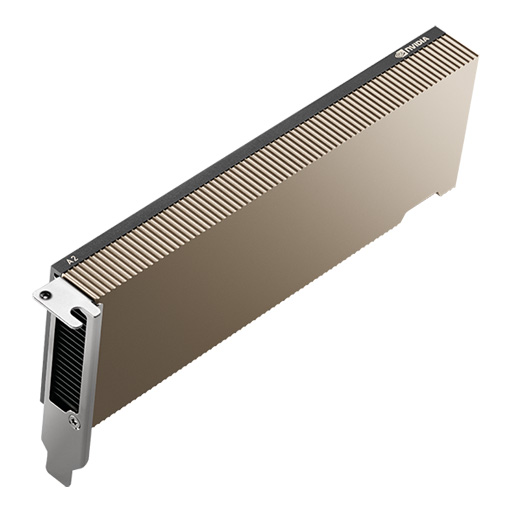
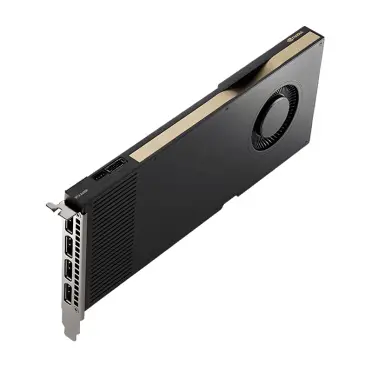
 NVIDIA H100 NVL GPU Original price was: USD52,800.USD48,800Current price is: USD48,800.
 NVIDIA RTX 6000 Ada Generation Graphics CardUSD14,400
 NVIDIA L40S Original price was: USD18,400.USD16,800Current price is: USD16,800.
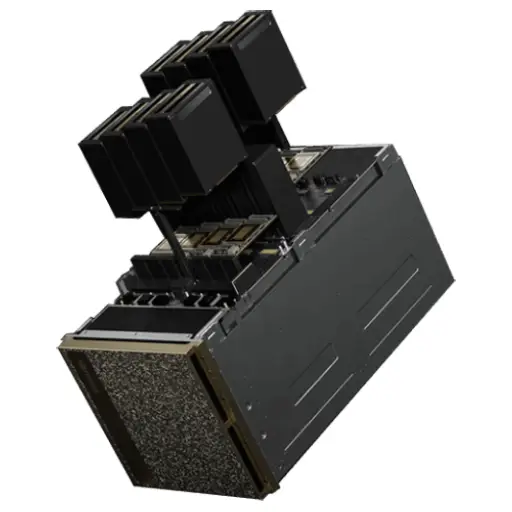
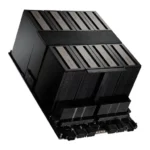 NVIDIA HGX B200 (8-GPU) PlatformUSD624,000
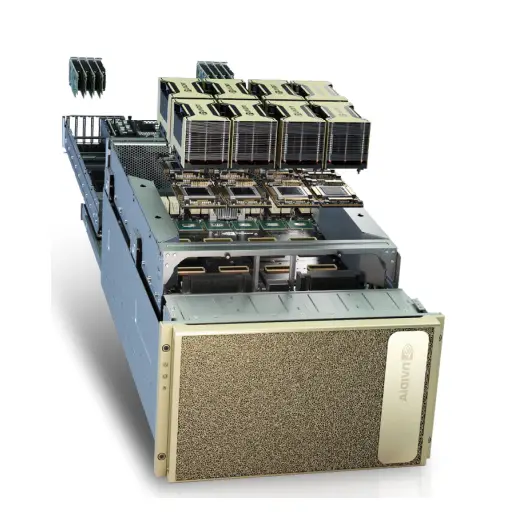
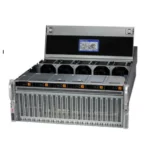 HGX H100 Optimized X13 8U 8GPU Server: The Ultimate AI and HPC Powerhouse for Exascale ComputingUSD480,000

Most teams that set out to buy an AI server start in the wrong place: they pick a GPU from a benchmark chart, ask three vendors for “a server with eight of those”, and end up comparing quotes that are not comparable. One quote includes networking and support, another assumes your data center can deliver 10 kW to a single rack, a third quietly swaps the GPU for a cheaper variant. This guide walks through how to buy an AI server the way experienced infrastructure buyers do it: from workload to configuration, from configuration to a realistic price, and from price to a supplier you can actually trust with a six- or seven-figure order.
All prices below are ITCT list prices in US dollars as of October 2026, excluding VAT and shipping. Actual quotes depend on configuration, quantity and availability, but they give you a realistic starting point rather than a guess.

Step 1: Define the workload before you look at hardware
The single most expensive mistake in AI infrastructure is buying for the wrong workload. Answer these four questions first, in writing, with the people who will actually use the system:
- Training, fine-tuning or inference? Pre-training a model from scratch needs many tightly connected GPUs. Fine-tuning a 7B–70B model can often be done on one well-configured server. Serving an existing model (inference) is usually limited by memory and throughput per dollar, not raw training speed.
- What is the largest model you need to fit? A rough rule for inference in FP16/BF16 is about 2 GB of GPU memory per billion parameters, plus room for the KV cache. A 70B model needs roughly 140 GB just for weights, which already rules out any single 48 GB or 80 GB card without quantization or multi-GPU.
- How many users or jobs at once? One researcher experimenting is very different from a production API serving hundreds of concurrent requests.
- Where will it run? An office closet, a standard enterprise rack with 5–7 kW per rack, or a data center that can supply and cool 10–15 kW per server. This often decides the configuration before performance does.
Step 2: Choose the server class
AI servers fall into four practical classes. Matching your workload to the right class removes most of the confusion in vendor quotes.
| Class | Typical GPUs | Good for | Power per system |
|---|---|---|---|
| AI workstation / desktop | RTX 6000 Ada, RTX PRO 6000 Blackwell, DGX Spark | Prototyping, small fine-tuning, local LLM inference for a team | Office power, under ~1.5 kW |
| PCIe GPU server (2–8 GPUs) | L40S, H100 PCIe/NVL, H200 NVL, RTX PRO 6000 | Inference, fine-tuning, mixed AI and graphics workloads | ~2–5 kW |
| HGX 8-GPU server (OEM) | 8× H100, H200 or B200 SXM on an NVIDIA HGX board | Serious training and high-throughput inference | ~8–14 kW |
| NVIDIA DGX system | DGX H100, DGX H200, DGX B200 | Turnkey training platform with NVIDIA’s full software stack and support | ~10–14 kW |
The key technical difference between PCIe and HGX/DGX is GPU-to-GPU bandwidth. SXM GPUs on an HGX board are connected through NVLink and NVSwitch, which matters enormously for multi-GPU training. PCIe cards communicate through the PCIe bus (or NVLink bridges in pairs on some models), which is usually fine for inference and smaller fine-tuning jobs but becomes a bottleneck for large distributed training.
Step 3: Pick the GPU with memory first, speed second
For most AI buyers in 2026, GPU memory is the constraint that decides everything else. Here is how the common data-center and workstation GPUs compare, with current ITCT list prices:
| GPU | Memory | Form factor | ITCT price (USD) |
|---|---|---|---|
| NVIDIA RTX 6000 Ada | 48 GB GDDR6 | PCIe, workstation | $14,400 |
| NVIDIA L40S | 48 GB GDDR6 | PCIe, data center | $16,800 |
| NVIDIA A100 80GB | 80 GB HBM2e | PCIe | $24,000 |
| NVIDIA RTX PRO 6000 Blackwell Server Edition | 96 GB GDDR7 | PCIe, data center | $23,680 |
| NVIDIA H100 NVL | 94 GB HBM3 | PCIe | $48,800 |
| NVIDIA H100 80GB PCIe | 80 GB HBM2e | PCIe | $49,600 |
| NVIDIA H200 (PCIe) | 141 GB HBM3e | PCIe | $55,200 |
Two practical observations from real quotes: first, the RTX PRO 6000 Blackwell has changed the economics of inference servers, because 96 GB per card at under half the price of an H100 lets you fit large quantized models on fewer cards. Second, the H200’s 141 GB of HBM3e is often the reason buyers choose it over the H100, not its compute: a 70B model fits on fewer H200s, which simplifies the server and the software. For a full breakdown of GPU pricing, see our H100, H200 and B200 price guide.

Step 4: Realistic AI server prices by tier
Here is what complete systems cost today. These are list prices for the systems as configured in our catalog; GPU count and options change the final figure.
| Tier | Example system | ITCT price (USD) | Who it is for |
|---|---|---|---|
| Desktop AI supercomputer | NVIDIA DGX Spark (Grace Blackwell, 128 GB unified memory) | $6,400 | Developers and small teams running and fine-tuning models locally |
| Edge AI workstation | Aetina MegaEdge AIP-FR68 / AIP-KQ67 | $24,000 – $25,600 | On-site inference, video analytics, industrial AI |
| Entry PCIe AI server (chassis) | H3C UniServer R5300 G6, XFusion G5500 V7 | $56,000 | Multi-GPU PCIe inference and fine-tuning platform |
| Enterprise PCIe AI server (chassis) | Supermicro AS-4125GS, HPE ProLiant DL380a Gen12 | $72,000 – $80,000 | Enterprise inference with vendor support |
| 8-GPU HGX server | HGX H100 8-GPU server / HGX H200 8-GPU server | $480,000 / $528,000 | Training and large-scale inference |
| HGX B200 platform | NVIDIA HGX B200 (8-GPU) | $624,000 | Next-generation training |
| DGX systems | DGX H100 / DGX H200 / DGX B200 | $832,000 / $880,000 / $960,000 | Turnkey training platforms |
When comparing a PCIe server quote, check whether the GPUs are included. A chassis price of $56,000–$80,000 plus, for example, four L40S cards ($67,200) or four H200 PCIe cards ($220,800) gives very different totals. For the full cost of an 8-GPU system including power, cooling and networking, read our 8-GPU H100 server cost breakdown.
Example configurations by use case
To make the steps above concrete, here are configurations we commonly quote, built from current catalog prices. Treat them as starting points for a quote, not fixed bundles.
| Use case | Suggested configuration | Indicative hardware cost (USD) |
|---|---|---|
| Developer team running and fine-tuning 7B–70B models locally | 2× NVIDIA DGX Spark | ~$12,800 |
| Internal chatbot on a quantized 70B model for 50–100 staff | PCIe server chassis + 2× RTX PRO 6000 Blackwell (192 GB total) | ~$56,000 + $47,360 ≈ $103,000 |
| Production inference API, 70B in FP16 with long contexts | Enterprise PCIe server + 4× H200 PCIe (564 GB total) | ~$80,000 + $220,800 ≈ $301,000 |
| Fine-tuning and mid-scale training | HGX H200 8-GPU server | $528,000 |
| Large-scale training, turnkey | NVIDIA DGX B200 | $960,000 |
Networking, storage, support and taxes come on top. The point of the table is the pattern: inference budgets are usually driven by GPU memory per dollar, training budgets by interconnect and system class.
Step 5: Check the infrastructure you already have
Before signing a purchase order, confirm these with your facilities or colocation provider. Most delayed AI deployments we see are delayed here, not at shipping:
- Power per rack: a single 8-GPU HGX H100 server can draw over 10 kW. Many enterprise racks are provisioned for 5–7 kW in total.
- Cooling: air-cooled 8-GPU servers need cold-aisle containment and high airflow; B200-class systems and dense racks increasingly need liquid cooling. In Gulf data centers, high ambient temperatures make this more important, not less. See our guide to liquid cooling for Middle East data centers.
- Rack space and weight: HGX and DGX systems are 8U–10U and very heavy; check floor loading and rail compatibility.
- Networking: multi-node training needs 400G InfiniBand or RoCE networking. Even single-node inference needs fast storage and at least 100G uplinks for large datasets. Our InfiniBand vs RoCEv2 guide explains the trade-offs.
- Power redundancy: confirm power supply configuration (for example N+1 or N+N) matches your data center feeds.
Step 6: Choose a supplier you can trust
High-end GPUs are some of the most counterfeited and gray-market products in IT. A low price from an unknown seller often means refurbished cards sold as new, no manufacturer warranty, or a shipment that never clears customs. Use this checklist with every supplier:
- Exact part numbers: the quote should list manufacturer part numbers for GPUs, CPUs, memory and drives, not just “8× H100”.
- New vs refurbished stated in writing, along with warranty length and who honors it (manufacturer or reseller).
- Export compliance: advanced data-center GPUs are subject to US export controls, and depending on destination and end user a license may be required. A legitimate supplier will ask for end-user and end-use information; one that never asks is a red flag.
- Delivery terms: Incoterms, who handles customs and duties, insurance during shipping, and realistic lead times.
- Installation and support: rack and stack, burn-in testing, driver and CUDA installation, and a clear path for RMA if a GPU fails.
- Software licensing: whether NVIDIA AI Enterprise or DGX software support is included or extra.
ITCT supplies AI servers and GPUs from Dubai to customers across the Middle East and beyond, with written part numbers, new-vs-refurbished declaration and support for export documentation. You can browse current systems in our AI computing catalog or request a quote for a specific configuration.
Build your own or buy a pre-configured AI server?
For a personal or home lab, building a machine around one or two consumer GPUs is a popular and cost-effective route. For a business, the calculation changes. A pre-configured AI server from a vendor comes with validated components, correct airflow and power for multiple GPUs, firmware and drivers that are known to work together, and a single point of contact for warranty and support. Self-built systems often save money on paper but cost more in engineering time, troubleshooting and downtime, especially once you go beyond two GPUs or need to run around the clock. As a rule of thumb: build for experiments, buy for production.
How much RAM, storage and networking do you need?
- System memory: plan for at least as much system RAM as total GPU memory, and ideally twice as much, so data loading and preprocessing do not become the bottleneck. A server with four 80 GB GPUs should have 512 GB to 1 TB of RAM.
- Storage: use NVMe SSDs for datasets, checkpoints and model files. Training jobs read data continuously, and slow disks leave expensive GPUs idle. Add larger, cheaper storage for archives and backups. See our guide to NVMe storage for AI.
- Networking: a single inference server can work with 25 GbE. Multi-server training needs high-bandwidth, low-latency fabrics such as InfiniBand or RoCE at 200 to 400 Gb/s per GPU node. Our comparison of InfiniBand vs RoCEv2 explains the choice.
PCIe generation, NVLink and GPU sharing
Newer platforms with PCIe 5.0 double the bandwidth between CPU and GPU compared with PCIe 4.0, which matters for data-heavy workloads. For multi-GPU training, direct GPU-to-GPU links such as NVLink, standard in HGX and DGX systems, are far faster than communicating over PCIe. If several teams or services will share one server, check support for GPU partitioning such as NVIDIA Multi-Instance GPU (MIG) on data centre GPUs, or virtualization, so each workload gets an isolated slice of the hardware.
Are AI servers suitable for small businesses?
Yes, at the right scale. A small business running an internal assistant, document search or computer vision on a few cameras rarely needs an 8-GPU system. A single workstation-class GPU server or a compact system such as the NVIDIA DGX Spark can serve dozens of users with a well-chosen open model. Start small, measure usage, and scale up when demand is proven.
Buying vs renting: when does owning an AI server pay off?
Cloud GPU instances are flexible, but for steady workloads ownership usually wins. A simple way to decide: estimate how many GPU-hours per month you will actually use for the next 24–36 months. If your GPUs would be busy more than roughly half of the time, owning hardware is typically cheaper over three years, before even counting data-transfer costs and data-sovereignty requirements. If usage is spiky or experimental, start in the cloud or on a desktop system like DGX Spark, measure real utilization, and buy once the numbers are clear.
For organizations in the UAE and Saudi Arabia, data sovereignty is increasingly a deciding factor on its own: regulated sectors such as finance, healthcare and government often need models and data to stay on domestic infrastructure. We cover this in building sovereign AI in the UAE.
Common mistakes when buying an AI server
- Buying compute when you need memory: a faster GPU that cannot fit your model forces complex model splitting.
- Ignoring interconnect: eight PCIe GPUs are not equivalent to an 8-GPU HGX board for training.
- Underestimating power and cooling: a server that cannot be powered on at full load is an expensive paperweight.
- Comparing quotes that are not equivalent: different GPU variants, memory sizes, support levels or included networking.
- Skipping burn-in: new systems should run full-load tests before being handed over to users.
- Forgetting storage: slow storage can leave expensive GPUs idle waiting for data.
Frequently asked questions
How much does an AI server cost in 2026?
From about $6,400 for a desktop system like NVIDIA DGX Spark, to roughly $56,000–$80,000 for an enterprise PCIe GPU server chassis before GPUs, to $480,000–$960,000 for 8-GPU HGX and DGX systems at ITCT list prices. The GPUs usually make up most of the total.
Where can I buy an AI server in Dubai or the Middle East?
Buy from a supplier that provides exact part numbers, states new or refurbished in writing, handles export documentation and offers installation and RMA support. ITCT supplies AI servers and GPUs from Dubai across the region.
Do I need an 8-GPU server for fine-tuning?
Not usually. Fine-tuning 7B–13B models works on a single high-memory GPU, and 70B models can be fine-tuned with parameter-efficient methods on a well-configured 2–4 GPU server. 8-GPU HGX systems are needed mainly for large-scale training and very high-throughput inference.
Is a DGX better than an HGX server from an OEM?
DGX is NVIDIA’s turnkey reference system with integrated software and support; HGX servers from OEMs use the same GPU board with more flexibility in CPUs, storage and price. The right choice depends on whether you value turnkey support or configuration flexibility.
How long does delivery take?
It depends on the system, availability and export licensing. Workstations and PCIe GPUs are often available from stock; 8-GPU systems can take longer. Ask any supplier for a written lead time with the quote.
Conclusion
Buying an AI server well is mostly about order of operations: workload first, then memory, then server class, then infrastructure, then supplier. Teams that follow that order get comparable quotes, avoid oversized or undersized systems, and deploy on time. If you want a configuration reviewed or a quote built around your workload, contact ITCT with your model sizes, user count and data-center constraints.
Last update at December 2025