
Products Mentioned in This Article

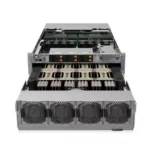

The purchase price of an 8-GPU H100 system is only the first line of the budget. Power, cooling, networking, storage, support and the people who run it decide whether the system pays for itself or turns into an expensive idle rack. This guide breaks down the real cost of an 8-GPU H100 server in 2026: DGX H100 vs HGX H100 vs other 8-GPU options, what is included in each price, and how to estimate total cost of ownership over three years.
System prices are ITCT list prices in US dollars as of October 2026, excluding VAT and shipping. Operating-cost examples use clearly stated assumptions so you can replace them with your own numbers.

The three ways to buy eight H100s
| Option | What you get | ITCT price (USD) | Best for |
|---|---|---|---|
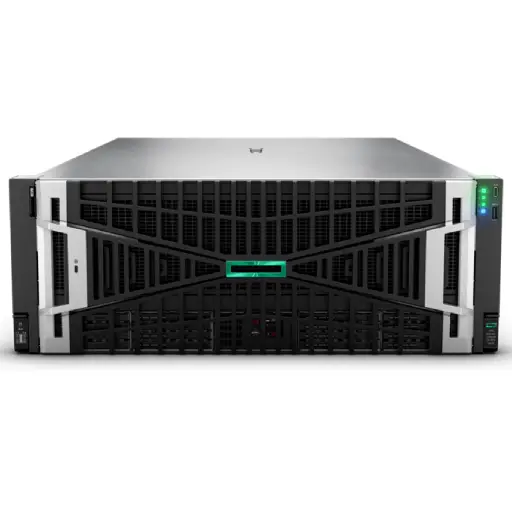
| NVIDIA DGX H100 | NVIDIA’s turnkey system: 8× H100 SXM5 (640 GB HBM3), NVSwitch, dual Intel Xeon CPUs, 2 TB system memory, NVMe storage, 8× 400G networking ports, DGX software stack and NVIDIA support path | $832,000 | Teams that want one vendor accountable for the whole platform and a path to DGX SuperPOD |
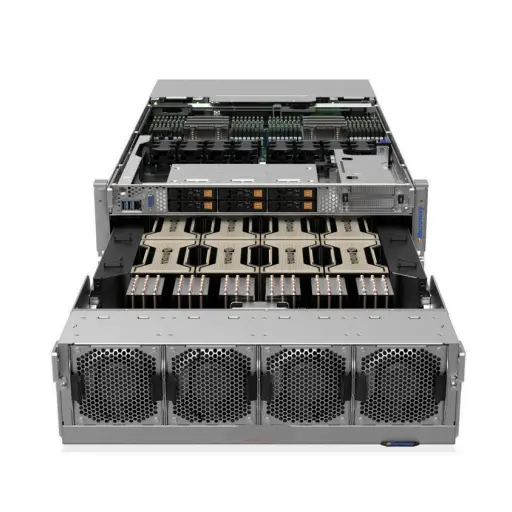
| HGX H100 8-GPU server (OEM) | The same NVIDIA HGX H100 8-GPU board inside an OEM 8U server, with configurable CPUs, memory, storage and networking | $480,000 | Teams with in-house infrastructure skills who want the best price and flexibility |
| HGX H200 8-GPU server | Same platform with 8× H200 (1,128 GB HBM3e) | $528,000 | Buyers who need more memory per GPU for large models and inference |
The DGX H100 costs about $352,000 more than an HGX H100 server with the same GPUs. That premium buys NVIDIA’s validated reference design, integrated software (Base Command, NVIDIA AI Enterprise components), enterprise support and a defined scaling path. The HGX route gives the same GPU performance for far less, but your team or your supplier takes responsibility for integration, drivers, firmware and support coordination.
If you are still deciding between H100 and H200 at system level, note that the HGX H200 server costs 10% more than HGX H100 while offering 76% more GPU memory. See our H100, H200 and B200 price guide for the card-level comparison.
What is inside an 8-GPU H100 server price
When comparing quotes, make sure each one includes the same components. A typical 8-GPU H100 configuration contains:
- HGX H100 baseboard with 8 SXM5 GPUs and NVSwitch for full NVLink connectivity between all GPUs;
- Two server CPUs (Intel Xeon or AMD EPYC) and typically 1–2 TB of system memory;
- NVMe storage for OS and local datasets, often several terabytes;
- Networking: typically eight 400G NICs (one per GPU) for multi-node training, plus management and storage network ports;
- Power supplies sized for roughly 10 kW of peak draw, with redundancy;
- Rails, cables, warranty and support terms.
The most common difference between a “cheap” and an “expensive” quote is networking and support. A server quoted without the eight 400G NICs looks cheaper but cannot join a multi-node training cluster without further spending.
Operating costs: power and cooling
NVIDIA rates the DGX H100 at around 10.2 kW maximum power. HGX H100 servers from OEMs are in a similar range. Here is a transparent example of annual energy cost; replace the assumptions with your own:
| Assumption | Value |
|---|---|
| Average power draw (about 70% of maximum) | ~7.1 kW |
| Hours per year | 8,760 |
| IT energy per year | ~62,500 kWh |
| Data center PUE (cooling and overhead) | 1.4 |
| Total facility energy per year | ~87,500 kWh |
| Electricity price (example) | $0.10 per kWh |
| Annual energy cost | ~$8,750 |
Over three years that is roughly $26,000 in energy at these assumptions: real money, but small relative to the hardware. The bigger infrastructure issue is usually capacity, not the electricity bill. Many enterprise racks are provisioned for 5–7 kW in total, so a single 8-GPU server may need a dedicated high-density rack, upgraded power distribution and better cooling. In Gulf climates, cooling headroom is especially important; see our guide to liquid cooling for Middle East data centers.

Networking and storage: the hidden budget lines
A single 8-GPU server works on its own for fine-tuning and inference. As soon as you plan two or more servers for distributed training, you need a high-speed fabric:
- InfiniBand (NDR 400G) switches such as NVIDIA Quantum-2, cables and optics, sized for the number of GPU ports in the cluster. See our InfiniBand switch guide.
- Or Ethernet with RoCEv2 on 400G switches, which can lower cost but needs careful configuration for lossless traffic.
- Optical transceivers: at 400G, optics are a meaningful line item; our 400G transceiver guide explains the options.
- Shared storage: training on large datasets needs high-throughput parallel or all-flash storage so GPUs are not left waiting. See NVMe storage for AI workloads.
For a single server, budget for at least a fast storage connection and a high-bandwidth uplink. For a cluster, networking and storage can add a substantial share on top of server costs, depending on scale.
Support, software and people
- Hardware support: confirm warranty length, response times and how a failed GPU is replaced. With SXM GPUs on a baseboard, replacement is a specialist job.
- Software: DGX includes NVIDIA’s DGX software stack; for HGX servers, NVIDIA AI Enterprise licensing is optional and priced per GPU per year.
- People: someone has to manage drivers, CUDA versions, job scheduling, monitoring and security. If your team does not have this experience, either budget for training or for managed support.
Three-year cost example
An illustrative three-year view for a single HGX H100 server at ITCT list price, using the assumptions above. Your numbers will differ; the point is the structure:
| Item | Three-year estimate |
|---|---|
| HGX H100 8-GPU server | $480,000 |
| Energy (at $0.10/kWh, PUE 1.4) | ~$26,000 |
| Rack space, power and cooling capacity (colocation or internal) | Varies by facility |
| Software licensing (optional NVIDIA AI Enterprise) | Depends on GPUs and term |
| Extended support beyond standard warranty | Depends on level |
Spread over three years, the hardware works out to about $13,300 per month, or roughly $2.30 per GPU-hour if the server runs continuously, before facility and staff costs. Compare that with what you would pay for the same GPU-hours in the cloud at your expected utilization: if your GPUs would be busy most of the time, ownership usually wins clearly.
Utilization: the number that decides your ROI
The cost per GPU-hour of an owned server depends almost entirely on how busy you keep it. Using the HGX H100 hardware price of $480,000 over three years:
| Average utilization | Effective hardware cost per GPU-hour |
|---|---|
| 100% (running continuously) | ~$2.28 |
| 70% | ~$3.26 |
| 50% | ~$4.57 |
| 25% | ~$9.13 |
That is why serious buyers plan the workload pipeline before the purchase: a shared job scheduler, a queue of fine-tuning and evaluation jobs, and inference services that fill idle capacity. A server that sits at 25% utilization costs four times more per useful hour than one kept busy.
Scaling from one server to a small cluster
Many teams start with one 8-GPU server and add more as demand grows. Costs do not scale linearly, because the cluster needs shared infrastructure:
- One server (8 GPUs): no external GPU fabric needed; a fast storage connection and management network are enough.
- Two to four servers (16–32 GPUs): distributed training needs a high-speed fabric. Each server typically uses eight 400G ports, so even a small cluster needs one or more 400G switches, optics or cables for every port, and a shared storage system able to feed all GPUs.
- Beyond four servers: network topology, power distribution per row and cooling design become projects of their own; at this point a reference architecture such as DGX SuperPOD or an equivalent OEM design is worth following.
Plan the network from the first server if you expect to grow: choosing InfiniBand or Ethernet/RoCE early avoids replacing switches and NICs later. Our GPU cluster design guide covers the design decisions in more depth.
Depreciation and budgeting
Most organizations depreciate AI servers over three to five years. A three-year view is more conservative for GPUs, because each new NVIDIA generation shifts price-performance noticeably; a five-year view better reflects how long servers remain useful for inference and smaller training jobs after newer systems arrive. Discuss the depreciation period with your finance team before comparing ownership against cloud pricing, because it changes the monthly cost by a large margin.
DGX H100 or HGX H100: how to decide
- Choose DGX if you want a turnkey platform, have limited infrastructure staff, plan to scale into a DGX SuperPOD, or need a single vendor accountable for hardware and software.
- Choose HGX if you have experienced infrastructure engineers, want to choose CPUs, memory and storage yourself, or want to put the price difference into more GPUs, networking or storage.
- Consider HGX H200 instead if your workloads are memory-bound (large LLMs, long contexts, high-concurrency inference): 10% more cost for 76% more GPU memory.
For a broader comparison across DGX generations, see our DGX comparison guide, and for the HGX platform options, the HGX H100 vs H200 vs B200 guide.
Warranty and RMA: what happens when a GPU fails
With eight high-power GPUs in one chassis, a component failure over three years is a realistic scenario, so the RMA process deserves as much attention as the price. On HGX and DGX systems the GPUs are SXM modules mounted on a shared baseboard, which means a failed GPU is not a five-minute card swap: replacement usually involves trained technicians, the correct thermal materials and firmware checks afterwards.
Before ordering, get written answers to these questions:
- Who owns the warranty: the manufacturer, the OEM or the reseller?
- Is replacement advance-ship (a new part arrives before you return the failed one) or return-first?
- What is the target response time, and does on-site service cover your country and data center?
- Who performs the replacement, and does it void any part of the warranty if your own team does it?
- How are diagnostics run, and what logs does the vendor need to approve an RMA?
For production workloads, plan for degraded operation too: schedulers and inference services should keep running on seven GPUs while one is being replaced.
Common 8-GPU H100 platforms
Beyond NVIDIA’s own DGX H100, most 8-GPU H100 servers are built on the HGX H100 baseboard by major server vendors. Frequently deployed platforms include the Dell PowerEdge XE9680, the Supermicro SYS-821GE-TNHR family, HPE’s Cray XD670 and similar systems from Lenovo, Gigabyte, ASUS and others. They share the same eight H100 SXM5 GPUs connected by NVLink and NVSwitch, but differ in CPU options, memory capacity, storage bays, cooling (air or liquid), management tools and support programmes. When comparing quotes, confirm the exact platform, CPU model, system memory, NVMe configuration and the number and speed of network adapters, since a typical training node includes eight 400 Gb/s adapters for the cluster fabric.
Lead times and availability
Availability of 8-GPU systems has improved compared with the shortages of 2023 and 2024, but lead times still vary from in-stock units to many months for specific configurations, liquid-cooled variants or large orders. Ask suppliers whether a quoted system is in stock, in transit or built to order, how long the quote is valid, and what happens to price and delivery if allocation changes. For time-critical projects, an available HGX H100 or H200 system today can be worth more than a slightly cheaper configuration that arrives in six months.
Renting an 8-GPU H100 node instead
If you need capacity quickly or only for a few months, renting a dedicated 8-GPU H100 node from a cloud or bare-metal provider is an alternative. Monthly rates for a full node vary with provider, commitment and region, and are typically in the low tens of thousands of dollars per month. Over a multi-year horizon with high utilization, ownership is usually cheaper; for short projects, rental avoids capital expense, setup time and the risk of the hardware sitting idle. Use the utilization and cost-per-GPU-hour method above to compare the two on equal terms.
Checklist before you order
- Rack power and cooling confirmed for at least 10 kW per server.
- Network design decided: single node, or a cluster with InfiniBand or RoCE.
- Storage throughput sized for your largest datasets.
- Exact part numbers, new condition and warranty terms in writing.
- Export compliance documentation prepared with your supplier.
- Installation, burn-in testing and handover plan agreed.
- Someone named to own drivers, scheduling and monitoring after delivery.
Frequently asked questions
How much does an 8-GPU H100 server cost?
At ITCT list prices, an HGX H100 8-GPU server is $480,000 and an NVIDIA DGX H100 is $832,000. An HGX H200 8-GPU server, with much more GPU memory, is $528,000.
Why is DGX H100 so much more expensive than HGX H100?
Both use eight H100 SXM5 GPUs. DGX adds NVIDIA’s validated reference design, integrated software stack, enterprise support and a defined scaling path, which together account for the price difference.
How much power does an 8-GPU H100 server use?
Up to around 10 kW at full load. Plan rack power, cooling and power distribution for that level, not for the average.
What does it cost to run an 8-GPU H100 server per year?
Energy at an example $0.10 per kWh and PUE 1.4 is roughly $8,750 per year at 70% average load. Facility capacity, support, software and staff are additional and depend on your environment.
Is it cheaper to rent H100 GPUs in the cloud?
For short or irregular workloads, often yes. For steady workloads over two to three years, owning is usually cheaper. Estimate your real monthly GPU-hours and compare.
Conclusion
The right 8-GPU H100 budget includes the server, the rack it lives in, the network that connects it, the storage that feeds it and the people who run it. HGX H100 offers the best price for the same GPUs, DGX H100 buys a turnkey platform, and HGX H200 is the better choice when memory is the bottleneck. To get a configuration and landed-cost quote for your environment, contact ITCT or browse DGX H100 and HGX H100 server availability.
Last update at December 2025