
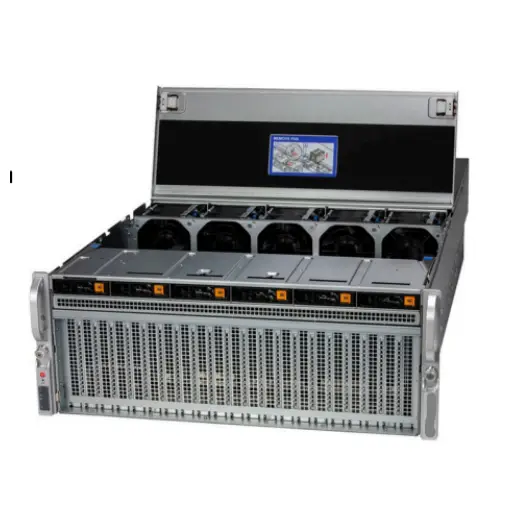
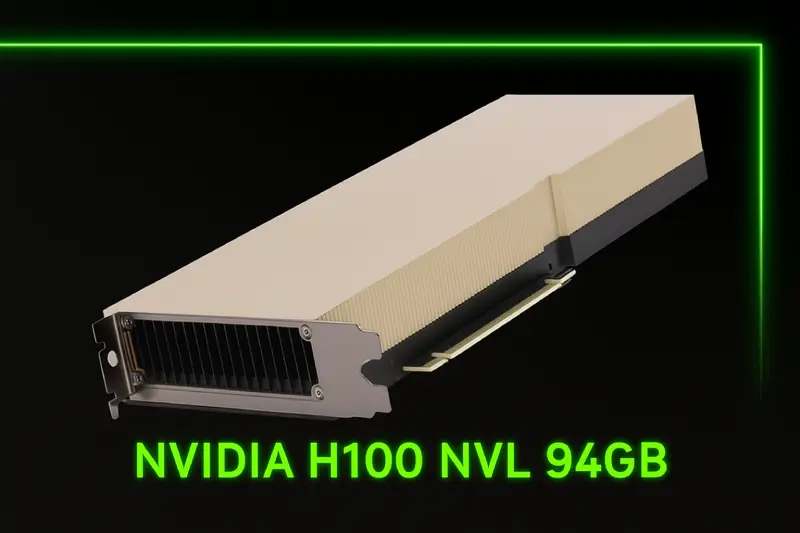
Products Mentioned in This Article


- Author: ITCT Technical Infrastructure Team
- Reviewed By: Senior Network Solutions Architect
- Published: January 28, 2026
- Estimated Reading Time: 8 Minutes
- References:
- Mistral AI Official Technical Report (2024)
- llama.cpp GitHub Repository Documentation
- NVIDIA GeForce RTX 40 Series Architecture Whitepaper
- Reddit /r/LocalLLaMA Community Benchmarks (2025) :::
Can I run Mixtral 8x7B locally?
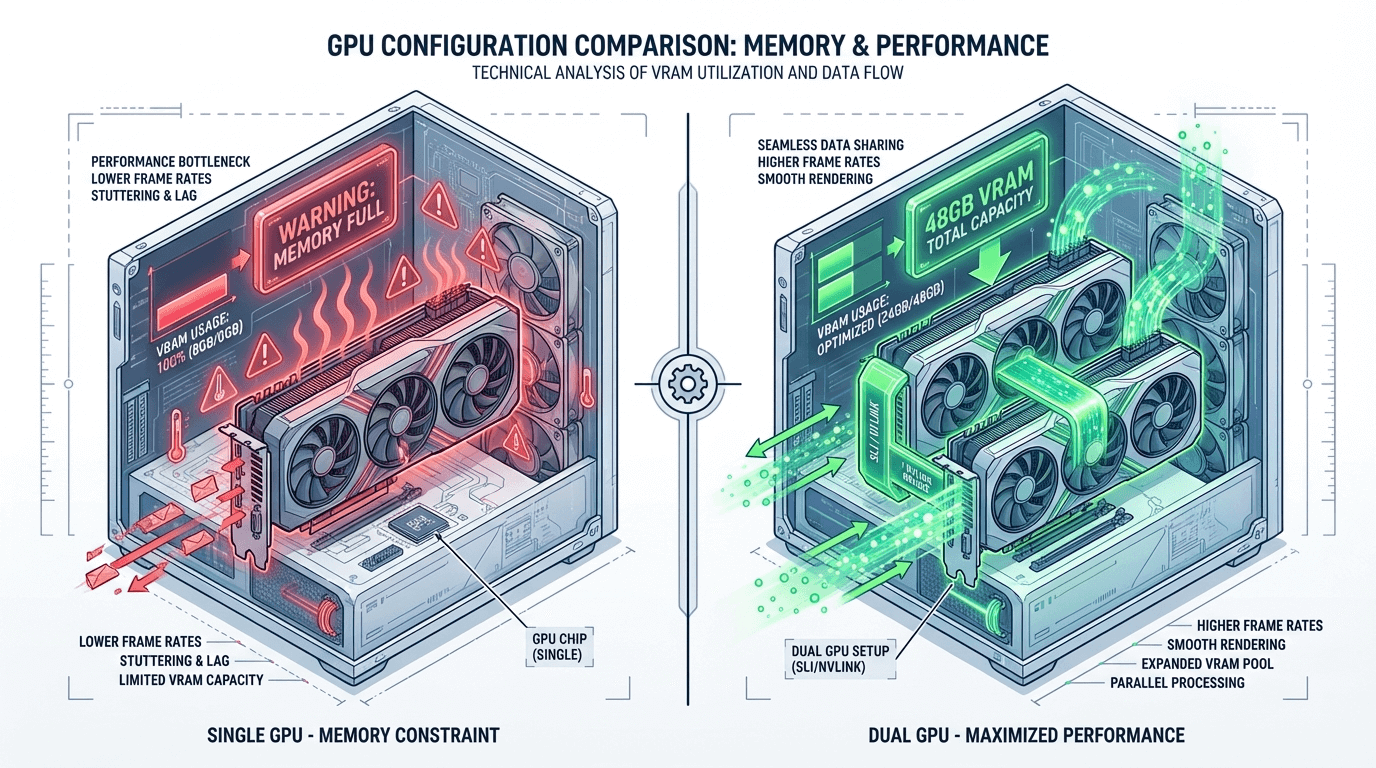
Yes, but it requires significant Video RAM (VRAM). To run Mixtral 8x7B locally with decent speed (15+ tokens/second), the absolute minimum requirement is 24GB of VRAM for a highly compressed (Q3) version. However, for a balance of speed and intelligence (Q4/Q5 quantization), a dual-GPU setup providing 48GB VRAM (such as 2x RTX 3090 or 2x RTX 4060 Ti 16GB) is highly recommended.
Key Decision Factors
If you only have a single consumer GPU (like an RTX 4070 or 3080 with <16GB VRAM), you will experience extremely slow speeds due to CPU offloading. For production or daily use, avoid single cards with less than 24GB VRAM. Investing in a dual-GPU workstation or a unified memory system (like Mac Studio) is the most cost-effective path for running MoE models like Mixtral locally without relying on cloud APIs.
Cheapest gpu for mixtral
In the rapidly evolving landscape of local Large Language Models (LLMs), Mixtral 8x7B remains a gold standard for open-source performance. As a Mixture-of-Experts (MoE) model, it delivers GPT-3.5 class performance while being efficient enough to run on consumer hardware—if you know the right specifications.
For AI enthusiasts and businesses in Dubai looking to build on-premise AI solutions, a common question arises: What is the absolute minimum hardware to run Mixtral 8x7B with decent speed?
This guide breaks down the VRAM barriers, explores cost-effective GPU configurations, and helps you decide between a single robust card or a multi-GPU setup.
What is “Decent Speed”?
Before buying hardware, we must define “speed.” In local LLM inference, performance is measured in tokens per second (t/s).
- Reading Speed (>15 t/s): The text generates faster than most humans can read. This is the ideal target for chatbots and interactive assistants.
- Decent Speed (5-10 t/s): The text generates slightly slower than reading speed, but it is usable for summarization, coding assistance, or background tasks.
- Unusable (<2 t/s): This usually happens when the model is too large for your GPU VRAM and “spills over” into your system RAM (CPU offloading). This is painfully slow and not recommended for production.
For Mixtral 8x7B, our goal is to achieve at least 10-20 t/s without breaking the bank.
Minimum vs. Recommended Hardware Specs
Mixtral 8x7B has 47 billion parameters, but due to its MoE architecture, it only uses about 13 billion parameters per token during inference. However, you still need enough VRAM to load the entire model weights.
The 24GB VRAM Barrier
The magic number for Mixtral is 24GB of VRAM.
- Minimum (Quantized): To run Mixtral comfortably, you need to use quantization (compressing the model). A Q4_K_M (4-bit) quantization of Mixtral 8x7B takes up approximately 24GB to 26GB of memory depending on context window size.
- The Challenge: A single 24GB card (like the RTX 3090 or 4090) is just on the edge. You might fit the model, but with a very small context window (2k-4k tokens). If you push the context longer, you will run out of memory (OOM).
Recommended Specs for Production
For stable performance with a usable context window (8k+), we recommend 48GB of VRAM. This is typically achieved by running two 24GB GPUs in parallel (Model Parallelism).
Pro Tip: Use our Hardware IQ Tool to configure the exact server specification needed for your workload.
GPU Comparison Chart: 2026 Benchmarks
Here is how popular GPUs perform when running Mixtral 8x7B (Q4_K_M GGUF format) using llama.cpp.
| GPU Configuration | VRAM Total | Estimated Speed (t/s) | Cost Efficiency | Best Use Case |
|---|---|---|---|---|
| 1x RTX 3090 (Used) | 24 GB | 15 – 35 t/s* | ⭐⭐⭐⭐⭐ (High) | Budget setups, short context |
| 1x RTX 4090 | 24 GB | 20 – 50 t/s* | ⭐⭐⭐⭐ (Medium) | High-speed, short context |
| 2x RTX 3090 (NVLink) | 48 GB | 30 – 45 t/s | ⭐⭐⭐⭐⭐ (High) | Best Value, Long Context |
| 2x RTX 4060 Ti 16GB | 32 GB | 10 – 18 t/s | ⭐⭐⭐ (Medium) | Entry-level 32GB setup |
| 1x NVIDIA A6000 | 48 GB | 30 – 40 t/s | ⭐⭐ (Low) | Professional Workstations |
| Mac Studio (M2 Ultra) | 64-128 GB | 25 – 35 t/s | ⭐⭐⭐⭐ (High) | Silent, Power Efficient |
*Note: Single 24GB cards may drop to <2 t/s if the context exceeds memory and offloads to system RAM.
VRAM Usage by Quantization Level
Understanding quantization is key to fitting Mixtral on your hardware. We use the GGUF format, which is standard for local inference in 2026.
- Q2_K (2-bit): ~15 GB VRAM. Quality loss is noticeable. Not recommended.
- Q3_K_M (3-bit): ~20 GB VRAM. Fits comfortably on a single RTX 3090/4090 with decent context.
- Q4_K_M (4-bit): ~26 GB VRAM (with context). The “Sweet Spot” for quality. Requires 2x GPUs or significant CPU offloading on a single 24GB card.
- Q5_K_M (5-bit): ~32 GB VRAM. Requires 48GB VRAM total (Dual GPU).
- Q8_0 (8-bit): ~48 GB VRAM. Near original quality. Requires Dual 3090/4090 or enterprise cards like the NVIDIA H100.
Single GPU vs. Multi-GPU Performance
The Single GPU Struggle
If you only have one RTX 4090, you are forced to use Q3 quantization or Q4 with heavy CPU offloading.
- Scenario: Running Q4 on a single 4090 might leave 2-4 layers on the CPU.
- Result: Speed drops from 50 t/s to 5 t/s because the GPU has to wait for the slow system RAM.
The Dual GPU Solution (The Winner)
Running two used RTX 3090s is often cheaper than one new RTX 4090 and offers double the VRAM (48GB).
- Performance: You can run Q5 or Q6 quantization comfortably with a large context window (16k+).
- Speed: With
llama.cppusing the--split-mode rowargument, the workload is shared efficiently across both cards, maintaining speeds of 30+ t/s.
Check out our AI Workstations pre-configured with dual or quad GPU setups designed specifically for these workloads.
Installation Walkthrough (GGUF Format)
The easiest way to run Mixtral locally in 2026 is using LM Studio or KoboldCPP. Here is a quick CLI guide for advanced users using llama.cpp:
-
Download the Model: Search HuggingFace for
TheBloke/Mixtral-8x7B-v0.1-GGUFor newer variants likeMaziyarPanahi/Mixtral-8x7B-GGUF. Download theQ4_K_M.gguffile. -
Install llama.cpp: Ensure you have CUDA drivers installed.
git clone https://github.com/ggerganov/llama.cpp cd llama.cpp make LLAMA_CUBLAS=1 -
Run Inference (Dual GPU Example):
./main -m models/mixtral-8x7b-q4_k_m.gguf -p "Explain quantum physics to a 5 year old" -n 512 --n-gpu-layers 33 --split-mode rowNote:
--n-gpu-layers 33attempts to offload all layers to the GPU.
Troubleshooting Slow Inference
If you are getting < 5 t/s, check the following:
- System RAM Offloading: Look at your console output. If it says “offloaded 20/33 layers,” your GPU is full, and the rest is on the CPU. Solution: Use a lower quantization (Q3) or buy another GPU.
- PCIe Bandwidth: If using dual GPUs, ensure the second card isn’t in a x1 or x4 slot. For inference, PCIe 3.0 x8 or x16 is recommended.
- Thermal Throttling: Check your GPU temperatures. The RTX 3090 GDDR6X memory runs hot.
Conclusion: Sourcing AI Hardware in Dubai
Running Mixtral 8x7B locally gives you unmatched privacy and zero API costs. For most users, a Dual RTX 3090 or Dual RTX 4060 Ti 16GB setup provides the best price-to-performance ratio, allowing you to run Q4/Q5 models at high speeds.
At ITCTShop, located in the heart of Dubai, we specialize in sourcing high-performance AI hardware. Whether you need a cost-effective workstation for local LLM inference or enterprise-grade H100 clusters, our team can help you build the perfect infrastructure.
Visit our Shop All Products page to see our latest inventory or Contact Us for a custom consultation.
“In 2026, VRAM is the new gold. We constantly see clients trying to force 47B parameter models onto single cards, but the math doesn’t lie. For Mixtral, if you aren’t using at least 48GB of total VRAM, you aren’t seeing the model’s true potential.” — Head of AI Hardware Solutions
“Quantization has improved, but there is a hard limit. Running Q2 quantization just to fit a model on a smaller GPU destroys the reasoning capabilities of Mixtral. It is usually better to run a smaller model (like Llama-3-8B) at full precision than Mixtral at Q2.” — Senior Machine Learning Engineer
“For our Dubai-based clients, the secondary market for RTX 3090s has been a game-changer. It allows small startups to build inference servers that rival H100 performance for specific local tasks at a fraction of the cost.” — Lead Data Center Architect
Last update at December 2025