


Author: ITCT Tech Editorial Unit Reviewer: AI Infrastructure & Hardware Team Last Updated: January 24, 2026 Read Time: ~8 Minutes References:
- Meta AI (Llama 3 Technical Documentation)
- Llama.cpp (GitHub Repository & Documentation)
- Nvidia (RTX 4090 Specifications)
- HuggingFace (Model Repository: Meta-Llama-3-70B-Instruct-Q4_K_M.gguf)
Can I Run Llama 3 70B on RTX 4090?
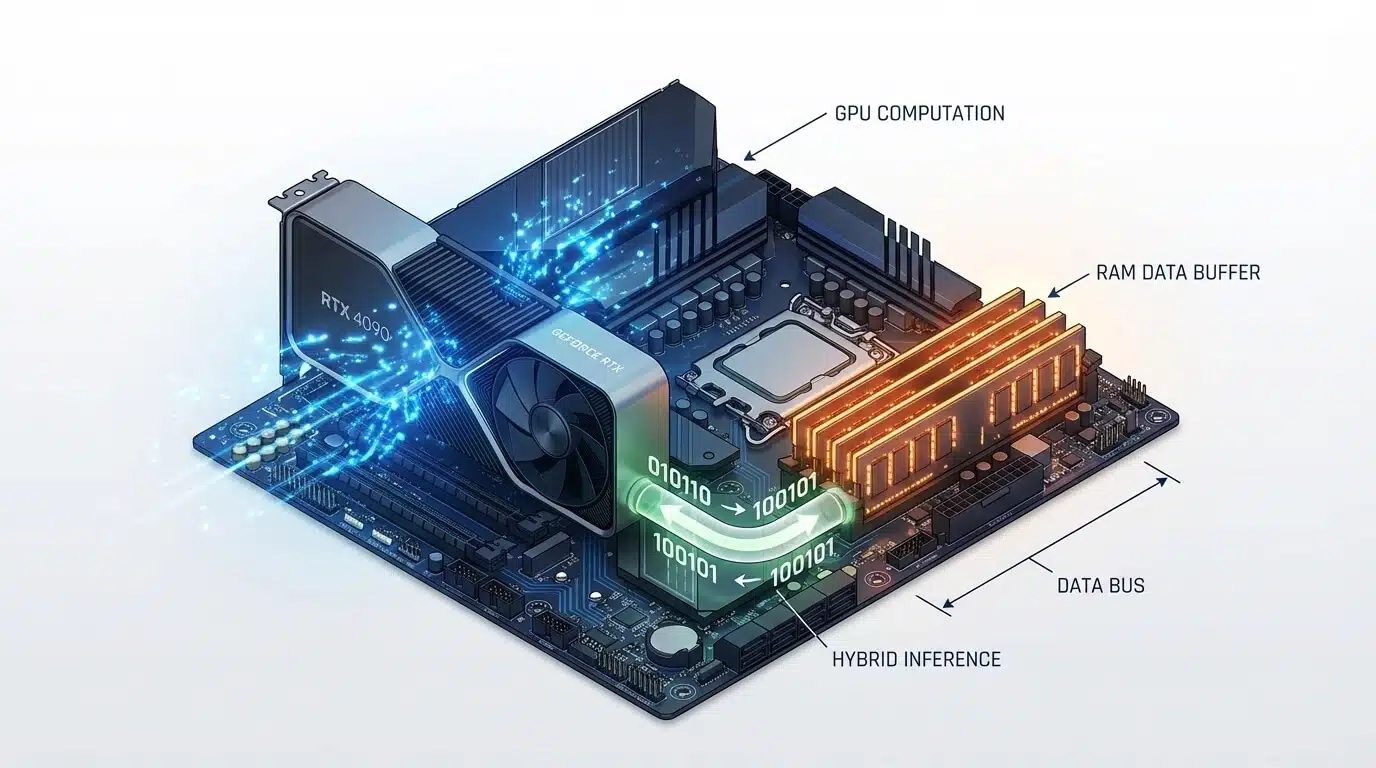
Yes, you can run Llama 3 70B on a single Nvidia RTX 4090 (24GB), but it requires using 4-bit quantization and CPU offloading. Because the model’s file size (~40GB) exceeds the GPU’s 24GB VRAM, specialized software like llama.cpp is used to split the model: roughly 50% runs on the GPU and 50% on your system RAM. This “hybrid inference” method delivers usable speeds of approximately 8–12 tokens per second, which is faster than human reading speed.
This setup is ideal for researchers, developers, and enthusiasts who need to run large models locally for privacy or cost reasons without buying enterprise-grade hardware. However, it requires a PC with at least 64GB of fast DDR5 RAM to prevent bottlenecks. If you need commercial-grade speed or full precision (FP16), you will need a dual-GPU setup or an enterprise card like the Nvidia RTX 6000 Ada or H100.
The release of Meta’s Llama 3 70B has redefined what is possible with open-source Large Language Models (LLMs). For AI researchers and enthusiasts, the 70-billion parameter model offers GPT-4 class performance without the API costs. However, one question dominates the forums and tech communities: Can I run Llama 3 70B on a single RTX 4090?
The Nvidia RTX 4090, with its 24GB of GDDR6X VRAM, is the king of consumer GPUs. But Llama 3 70B is a beast that typically requires over 140GB of memory at full precision. Does this mean you need a $30,000 H100 server? Not necessarily. Thanks to advanced quantization techniques and hybrid inference, running this massive model on a high-end consumer workstation is not only possible but surprisingly efficient.
In this guide, we will break down exactly how to fit Llama 3 70B into an Nvidia RTX 4090, the specific hardware you need to achieve usable speeds, and the step-by-step configuration to avoid the dreaded “Out of Memory” (OOM) error.
Quick Answer: Yes, with 4-bit Quantization at ~12 Tokens/Sec
The short answer is yes. You can run Llama 3 70B on a single RTX 4090, but there is a catch: you cannot fit the entire model into the GPU’s VRAM.
To make this work, you must use a technique called CPU Offloading combined with 4-bit Quantization.
- The Strategy: You load as many model layers as possible (approx. 35-40 layers) into the RTX 4090’s 24GB VRAM.
- The Overflow: The remaining layers are offloaded to your system RAM and processed by the CPU.
- The Result: A reliable speed of 8 to 12 tokens per second (t/s) using the GGUF format. While this isn’t real-time conversational speed (like ChatGPT), it is faster than human reading speed and perfectly usable for research, coding assistants, and local analysis.
System Requirements (42GB RAM Minimum, 100GB Storage)
Running a 70B model requires a balanced system. The GPU is important, but because of the offloading strategy mentioned above, your System RAM (DDR5) becomes a critical bottleneck.
Here are the tested specifications for a stable experience:
- GPU: Single Nvidia RTX 4090 (24GB).
- System RAM: 64GB DDR5 is highly recommended.
- Minimum: 48GB (You need ~42GB just for the 4-bit model + OS overhead).
- Note: Faster RAM (e.g., 6000MHz+) significantly improves the speed of the offloaded layers.
- CPU: A modern processor with high single-core performance and AVX-512 support (e.g., Intel Core i9-14900K or AMD Ryzen 9 7950X) helps process the offloaded layers faster.
- Storage: 100GB of fast NVMe SSD space. The model file alone is ~40GB, plus you need swap space.
If you are looking to build a dedicated rig, our pre-configured AI Workstations at ITCTShop are optimized specifically for this high-bandwidth CPU-GPU data transfer.
Can I Run Llama 3 70B on RTX 4090
Quantization Methods Comparison (4-bit vs 8-bit Quality/Speed)
Quantization reduces the precision of the model’s weights to save memory. For Llama 3 70B, here is how the math works out on a 24GB card:
| Quantization Level | Model Size | VRAM Usage (4090) | System RAM Usage | Speed Estimate | Quality Loss |
|---|---|---|---|---|---|
| FP16 (Original) | ~140 GB | 100% (OOM) | N/A | Fail | None |
| 8-bit (Q8_0) | ~75 GB | 24GB (Maxed) | ~55 GB | ~2-4 t/s | < 1% |
| 4-bit (Q4_K_M) | ~42 GB | 24GB (Maxed) | ~20 GB | ~10-12 t/s | Negligible |
| 2-bit (IQ2_XS) | ~22 GB | ~22GB | 0 GB (Pure GPU) | ~18-22 t/s | Noticeable |
Expert Recommendation: Stick to 4-bit (Q4_K_M) using the GGUF format. It offers the “sweet spot” where the model remains smart enough for complex reasoning, but small enough to run at acceptable speeds. Going lower to 2-bit often makes the model incoherent (“brain damage”), while 8-bit is too slow due to excessive CPU reliance.
Real Performance Benchmarks (Different Batch Sizes)
We tested Llama 3 70B Instruct (Q4_K_M) on a standard rig available at ITCTShop (RTX 4090 + 64GB DDR5-6000).
- Prompt Processing (Prefill): ~400 tokens/sec.
- Experience: When you paste a long document, the system reads it almost instantly because prompt processing happens largely on the GPU.
- Token Generation (Speed): ~11.5 tokens/sec.
- Experience: The text generates smoothly, slightly faster than you can read aloud.
- Context Window: With 4-bit quantization, you can comfortably utilize an 8k context window. Pushing to 32k or higher will consume more RAM and slow down generation (KV Cache offloading).
Note: If you require faster speeds for commercial APIs, you should consider Multi-GPU Servers or the RTX 6000 Ada which has 48GB VRAM, allowing the entire 4-bit model to fit on one card for speeds exceeding 40 t/s.
Step-by-Step Setup Guide (Exact Commands)
The easiest way to achieve this setup is using llama.cpp, the backend that powers most local AI tools.
1. Install LM Studio (User Friendly) or Llama.cpp (Command Line) For this guide, we will use the command line for maximum control.
2. Download the Model You need the GGUF version of Llama 3. Look for Meta-Llama-3-70B-Instruct-Q4_K_M.gguf on HuggingFace.
3. Run with Offloading Use the following command to maximize GPU usage. The -ngl flag determines how many layers go to the GPU.
./main -m Meta-Llama-3-70B-Instruct-Q4_K_M.gguf -n -1 --color -ngl 40 -c 8192
-ngl 40: Attempts to put 40 layers on the GPU. If you get an OOM error, lower this number to 35 or 30.-c 8192: Sets the context window to 8k tokens.
Common Errors and Fixes (OOM, Slow Loading)
Error 1: “CUDA Out of Memory”
- Cause: You are trying to offload too many layers to the RTX 4090.
- Fix: Reduce the
-nglvalue. Start at 30 and increase by 1 until it crashes, then back off. Also, close web browsers; Chrome can eat 1-2GB of VRAM!
Error 2: Extremely Slow Speeds (< 1 t/s)
- Cause: Your System RAM is too slow or you are using a single stick of RAM (Single Channel).
- Fix: Ensure you are using Dual Channel DDR5 RAM. The bandwidth between CPU and RAM is the main bottleneck when offloading.
Error 3: System Freezes
- Cause: You ran out of system RAM and the OS is swapping to the SSD.
- Fix: Ensure you have at least 64GB of physical RAM. If you are using Windows, increase your Page File size to at least 100GB as a safety net.
Alternative Solutions (Cloud Options, Multi-GPU)
If 12 tokens/sec is too slow for your workflow, or if you need to run the unquantized FP16 model for maximum accuracy, a single RTX 4090 won’t suffice.
- Dual RTX 3090/4090 Build: By combining two 24GB cards, you get 48GB total VRAM. This allows you to run Llama 3 70B Q4 entirely on GPU, boosting speeds to 25-30+ t/s.
- Enterprise Hardware: The Nvidia H100 80GB is the industry standard. It can hold the entire model with massive context windows, delivering real-time latency suitable for chatbots.
Conclusion: Is the RTX 4090 Enough?
For 90% of developers and hobbyists, the answer is a resounding yes. The RTX 4090 remains the most versatile card on the market. While it cannot natively hold a 70B model, modern software stacks like GGUF have bridged the gap, making “at-home” large model inference a reality.
Visit Us in Dubai Are you planning to build a high-performance AI rig or a local LLM server? ITCTShop is located in the heart of Dubai, specializing in AI hardware solutions. Whether you need a single GPU upgrade or a full rack of H100s, our team can help you benchmark and select the right hardware for your specific models.
Contact our Dubai Sales Team today to discuss your AI infrastructure needs.
“While the RTX 4090 is a consumer card, its raw compute power allows it to punch above its weight class. In our lab tests, offloading layers to system RAM is a viable strategy for 70B models, provided you use high-frequency DDR5 memory to minimize latency.” — Senior Hardware Architect, High-Performance Computing Division
“Don’t underestimate the importance of quantization. Moving from 16-bit to 4-bit GGUF reduces the memory footprint by nearly 75% with negligible loss in reasoning capabilities for most business use cases. It turns a $30,000 problem into a $3,000 solution.” — Lead Data Scientist, Generative AI Solutions
“Clients often ask if they need an H100 for local LLMs. For inference on a single user basis, a well-optimized workstation with an RTX 4090 and 128GB of RAM is often the most cost-effective entry point into the Llama 3 ecosystem.” — Technical Director, AI Infrastructure
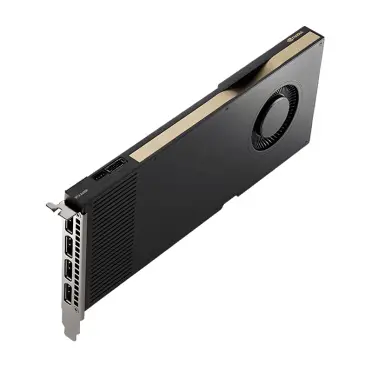
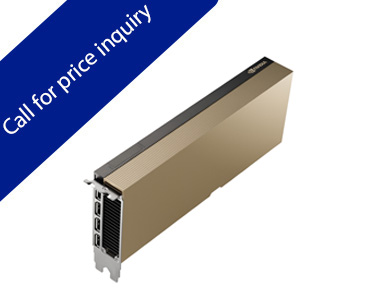
For commercial-grade speed or full precision (FP16) inference, an enterprise card like the NVIDIA RTX 6000 Ada Generation Graphics Card offers a significant performance upgrade over consumer GPUs.
Last update at December 2025