
Products Mentioned in This Article
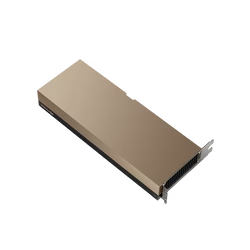
 NVIDIA H100 NVL GPU Original price was: USD33,000.USD30,500Current price is: USD30,500.
- NVIDIA RTX 6000 Ada Generation Graphics CardUSD9,000
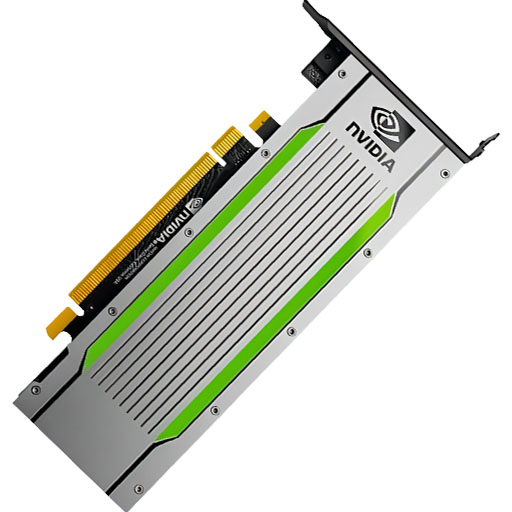
- NVIDIA L40S Original price was: USD11,500.USD10,500Current price is: USD10,500.
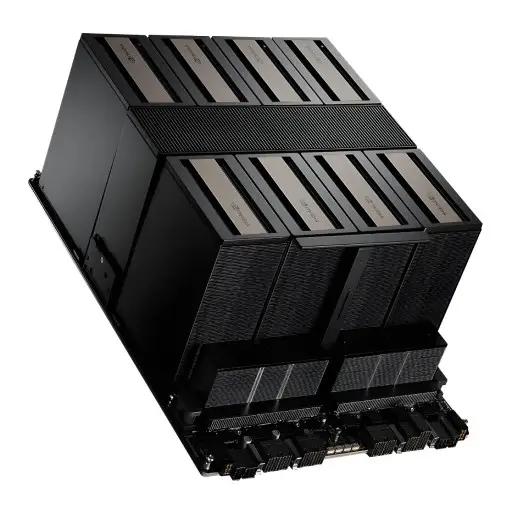
- NVIDIA HGX B200 (8-GPU) PlatformUSD390,000
- HGX H100 Optimized X13 8U 8GPU Server: The Ultimate AI and HPC Powerhouse for Exascale ComputingUSD300,000


Author: ITCT Tech Editorial Unit
Reviewed By: ITCT Infrastructure & Solutions Team
Last Updated: January 12, 2026
Reading Time: 18 minutes
References:
- NVIDIA HGX & DGX Platform Documentation
- MLPerf Benchmark Results
- PCI-SIG PCIe Technology Specifications
- Top500 Supercomputer List
Quick Answer: Summary
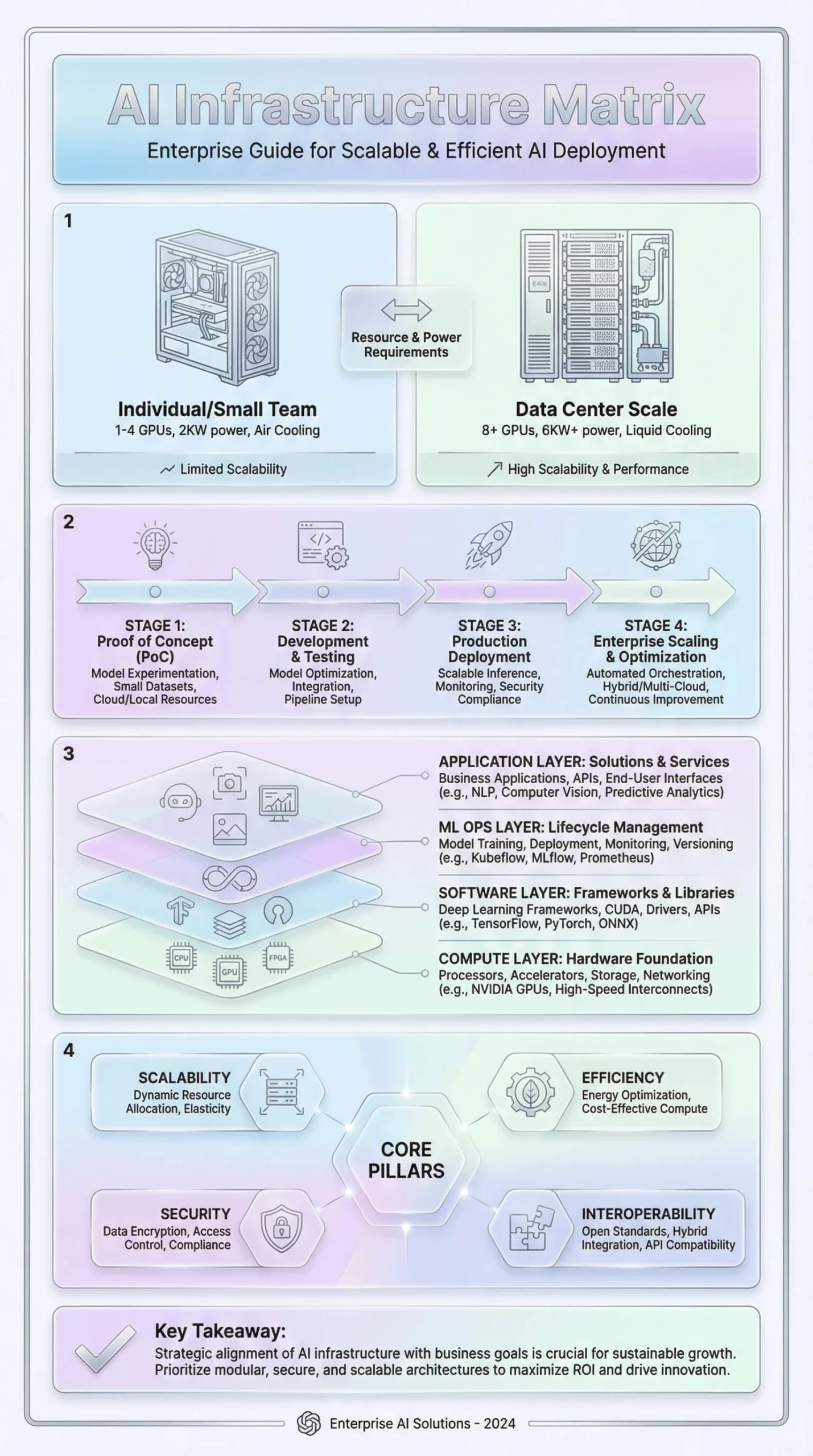
This guide compares enterprise AI infrastructure options, specifically focusing on the critical choice between professional AI Workstations and rack-mounted GPU Servers. AI workstations (typically 1-4 GPUs like RTX 6000 Ada) are ideal for individual researchers, prototyping, and small teams needing direct access in office environments. In contrast, GPU servers (4-8+ GPUs like NVIDIA H100/H200) are essential for production-scale training, massive dataset processing, and multi-user environments, offering superior density and remote management but requiring data center infrastructure (cooling, 3-phase power).
Key Takeaways & Decision Guide
Choose AI Workstations if you have a limited budget ($8k-$50k), lack specialized data center facilities, or are focused on model development and debugging. Choose GPU Servers (HGX/DGX platforms) if you need 24/7 sustained uptime, are training models with 70B+ parameters, or require scaling across multiple nodes. The guide also details the NVIDIA HGX vs. DGX distinction: select HGX for modular flexibility and lower hardware costs, or DGX for a turnkey, pre-validated “supercomputer” experience with comprehensive support.
The artificial intelligence revolution has fundamentally transformed enterprise computing requirements, creating unprecedented demand for specialized hardware capable of training large language models, processing massive datasets, and serving real-time inference at scale. As organizations transition from experimental AI projects to production deployments, the decision between AI workstations and GPU servers becomes critical to achieving optimal performance, cost-efficiency, and scalability.
Enterprise AI infrastructure encompasses two primary categories: professional AI workstations designed for individual researchers and small teams, and rack-mounted GPU servers optimized for data center deployment and multi-user environments. Understanding the technical specifications, performance characteristics, and use case alignment of each solution is essential for making informed infrastructure investments that support both immediate requirements and long-term growth trajectories.

This comprehensive guide examines enterprise GPU solutions across multiple dimensions: comparing AI workstations versus GPU servers, evaluating NVIDIA’s flagship platforms including HGX and DGX systems, analyzing multi-GPU training server configurations, and providing decision frameworks for selecting optimal hardware aligned with specific organizational requirements, budget constraints, and technical workloads.
AI Workstations vs GPU Servers: Understanding the Fundamental Differences
Architecture and Design Philosophy
The architectural distinctions between AI workstations and GPU servers extend far beyond physical form factors, reflecting fundamentally different design priorities, target use cases, and operational paradigms that organizations must carefully evaluate when building AI infrastructure.
AI workstations represent high-performance desktop systems engineered for individual users or small collaborative teams requiring direct, interactive access to substantial computational resources. These systems typically feature 1-4 professional-grade GPUs (NVIDIA RTX A-Series, L40/L40S, or Ada Lovelace architecture), powerful multi-core processors (Intel Xeon W or AMD Threadripper PRO), 64-256GB system memory, and professional graphics capabilities supporting both AI acceleration and visualization workflows. The compact tower or deskside form factors enable deployment in office environments without specialized infrastructure, while operating systems optimized for workstation use (Windows 11 Pro, Linux desktop distributions) provide familiar user experiences and direct hardware access for development and experimentation.
GPU servers, conversely, represent enterprise-grade rack-mounted systems designed for shared access, high availability, and maximum computational density in data center environments. These platforms accommodate 4-8+ enterprise GPUs (NVIDIA H100, H200, A100 series), dual server-class processors (Intel Xeon Scalable, AMD EPYC), 512GB-2TB+ system memory, redundant power supplies and cooling systems enabling 24/7 operation, high-bandwidth networking (10GbE, 25GbE, InfiniBand), remote management capabilities (IPMI, BMC), and server operating systems optimized for multi-user, multi-tenant environments supporting dozens or hundreds of concurrent users.
For a detailed analysis of architectural differences and performance characteristics, explore our comprehensive AI workstation vs GPU server comparison, which examines use case scenarios, cost structures, and decision frameworks across diverse organizational profiles.
Performance and Scalability Comparison
| Aspect | AI Workstation | GPU Server |
|---|---|---|
| GPU Configuration | 1-4 GPUs (300-1400W total) | 4-8+ GPUs (2800-5600W+ total) |
| Memory Capacity | 64-256GB system RAM | 512GB-2TB+ system RAM |
| Power Requirements | 1-2 standard office circuits | Data center power infrastructure |
| Cooling | Air-cooled, quieter operation | High-velocity or liquid cooling |
| Network Connectivity | 1-10GbE standard | 10-100GbE, InfiniBand options |
| Management | Direct user access | Remote management (IPMI, BMC) |
| Operating Model | Single-user or small team | Multi-user, multi-tenant |
| Uptime Requirements | Business hours | 24/7 production operation |
| Typical Use Cases | Model development, prototyping | Production training, inference serving |
| Scalability | Limited to single system | Cluster expansion capabilities |
Cost Structure and Economic Analysis
AI Workstation Economics:
- Initial investment: $8,000 – $50,000
- Power consumption: 500-2000W (moderate electricity costs)
- Space requirements: Standard office desk placement
- IT overhead: Low, user-serviceable maintenance
- Best for: Budget-conscious organizations, small teams, experimental projects
GPU Server Economics:
- Initial investment: $50,000 – $400,000+
- Power consumption: 3000-6000W+ (significant operational costs)
- Space requirements: Rack-mounted data center deployment
- IT overhead: Professional administration, monitoring systems
- Best for: Production workloads, multi-user environments, enterprise scale
Organizations must conduct comprehensive total cost of ownership (TCO) analysis incorporating acquisition costs, power consumption over 3-5 year periods, cooling infrastructure investments, space utilization expenses, software licensing, support contracts, and opportunity costs associated with training time differences affecting researcher productivity and time-to-market for AI applications.
NVIDIA HGX Platform Guide: H100 vs H200 vs B200
Understanding the NVIDIA HGX Platform Architecture
The NVIDIA HGX platform represents a standardized baseboard design integrating multiple GPUs with high-bandwidth NVLink interconnects, advanced thermal management, and comprehensive validation ensuring reliable operation under sustained computational loads. This modular architecture enables server OEMs (Supermicro, Dell, HPE, Lenovo, ASUS, Gigabyte) to build compatible systems around common NVIDIA-designed baseboards, accelerating time-to-market for new GPU generations while ensuring consistent performance characteristics across diverse vendor implementations.
For organizations building GPU clusters ranging from departmental research installations through hyperscale deployments, understanding HGX platform evolution across H100, H200, and B200 generations proves essential for infrastructure investments balancing immediate performance requirements against future scalability needs and technology refresh cycles.
HGX H100: Hopper Architecture Foundation
The NVIDIA HGX H100 platform establishes the architectural template for modern AI infrastructure, combining eight H100 SXM5 Tensor Core GPUs with 80GB HBM3 memory each into unified systems delivering 32 petaFLOPS of FP8 compute performance and 640GB total GPU memory capacity. Each H100 GPU features 16,896 CUDA cores, 528 fourth-generation Tensor Cores optimized for FP8/FP16/FP32 mixed-precision training, and 80GB HBM3 memory operating at 3 TB/s bandwidth—specifications enabling training of GPT-style language models with 7-175 billion parameters within practical timeframes.
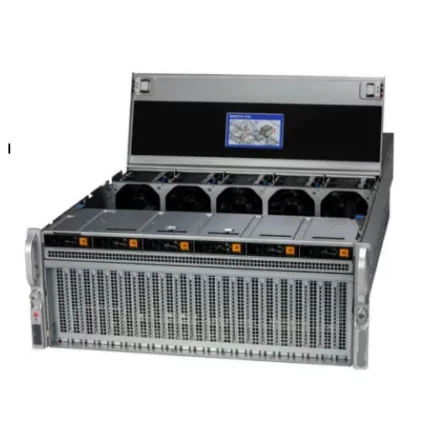
HGX H100 Optimized X13 8U 8GPU Server: The Ultimate AI and HPC Powerhouse for Exascale Computing
Key Technical Specifications:
- 8× NVIDIA H100 SXM5 GPUs (80GB HBM3 each)
- 640GB total GPU memory
- 32 petaFLOPS FP8 performance
- 4th generation NVLink (900 GB/s bidirectional per GPU)
- 7.2 TB/s aggregate NVLink bandwidth
- 24 TB/s total memory bandwidth
- PCIe Gen 5.0 x16 per GPU
- 5,600W GPU power consumption
HGX H200: Memory-Enhanced Platform
The NVIDIA HGX H200 addresses memory capacity limitations through HBM3e technology, delivering 141GB per GPU (1.13TB total) with 4.8 TB/s per-GPU bandwidth—76% more capacity and 60% higher bandwidth versus H100. These enhancements prove particularly valuable for inference serving workloads requiring extensive key-value caching, training scenarios benefiting from larger batch sizes, and applications processing ultra-high-resolution imagery or long video sequences exceeding previous-generation memory constraints.
Performance Advantages:
- 1.13TB total GPU memory (+76% vs H100)
- 38.4 TB/s aggregate memory bandwidth (+60% vs H100)
- 5-8% faster training through larger batch sizes
- 15-25% higher inference throughput for memory-bound workloads
- Optimal for 100B-500B parameter models
For comprehensive technical analysis and deployment considerations, refer to our NVIDIA HGX Platform Guide: H100 vs H200 vs B200.
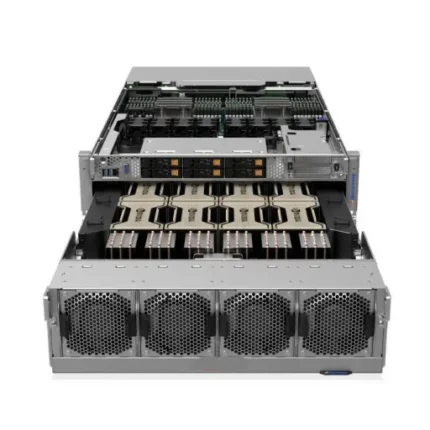
HGX H200 Optimized X13 8U 8GPU Server
HGX B200: Blackwell Architecture Revolution
The NVIDIA HGX B200 represents architectural quantum leap through Blackwell generation, delivering 72 petaFLOPS FP8 training performance and 144 petaFLOPS FP4 inference throughput—2.25× and 4.5× improvements respectively over H100 specifications. Each B200 GPU incorporates 208 billion transistors, 180GB HBM3e memory at 8 TB/s bandwidth, and fifth-generation NVLink providing 1.8 TB/s bidirectional connectivity enabling dramatically improved multi-GPU scaling efficiency.
Revolutionary Capabilities:
- 72 petaFLOPS FP8 training (2.25× faster than H100)
- 144 petaFLOPS FP4 inference (4.5× faster than H100)
- 1.44TB total GPU memory across 8 GPUs
- 64 TB/s aggregate memory bandwidth
- 14.4 TB/s total NVLink bandwidth
- 2-3× training acceleration for large language models
- 12-15× inference throughput improvements with FP4 quantization
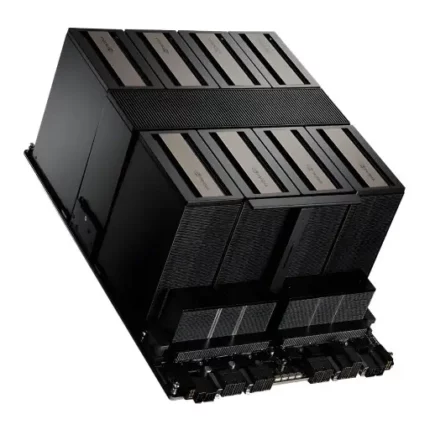
NVIDIA HGX B200 (8-GPU) Platform
| Specification Category | Parameter | Value |
|---|---|---|
| GPU Configuration | GPU Type | 8x NVIDIA B200 Tensor Core GPUs |
| GPU Architecture | Blackwell (208 billion transistors per GPU) | |
| GPU Form Factor | SXM5 module with integrated cooling interface | |
| Manufacturing Process | TSMC 4NP (4nm process technology) | |
| Memory Architecture | Total GPU Memory | 1,440GB HBM3e (180GB per GPU) |
| Memory Type | HBM3e (High Bandwidth Memory 3 Enhanced) | |
| Memory Interface per GPU | 4,096-bit | |
| Memory Speed | 8 Gbps per pin | |
| Per-GPU Memory Bandwidth | 8 TB/s | |
| Aggregate Memory Bandwidth | 64 TB/s (across all 8 GPUs) |
NVIDIA DGX Comparison: Complete Systems Guide
DGX H100: Enterprise AI Supercomputer
The NVIDIA DGX H100 represents turnkey AI infrastructure combining eight H100 SXM5 GPUs with dual Intel Xeon Platinum processors, 2TB DDR5 system memory, 30TB NVMe storage, and eight ConnectX-7 network adapters supporting 400GbE or NDR InfiniBand connectivity. The complete platform ships with NVIDIA Base Command software stack including optimized containers for PyTorch, TensorFlow, JAX, enterprise management tools, and comprehensive diagnostic utilities streamlining deployment and accelerating time-to-first-successful-training-run.
System Specifications:
- 8× NVIDIA H100 SXM5 (80GB each)
- 32 petaFLOPS FP8 performance
- 2× Intel Xeon Platinum 8480C (56 cores total)
- 2TB DDR5 ECC memory
- 30TB NVMe storage
- 8× ConnectX-7 (400GbE/NDR InfiniBand)
- 10.2 kW maximum power
- 8U rackmount form factor
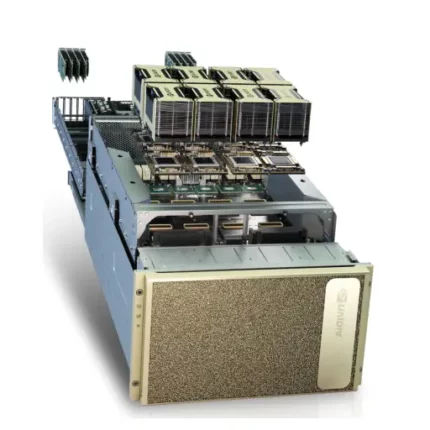
NVIDIA DGX H100 ( 8×H100 SXM5 AI Supercomputing Platform )
DGX H200: Enhanced Memory AI System
The NVIDIA DGX H200 upgrades GPU memory from 80GB HBM3 to 141GB HBM3e per accelerator, providing 1.13TB aggregate GPU memory with 4.8 TB/s per-GPU bandwidth. This memory enhancement eliminates training bottlenecks associated with large batch requirements, enables inference serving with extensive key-value caches, and supports trillion-parameter model development previously impossible within single-system configurations.
Memory Advantages:
- 1.13TB total GPU memory (+76% vs DGX H100)
- 4.8 TB/s per-GPU bandwidth (+60% vs H100)
- 30-50% larger per-GPU batch sizes
- Improved inference latency for long-context applications
- Optimal for 100B-1T parameter model development
NVIDIA DGX H200 (AI Supercomputer – 8× H200 SXM5 GPUs, 2× Intel Xeon 64C, 2TB DDR5, 30TB NVMe)
| Component | Specification | Details |
|---|---|---|
| GPU | 8× NVIDIA H200 SXM5 | Hopper architecture with Tensor Cores |
| GPU Memory (Each) | 141GB HBM3e | 4.8TB/s bandwidth per GPU |
| Total GPU Memory | 1,128GB (1.1TB) | Aggregate across all 8 GPUs |
| GPU Interconnect | NVLink 4.0 + NVSwitch | 900GB/s bidirectional per GPU |
| Total NVLink Bandwidth | 7.2TB/s | All-to-all non-blocking fabric |
| FP8 Performance | 32 petaFLOPS | Peak Tensor Core throughput |
| FP16 Performance | 16 petaFLOPS | Mixed precision training |
| TF32 Performance | 8 petaFLOPS | TensorFlow 32-bit float |
| CPU | 2× Intel Xeon Platinum 8592+ | 64 cores each (128 total) |
| CPU Cores/Threads | 128 cores / 256 threads | 2.0GHz base, up to 3.8GHz boost |
DGX B200: Blackwell Performance Leader
The NVIDIA DGX B200 delivers revolutionary performance through eight Blackwell B200 GPUs fabricated on advanced 4nm process technology with 208 billion transistors per GPU. The system achieves 72 petaFLOPS FP8 training and 144 petaFLOPS FP4 inference performance, representing 2-3× training acceleration and 12-15× inference improvements versus previous generation DGX H100 systems.
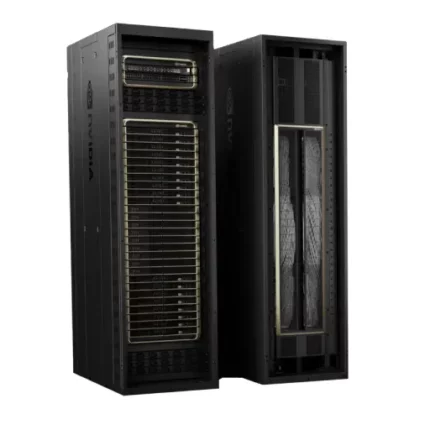
NVIDIA DGX GB200 NVL72 ( AI Supercomputer with 72 Blackwell GPUs and 36 Grace CPUs)
DGX GB200 NVL72: Rack-Scale Exascale Computing
The NVIDIA DGX GB200 NVL72 transcends traditional server architecture, delivering exascale computing in single liquid-cooled rack containing 36 NVIDIA Grace CPUs and 72 Blackwell GPUs interconnected through largest unified NVLink domain ever constructed. This rack-scale system provides 1,440 petaFLOPS FP4 inference and 720 petaFLOPS FP8 training performance—computational capabilities previously requiring dozens of traditional racks consuming megawatts of power.
Exascale Capabilities:
- 36× NVIDIA Grace CPUs (2,592 Arm cores)
- 72× Blackwell B200 GPUs
- 13.5TB HBM3e GPU memory
- 30.2TB total fast memory (CPU + GPU)
- 1,440 petaFLOPS FP4 inference
- 720 petaFLOPS FP8 training
- 130 TB/s NVLink bandwidth per rack
- 120 kW power consumption (liquid cooling)
Explore comprehensive technical specifications and deployment strategies in our NVIDIA DGX Comparison Guide.
NVIDIA DGX GB200 NVL72 ( AI Supercomputer with 72 Blackwell GPUs and 36 Grace CPUs)
NVIDIA DGX Comparison Complete Systems Guide
Multi-GPU Training Server Configuration Best Practices
Hardware Component Selection
Configuring multi-GPU training servers requires careful component selection balancing GPU computational power, CPU coordination capabilities, memory capacity, storage throughput, networking bandwidth, and thermal management to avoid bottlenecks limiting overall system performance.
GPU Selection Criteria:
- Memory capacity: 24-80GB for small models, 80-141GB for large language models
- Compute performance: FP8 Tensor Core throughput for training efficiency
- Interconnect technology: NVLink for multi-GPU scaling, PCIe Gen5 for host communication
- Power and cooling: 250-700W TDP per GPU requiring adequate infrastructure
CPU and Motherboard Requirements:
- PCIe lanes: 16× per GPU (128 lanes for 8-GPU configuration)
- Core count: 32-64 cores per socket for data preprocessing
- Memory channels: Support for 512GB-2TB DDR5 ECC
- Platform: Intel Xeon Scalable or AMD EPYC processors
Storage Subsystem Architecture:
- Local NVMe: 4-8× 7.68TB enterprise SSDs in RAID configuration
- Sequential bandwidth: 50+ GB/s aggregate throughput
- Network storage: High-performance NAS with RDMA capabilities
- Capacity planning: 30-50TB local storage per server
For detailed configuration guidelines, component compatibility matrices, and performance optimization strategies, refer to our comprehensive multi-GPU training server configuration guide.
Networking Infrastructure for Distributed Training
High-Speed Interconnects:
- InfiniBand NDR: 400Gb/s per port, sub-microsecond latency
- RoCE v2 Ethernet: 200-400GbE with RDMA capabilities
- NVLink: 900 GB/s-1.8 TB/s GPU-to-GPU bandwidth
- ConnectX-7 adapters: Optimal for distributed training coordination
Network Topology Design:
- Single-server: Rely on NVLink for intra-server communication
- Multi-server clusters: Fat-tree or rail-optimized topologies
- Spine-leaf architecture: Non-blocking communication for large deployments
- Redundancy: N+1 switch configurations for high availability
Software Stack Installation
Operating System Configuration:
- Ubuntu Server 22.04 LTS or Red Hat Enterprise Linux 9
- CUDA toolkit and GPU drivers (version matching framework requirements)
- Container runtime: Docker or Singularity for reproducible environments
- Monitoring tools: NVIDIA DCGM, Prometheus, Grafana
Deep Learning Framework Optimization:
- PyTorch: DistributedDataParallel (DDP) for multi-GPU training
- TensorFlow: MirroredStrategy for synchronous training
- Horovod: Framework-agnostic distributed training library
- NCCL: Optimized collective communications for gradient synchronization
Enterprise GPU Server Comparison
Leading Platform Overview
Organizations evaluating enterprise GPU servers must compare offerings from major OEM vendors delivering HGX-based systems with varying customization options, support models, and pricing structures aligned with different organizational requirements and procurement preferences.
| Platform | GPU Configuration | Processor | Memory | Best For | Price Range |
|---|---|---|---|---|---|
| HPE ProLiant DL380a Gen12 | 4-10× GPUs (600W each) | Intel Xeon 6 (64-144 cores) | Up to 4TB DDR5 | Enterprise reliability | $200K-$350K |
| Supermicro AS-4125GS | 8-10× GPUs (direct/switch) | AMD EPYC 9004/9005 | Up to 6TB DDR5 | High core count | $180K-$320K |
| H3C UniServer R5300 G6 | 4-10× GPUs (modular) | Intel Xeon 4th/5th Gen | Up to 12TB DDR5 | Flexible configuration | $190K-$340K |
| Xfusion G5500 V7 | Up to 10× GPUs | Intel Xeon Scalable | Up to 8TB DDR5 | Cost-effective | $160K-$300K |
Technical Comparison Matrix
Detailed analysis of architectural differences, performance characteristics, cooling requirements, management capabilities, and ecosystem compatibility enables informed vendor selection aligned with specific workload requirements, infrastructure constraints, and operational preferences.
Explore comprehensive specifications, benchmark results, and deployment recommendations in our enterprise GPU servers comprehensive comparison.
Professional AI Workstation Solutions
Soika AI Workstation Lineup
Professional AI workstations bridge the gap between consumer hardware and enterprise GPU servers, providing individual researchers and small teams with substantial computational resources without requiring data center infrastructure, complex IT administration, or specialized electrical and cooling systems.
Soika Dolphin Series Overview:
- SM5000: 3× RTX 5000 Ada (96GB total GPU memory) – Entry-level professional computing
- SM5880: 4× RTX 5880 Ada (192GB total GPU memory) – Enhanced compute capabilities
- SM6000: 4× RTX 6000 Ada (192GB total GPU memory) – Flagship professional workstation
- H200: 4× NVIDIA H200 (564GB total GPU memory) – Datacenter-class performance
Common Platform Features:
- Dual Intel Xeon 6538N processors (64 cores, 128 threads)
- 512GB DDR5-5600 ECC memory
- 4× 1.9TB NVMe PCIe Gen4 SSDs (7.6TB total)
- X13 4U rack-mountable chassis
- Soika Enterprise License (vLLM support, clustering capabilities)
- No-code LLM management interface
- 3-year warranty with onsite service
For detailed specifications, performance benchmarks, and use case recommendations across the complete workstation lineup, explore our Soika AI workstation comparison guide.
Use Case Alignment
Choose SM5000 When:
- Budget-conscious AI exploration and learning
- Small teams (2-5 researchers) with modest computational needs
- Computer vision applications with models under 30B parameters
- Professional visualization combined with AI development
Choose SM5880 When:
- Production AI deployment with moderate scale
- Fine-tuning large language models (40-70B parameters)
- High-throughput inference serving requirements
- Teams requiring enterprise clustering capabilities
Choose SM6000 When:
- Flagship professional performance requirements
- Maximum memory capacity for complex workflows
- Elite AI research at computational frontiers
- Professional content creation combined with AI
Choose H200 When:
- Enterprise-scale AI with frontier model development
- Training models approaching 200B+ parameters
- Production inference serving at massive scale
- Maximum computational density requirements
Decision Framework: Selecting Optimal AI Infrastructure
Workload Assessment
Organizations must conduct comprehensive workload analysis examining computational requirements, memory needs, scaling patterns, uptime expectations, and team collaboration models to align infrastructure investments with actual operational demands rather than theoretical capabilities.
Key Evaluation Questions:
- What are primary AI workloads (training vs inference)?
- What model sizes are currently trained (parameters, memory requirements)?
- How many users require concurrent GPU access?
- What uptime requirements exist (business hours vs 24/7)?
- What growth trajectory is anticipated over 3-5 years?
Budget and TCO Analysis
5-Year Total Cost of Ownership Components:
- Capital expenditure: Hardware acquisition costs
- Operational costs: Power consumption, cooling, space rental
- IT overhead: Administration, monitoring, maintenance
- Software licensing: Frameworks, management tools, support contracts
- Opportunity costs: Training time differences, productivity impacts
Break-Even Analysis: For sustained workloads at 70%+ utilization, on-premises GPU infrastructure typically achieves cost parity with cloud instances within 12-24 months, with compelling economics over 3-5 year periods. Organizations with intermittent workloads may find cloud consumption models more cost-effective despite higher per-hour costs.
Infrastructure Readiness
AI Workstation Requirements:
- Standard office power (15-20A circuits)
- Adequate desk space and ventilation
- Standard network connectivity (1-10GbE)
- Minimal IT administration overhead
GPU Server Requirements:
- Data center or server room environment
- High-voltage power distribution (208-240V)
- Professional cooling infrastructure (hot-aisle containment)
- High-bandwidth networking (10-400GbE, InfiniBand)
- Dedicated IT support for administration
External Resources and Industry Standards
Staying current with rapidly evolving AI infrastructure requires consulting authoritative external resources providing technical specifications, benchmark results, deployment best practices, and industry standards from leading technology organizations.
- NVIDIA AI Enterprise Documentation – Official NVIDIA platform documentation covering DGX systems, HGX specifications, software stacks, and deployment guidelines
- MLPerf Benchmark Results – Independent performance benchmarks comparing training and inference throughput across diverse hardware configurations
- PCIe Technology Specifications – Official PCI-SIG standards documentation for understanding interconnect technologies and bandwidth capabilities
- Top500 Supercomputer List – Rankings and analysis of world’s most powerful computing systems providing insights into enterprise-scale infrastructure trends
Frequently Asked Questions
What is the main difference between AI workstations and GPU servers?
AI workstations are desktop systems designed for individual users or small teams, featuring 1-4 professional GPUs, compact form factors, and operating systems optimized for direct user interaction. GPU servers are rack-mounted enterprise systems supporting 4-8+ datacenter GPUs, designed for multi-user access, 24/7 operation, remote management, and data center deployment. Workstations excel at development and prototyping, while servers target production training, inference serving, and shared infrastructure scenarios.
How much GPU memory do I need for large language model training?
Memory requirements scale with model parameters: 24-32GB for models under 10B parameters, 80-96GB for 10-70B parameter models, 160GB+ for 70-175B parameters, and 640GB-1TB+ for 200B+ parameter frontier models. Requirements depend on batch size, sequence length, and optimization techniques (gradient checkpointing, activation recomputation). Consider future growth when sizing infrastructure to avoid premature replacement cycles.
Can I mix different GPU generations in the same training cluster?
Yes, heterogeneous clusters are technically feasible through NCCL and compatible networking. However, performance is constrained by slowest component—mixing H100 and B200 GPUs in single training job causes B200 GPUs to idle waiting for H100 completion. Optimal strategy: dedicate uniform hardware to each job, use advanced systems for interactive development, assign older hardware to batch jobs and inference serving.
What cooling infrastructure is required for enterprise GPU servers?
Air-cooled servers (4-8 GPUs) require data center environments with 18-22°C cold aisle supply temperature, adequate CFM airflow (200+ CFM per kW), hot-aisle containment for efficiency, and redundant cooling capacity. Power consumption ranges 3-6kW per server generating 10,000-20,000 BTU/hour heat output. Liquid cooling becomes necessary for high-density deployments (8+ servers per rack) or maximum-TDP GPU configurations, requiring facility water loop integration, rear-door heat exchangers, leak detection systems, and specialized maintenance procedures.
How does NVIDIA HGX differ from DGX systems?
HGX represents standardized GPU baseboard design that OEMs integrate into custom server chassis, providing flexibility in vendor selection, customization options, and typically 10-20% lower acquisition costs. DGX systems are complete turnkey appliances manufactured by NVIDIA with pre-configured software stacks, unified support, validated performance, and premium pricing. Choose HGX for cost optimization and vendor flexibility; select DGX for simplified procurement, comprehensive support, and validated configurations.
What networking bandwidth do I need for distributed training?
Requirements scale with cluster size and model architecture: 200-400Gb/s per server for small clusters (2-8 servers), 400-800Gb/s for medium deployments (8-32 servers), and multi-rail configurations with 800Gb/s-1.6Tb/s aggregate for large-scale clusters (32+ servers). Large language model training with frequent gradient synchronization benefits most from high bandwidth, while computer vision training with infrequent synchronization tolerates more modest provisioning. Benchmark representative workloads before finalizing networking architecture.
How long does GPU server deployment typically take?
From purchase order to first successful training: 4-8 weeks for air-cooled systems (2-3 weeks hardware delivery, 1-2 weeks installation/networking, 1-3 weeks software validation), and 12-16 weeks for liquid-cooled rack-scale systems requiring facility modifications, plumbing work, and infrastructure preparation. Organizations should begin planning 6-12 months ahead of desired operational dates to accommodate procurement cycles, infrastructure preparation, team training, and unexpected delays.
What is the upgrade path for existing AI infrastructure?
NVIDIA does not offer in-place GPU upgrades due to tightly integrated architectures. Organizations should: (1) Continue operating existing systems for stable production workloads, (2) Acquire new-generation systems for cutting-edge research while maintaining legacy hardware, (3) Trade-in or resell older equipment through vendor channels—DGX A100 systems retain 40-50% of original value 3 years post-purchase. Plan hardware refresh cycles aligned with 3-4 year useful life optimizing depreciation benefits and performance economics.
Can GPU servers be deployed in cloud environments?
Major cloud providers (AWS, Google Cloud, Microsoft Azure, Oracle Cloud) offer DGX Cloud services providing access to equivalent or superior GPU infrastructure via consumption-based pricing featuring latest-generation hardware, pre-configured software stacks, elastic scaling, and cloud integration. Organizations uncertain about capital commitment or requiring temporary capacity should evaluate cloud options. Those with sustained, predictable workloads typically achieve 50-70% cost savings through on-premises ownership over 3-5 year periods.
What software optimizations improve multi-GPU training performance?
Key optimizations include: (1) Mixed precision training using FP16/BF16 reducing memory consumption and accelerating throughput, (2) Gradient accumulation simulating larger batch sizes when memory constrained, (3) Gradient checkpointing trading compute for memory through activation recomputation, (4) Efficient data loading with multi-process dataloaders preventing GPU starvation, (5) Communication overlap hiding gradient synchronization latency, (6) Flash Attention optimizing transformer attention mechanisms, (7) Model parallelism distributing large models across GPUs, and (8) ZeRO optimizer state sharding reducing per-GPU memory requirements.
Conclusion: Building Future-Ready AI Infrastructure
Selecting optimal AI infrastructure requires balancing immediate computational requirements against long-term organizational growth trajectories, technology evolution cycles, and total cost of ownership considerations spanning acquisition costs, operational expenses, and opportunity costs associated with researcher productivity and time-to-market impacts.
AI workstations provide accessible entry points for individual researchers and small teams, enabling hands-on learning, rapid prototyping, and experimental validation without enterprise-scale infrastructure investments or specialized IT administration overhead. Organizations beginning AI journeys or maintaining modest computational requirements find workstations deliver compelling value through lower capital requirements, familiar user experiences, and straightforward deployment in standard office environments.
GPU servers represent essential infrastructure for production AI deployment, supporting multi-user environments, sustained training workloads, high-throughput inference serving, and enterprise reliability requirements. Organizations scaling beyond experimental phases toward production deployments, supporting research teams exceeding 10-15 members, or training frontier models approaching hundreds of billions of parameters require server-class infrastructure delivering maximum computational density, robust multi-GPU scaling, comprehensive management capabilities, and 24/7 operational reliability.
The NVIDIA ecosystem, spanning HGX modular platforms through complete DGX turnkey systems, provides comprehensive solutions addressing diverse organizational requirements across small startups through hyperscale enterprises. Understanding architectural differences between H100, H200, and revolutionary Blackwell B200 generations enables informed infrastructure investments aligned with specific workload characteristics, memory requirements, and performance objectives.
As artificial intelligence continues transforming industries and creating unprecedented computational demands, organizations investing in well-architected GPU infrastructure position themselves for competitive advantage through faster model development cycles, improved researcher productivity, reduced time-to-market for AI-powered products, and flexible scaling capabilities accommodating evolving business requirements. Whether selecting professional workstations for individual researchers or deploying rack-scale exascale systems supporting entire organizations, thoughtful infrastructure planning ensures computational resources effectively support strategic AI initiatives delivering measurable business value.
For personalized guidance selecting optimal AI infrastructure aligned with your specific requirements, explore our comprehensive product portfolio at ITCT Shop AI Computing Solutions or contact our technical specialists for detailed consultation and deployment planning assistance.
«While the raw compute power of an H100 is impressive, the real bottleneck in 80% of on-premise deployments we audit is actually the storage subsystem. If you don’t have NVMe RAID arrays capable of 50GB/s throughput, your expensive GPUs will spend half their time idling waiting for data.» — Lead AI Systems Architect
«For teams under five people, the operational overhead of a full GPU server often outweighs the benefits. A well-specced workstation with 4x RTX 6000 Ada GPUs allows researchers to iterate locally without dealing with SLURM queues or complex networking, often resulting in faster actual development cycles.» — Senior Data Science Manager
«When moving to production, remember that thermal management is non-negotiable. We’ve seen projects stall because facility cooling couldn’t handle the 10kW per rack density required by modern HGX H200 systems. Liquid cooling isn’t just a luxury anymore; for high-density Blackwell deployments, it’s a prerequisite.» — Data Center Infrastructure Engineer
Last update at December 2025