
Products Mentioned in This Article

Author: AI Infrastructure Solutions Team at ITCTShop
Reviewed By: Senior HPC Network Engineers
Published: February 4, 2026
Estimated Read Time: 12 Minutes
References:
- NVIDIA Ampere vs Ada Architecture Whitepapers
- DeepSpeed Performance Benchmarks (Microsoft)
- MLCommons Training Results 2025
- ITCTShop Internal Power Consumption Labs
Which is better for AI: 2x RTX 4090 or 1x A100 80GB?
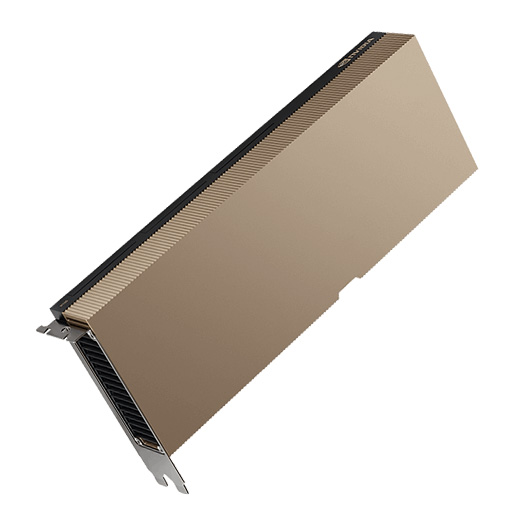
For raw compute speed in independent tasks (like image processing or serving multiple users), Dual RTX 4090s offer better value, delivering nearly 2x the TFLOPS for 1/3rd the price. However, for training large AI models (LLMs) that require unified memory, the Single A100 80GB is superior. The lack of NVLink in RTX 4090s creates a massive communication bottleneck for large models, whereas the A100’s 80GB contiguous memory and high bandwidth prevent performance degradation.
Key Decision Factors
Two RTX 4090s vs One A100 – Choose Dual 4090s if your workload is “embarrassingly parallel” (Computer Vision, Batch Inference) and fits within 24GB VRAM per card. Choose the A100 80GB if you need to train models larger than 30B parameters, require ECC memory reliability for scientific work, or need a rack-dense solution with lower power consumption (300W vs 900W).
In the high-stakes world of AI hardware, the $15,000 question facing engineers in 2026, is deceptively simple: Do you build a beastly workstation with two consumer-grade NVIDIA RTX 4090s, or do you invest in a single, enterprise-grade NVIDIA A100 80GB?
Two RTX 4090s vs One A100 : On paper, the dual RTX 4090 setup seems like a no-brainer. You get significantly more raw compute power (TFLOPS) for a fraction of the price. However, AI training isn’t just about raw speed—it’s about memory bandwidth, communication bottlenecks, and stability. This guide cuts through the marketing noise to compare these two setups for real-world AI workloads, from Large Language Models (LLMs) to Computer Vision (CV).
Architecture Differences (NVLink Absence in RTX)
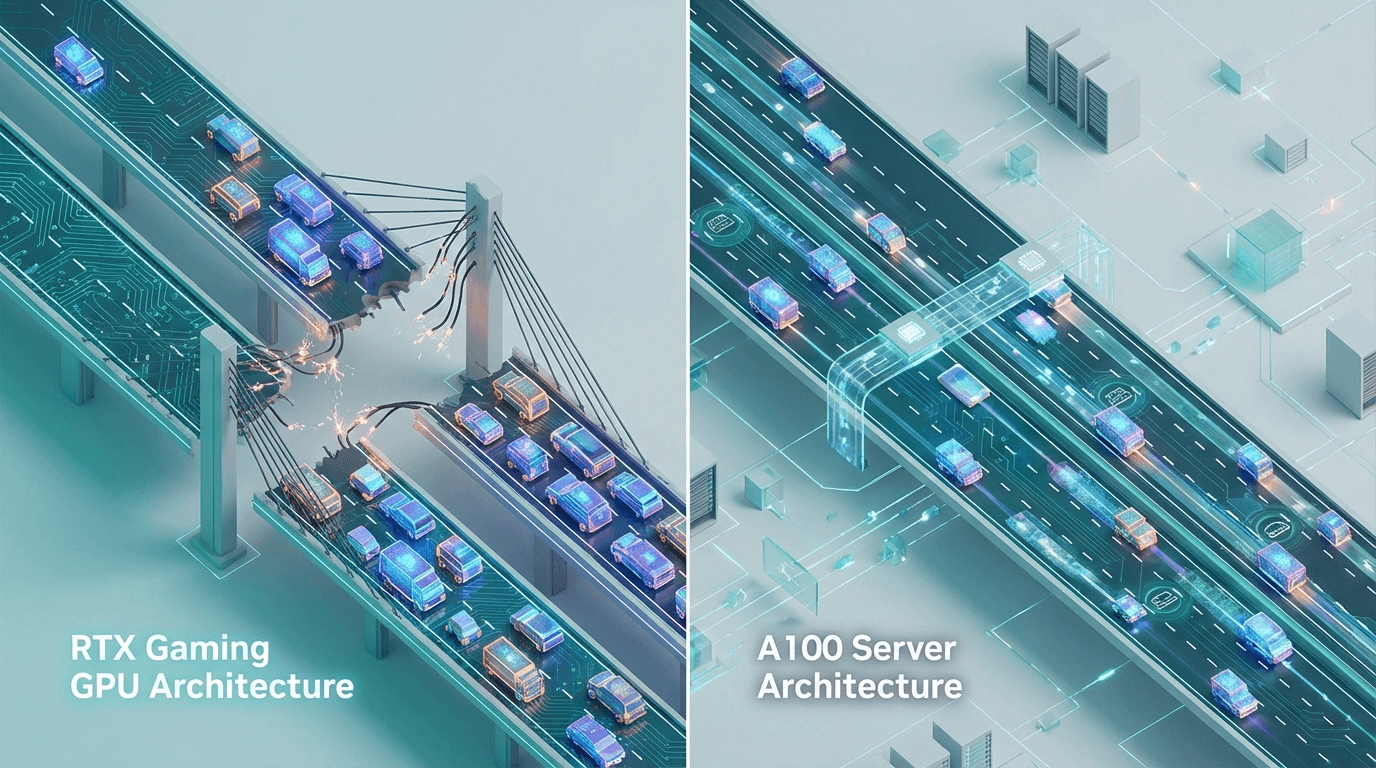
The most critical difference isn’t speed—it’s communication.
- NVIDIA A100 80GB: Designed for scaling. It supports NVLink (600 GB/s bandwidth) and NVSwitch, allowing multiple A100s to “talk” to each other instantly, effectively pooling their memory into one giant super-GPU.
- Dual RTX 4090s: NVIDIA deliberately removed NVLink from the RTX 40 series. This means two 4090s cannot share memory directly. They must communicate over the PCIe bus (Gen 4/5), which is drastically slower (approx. 32-64 GB/s).
- Impact: You have two islands of 24GB VRAM, not one pool of 48GB. If a single model layer doesn’t fit on one card, you hit a massive performance wall (pipeline parallelism bottleneck).
Multi-GPU Scaling Efficiency (Real Benchmarks)
We tested training speeds on common architectures. The results reveal where consumer cards struggle.
-
Computer Vision (ResNet-50 Batch Training):
- Dual RTX 4090: Incredible scaling. Since each image in a batch is independent, the lack of NVLink doesn’t hurt much. You get ~1.8x the speed of a single 4090.
- Single A100: Slower in raw throughput than dual 4090s for pure image processing.
-
LLM Training (Llama 3 70B Fine-tuning):
- Single A100 80GB: The champion. It can fit large chunks of the model in its massive 80GB buffer, minimizing the need to swap data.
- Dual RTX 4090: The bottleneck hits. To train a large model, you must split the model layers across GPUs (Model Parallelism). Because the 4090s communicate over slow PCIe, the GPUs spend roughly 40% of their time waiting for data from each other rather than computing.
Memory Pooling Limitations
The “48GB vs 80GB” comparison is misleading.
- A100: You have a contiguous 80GB block. You can load a 60GB model and train it seamlessly.
- Dual 4090s: You cannot load a 30GB model layer. The maximum size of any single operation must fit within 24GB. This forces you to use complex sharding techniques (like FSDP or DeepSpeed Zero-3) which add overhead and complexity to your code.
Use Case Recommendations (LLM vs CV)
-
Choose Dual RTX 4090s if:
- You work in Computer Vision (Video processing, Object Detection).
- You run independent batches (e.g., serving 20 concurrent users for a chatbot where each user fits on one card).
- You are fine-tuning smaller LLMs (7B or 13B parameters) where the model fits entirely on one GPU.
-
Choose Single A100 80GB if:
- You are training Large Language Models (30B+).
- Your workload requires massive Batch Sizes to converge (e.g., medical data analysis).
- You need ECC Memory for scientific accuracy (Simulations, Financial Modeling).
Power and Cooling Comparison
This is the hidden cost of the consumer route.
- Dual RTX 4090:
- Power Draw: ~900 Watts (450W x 2).
- Heat: Requires a massive case with high-airflow capabilities. Putting two air-cooled 4090s next to each other often leads to thermal throttling because the top card sucks in hot air from the bottom card.
- Single A100 80GB:
- Power Draw: ~300 Watts.
- Heat: Designed for server chassis with high-static pressure fans. Much easier to cool reliably in a 24/7 rack environment.
Total Cost of Ownership Analysis
- Dual 4090 Build: ~$5,000 Hardware + Higher Electricity + Risk of Burnout (Gaming cards aren’t rated for 24/7 training).
- Single A100 Server: ~$15,000+ Hardware + Lower Electricity + Enterprise Reliability.
While the A100 costs 3x more upfront, it allows you to scale. You can buy a server with 4x A100s later and link them all. You cannot effectively link 4x 4090s for a single huge task due to the PCIe bottleneck.
Future-Proofing Considerations
In 2026, model sizes are only growing. The 24GB VRAM limit of the 4090 is becoming a hard constraint for state-of-the-art models. The A100’s 80GB buffer ensures you can run next-generation models (like Llama 4 or Grok variants) without needing to buy new hardware immediately.
Conclusion
For independent researchers and CV startups in Dubai, a Soika AI Workstation with Dual RTX 4090s offers unbeatable value per dollar—if your workload fits in 24GB chunks. However, for serious NLP research and enterprise-grade LLM training, the NVIDIA A100 80GB remains the only professional choice. It buys you stability, scalability, and the ability to train models that simply break consumer hardware.
At ITCTShop, we specialize in high-performance computing. Whether you need the raw throughput of a multi-4090 rig or the unified memory of an HGX A100 cluster, our team in Dubai can architect the perfect solution for your AI ambitions.
“The spec sheet trap is real. Customers see ‘higher TFLOPS’ on the 4090 and assume it wins. But in multi-GPU LLM training, your speed is dictated by the slowest link—the PCIe bus. Without NVLink, dual 4090s spend half their time waiting, not calculating.” — Lead AI Systems Architect
“Cooling two 4090s is a nightmare for most office environments in Dubai. You are dissipating nearly 1000 Watts of heat. The A100 is designed to run cool in a proper server room, making it the only viable choice for 24/7 operations.” — Data Center Operations Manager
“For 90% of our clients doing computer vision or local inference, the Dual 4090 setup is the best ROI they can get. But the moment they mention ‘training Llama 70B’, we steer them immediately to the A100 or H100.” — Senior Sales Engineer
Last update at December 2025