
Description
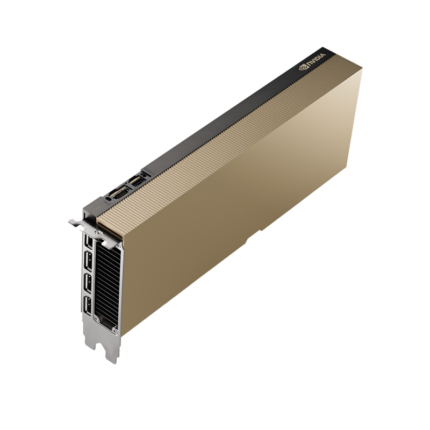
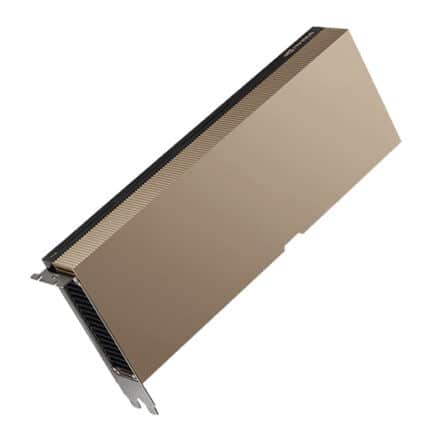
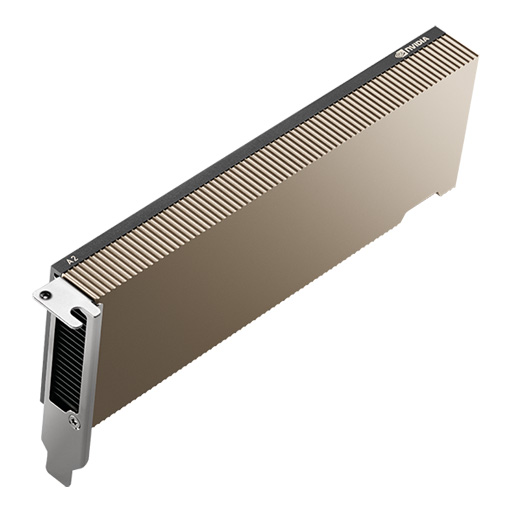
The NVIDIA A2 Tensor Core GPU represents a breakthrough in entry-level AI acceleration, delivering exceptional inference performance in a compact, low-power design specifically engineered for edge computing environments. Built on NVIDIA’s revolutionary Ampere architecture, this professional-grade graphics accelerator provides the perfect balance of computational power, energy efficiency, and affordability for organizations deploying artificial intelligence at scale across distributed locations.
Designed specifically for modern AI workloads including intelligent video analytics, real-time inference, and virtualized compute environments, the A2 GPU transforms standard servers into powerful AI inference engines. With only 40-60 watts of configurable thermal design power and a space-saving low-profile form factor, this GPU enables AI deployment in space-constrained edge locations where power and cooling infrastructure are limited. The A2’s exceptional performance-per-watt ratio makes it ideal for retail analytics, smart city applications, industrial automation, and enterprise edge computing scenarios.
At ITCT Shop, we recognize that successful AI deployment requires more than just raw computing power. The NVIDIA A2 Tensor Core GPU integrates seamlessly into our comprehensive portfolio of AI computing solutions and AI edge hardware, providing organizations with the flexibility to deploy intelligence exactly where data is generated. Whether you’re implementing video surveillance analytics, real-time quality inspection systems, or distributed machine learning inference, the A2 delivers professional-grade performance with enterprise reliability and comprehensive software ecosystem support.
The A2’s third-generation Tensor Cores accelerate mixed-precision matrix operations essential for neural network inference, supporting INT4, INT8, FP16, and FP32 compute capabilities. Combined with dedicated hardware video encode/decode engines supporting H.264, H.265, VP9, and AV1 codecs, this GPU provides complete acceleration for intelligent video analytics pipelines. Organizations benefit from up to 20X performance improvement versus CPU-only systems while consuming significantly less power than previous-generation GPU accelerators, delivering measurable reductions in total cost of ownership.

Technical Specifications
Complete NVIDIA A2 Hardware Specifications
| Specification Category | Parameter | Value |
|---|---|---|
| GPU Architecture | Architecture Generation | NVIDIA Ampere |
| GPU Chip | GA107 | |
| Manufacturing Process | 8nm Samsung | |
| CUDA Compute | CUDA Cores | 1,280 |
| RT Cores (2nd Generation) | 10 | |
| Tensor Cores (3rd Generation) | 40 | |
| Base Clock Frequency | 1,440 MHz | |
| Boost Clock Frequency | 1,770 MHz | |
| Memory Configuration | Memory Capacity | 16GB GDDR6 |
| Memory Interface Width | 128-bit | |
| Memory Bandwidth | 200 GB/s | |
| Memory Clock Speed | 1,563 MHz (12.5 Gbps effective) | |
| Compute Performance | Peak FP32 Performance | 4.5 TFLOPS |
| TF32 Tensor Core Performance | 9 TFLOPS (18 TFLOPS with sparsity) | |
| BFLOAT16 Tensor Core Performance | 18 TFLOPS (36 TFLOPS with sparsity) | |
| FP16 Tensor Core Performance | 18 TFLOPS (36 TFLOPS with sparsity) | |
| INT8 Tensor Core Performance | 36 TOPS (72 TOPS with sparsity) | |
| INT4 Tensor Core Performance | 72 TOPS (144 TOPS with sparsity) | |
| Media Acceleration | Video Encode Engines | 1x NVENC (7th Generation) |
| Video Decode Engines | 2x NVDEC (5th Generation) | |
| Supported Codecs | H.264, H.265 (HEVC), VP9, AV1 decode | |
| Interface and Form Factor | Host Interface | PCIe Gen4 x8 |
| Form Factor | Single-slot, Low-Profile PCIe | |
| Physical Dimensions | Low-profile half-height, half-length | |
| Cooling Solution | Passive heatsink (requires chassis airflow) | |
| Power Specifications | Maximum TDP | 60W (default) |
| Configurable TDP Range | 40-60W | |
| Power Connector | None required (powered via PCIe slot) | |
| Idle Power Consumption | ~8-10W | |
| Display and Graphics | Texture Units | 40 TMUs |
| Render Output Units | 32 ROPs | |
| Maximum Display Outputs | 4x DisplayPort 1.4a | |
| Maximum Resolution Support | 7680×4320 @ 60Hz | |
| Multi-Display Support | Up to 4 independent displays | |
| Virtualization Support | vGPU Software Compatibility | NVIDIA Virtual PC (vPC) |
| NVIDIA Virtual Applications (vApps) | ||
| NVIDIA RTX Virtual Workstation (vWS) | ||
| NVIDIA Virtual Compute Server (vCS) | ||
| NVIDIA AI Enterprise | ||
| Multi-Instance GPU (MIG) | Not supported (A100/A30 feature) | |
| Time-Sliced vGPU Profiles | Multiple profiles available | |
| Security Features | Secure Boot | Root of Trust with code authentication |
| Firmware Protection | Hardened rollback protection | |
| Memory ECC | Not supported | |
| Software and API Support | CUDA Version Support | CUDA 11.0 and newer |
| DirectX Support | DirectX 12 Ultimate | |
| OpenGL Support | OpenGL 4.6 | |
| Vulkan Support | Vulkan 1.3 | |
| OpenCL Support | OpenCL 3.0 | |
| Operating System Support | Linux | RHEL 8.x, Ubuntu 20.04/22.04, SLES 15 |
| Windows | Windows Server 2019/2022, Windows 10/11 | |
| VMware Support | vSphere 7.0 U2 and newer | |
| Environmental Specifications | Operating Temperature | 0°C to 55°C |
| Storage Temperature | -40°C to 85°C | |
| Operating Humidity | 10% to 90% (non-condensing) | |
| Maximum Operating Altitude | 3,000 meters | |
| Compliance and Certifications | Regulatory Compliance | FCC, CE, RoHS, REACH |
| System Certifications | NVIDIA-Certified Systems compatible | |
| Warranty | Standard Coverage | 3-year limited manufacturer warranty |
Performance Comparison Matrix
| Workload Type | NVIDIA A2 | NVIDIA T4 | CPU Baseline | Performance Advantage |
|---|---|---|---|---|
| AI Inference Acceleration | ||||
| Computer Vision (EfficientDet-D0) | 1.0X | 1.0X | 0.125X | 8X faster than CPU |
| Natural Language Processing (BERT-Large) | 1.0X | 1.0X | 0.14X | 7X faster than CPU |
| Text-to-Speech (Tacotron2 + WaveGlow) | 1.0X | 1.0X | 0.05X | 20X faster than CPU |
| Intelligent Video Analytics | ||||
| ShuffleNet v2 Classification | 1.3X | 1.0X | 0.10X | 1.3X faster than T4, 10X vs CPU |
| MobileNet v2 Classification | 1.2X | 1.0X | 0.17X | 1.2X faster than T4, 6X vs CPU |
| Multi-Stream Video Processing | 1.3X | 1.0X | N/A | 1.3X more streams than T4 |
| Power Efficiency | ||||
| Performance per Watt | 1.5X | 1.0X | 0.3X | 50% better efficiency than T4 |
| TDP Configuration Range | 40-60W | 70W (fixed) | 150W+ | 40% lower power consumption |
Key Features and Technological Advantages
Third-Generation Tensor Core Architecture
The NVIDIA A2 incorporates cutting-edge third-generation Tensor Cores that deliver unprecedented AI inference acceleration across multiple data precisions. Unlike first and second-generation Tensor Cores limited to FP16 matrix operations, these advanced compute units support INT4, INT8, FP16, BFLOAT16, TF32, and FP32 precision formats, enabling optimal performance across diverse neural network architectures. This flexibility allows AI practitioners to balance accuracy requirements against performance demands, with lower-precision inference delivering higher throughput for applications where slight accuracy trade-offs are acceptable.
The Tensor Cores implement specialized matrix multiply-accumulate operations that dramatically accelerate the convolution and fully-connected layers comprising the majority of neural network compute workloads. For INT8 inference commonly used in production deployments, the A2 delivers 36 TOPS baseline performance, doubling to 72 TOPS when leveraging structured sparsity optimization introduced in the Ampere architecture. Structured sparsity techniques prune redundant neural network weights during training, creating models that maintain accuracy while achieving 2X inference throughput on Ampere Tensor Cores.
Organizations deploying AI models trained with frameworks supporting automatic mixed precision benefit from seamless acceleration without code modifications. The A2’s Tensor Cores automatically detect mixed-precision operations and route computations to appropriate execution units, eliminating manual optimization while delivering maximum performance. This capability proves especially valuable for AI edge applications where deployment simplicity and reliability outweigh absolute peak performance, enabling faster time-to-production for AI initiatives.
Ampere Architecture Efficiency Innovations
The NVIDIA Ampere architecture underlying the A2 GPU introduces significant efficiency improvements over previous Turing-based products like the T4. Ampere’s streaming multiprocessors implement redesigned datapaths that increase instruction throughput while reducing power consumption per operation, delivering the 1.5X performance-per-watt improvement evident in benchmark comparisons. These architectural enhancements enable the A2 to match or exceed T4 inference performance despite having fewer CUDA cores, demonstrating the power of microarchitectural innovation.
Power management capabilities represent another key Ampere advantage, with configurable TDP allowing organizations to optimize the A2’s power envelope for specific deployment environments. Default 60W operation provides maximum performance for applications demanding highest throughput, while 40W low-power mode extends deployment options to power-constrained edge locations. This configurability eliminates the need to maintain multiple GPU SKUs for different power budgets, simplifying procurement and inventory management for organizations with diverse deployment scenarios.
The Ampere architecture also introduces enhanced concurrent execution capabilities enabling simultaneous graphics, compute, and video encode/decode operations without resource contention. Previous GPU generations serialized these workloads, limiting efficiency when applications combined inference with video processing or remote visualization. The A2’s independent execution engines for compute, graphics, and media operations enable intelligent video analytics pipelines to achieve higher utilization by overlapping video decode, neural network inference, and result encoding, reducing latency and improving responsiveness in real-time applications.
Intelligent Video Analytics Acceleration
Real-time video analysis represents a primary use case for the NVIDIA A2, with dedicated hardware acceleration for the complete intelligent video analytics pipeline from capture through encode. The integrated NVDEC video decode engines support parallel decoding of multiple H.264, H.265, VP9, or AV1 video streams, offloading this compute-intensive operation from CPU cores and freeing them for other tasks. Dual decode engines enable processing twice as many concurrent video streams compared to single-engine designs, maximizing deployment density in multi-camera surveillance or video conferencing applications.
The A2’s NVENC hardware encoder delivers real-time H.264 and H.265 encoding with quality comparable to software encoders while consuming a fraction of the power and CPU cycles. This capability enables efficient video stream transcoding, format conversion, and output generation for applications like cloud gaming, remote desktop virtualization, and broadcast video processing. The 7th-generation NVENC encoder supports advanced features including temporal and spatial adaptive quantization, ensuring excellent visual quality even at constrained bitrates required for bandwidth-limited deployments.
For intelligent video analytics workflows combining video processing with AI inference, the A2 provides purpose-designed acceleration through the NVIDIA DeepStream SDK. DeepStream implements optimized pipelines for common IVA tasks including object detection, classification, tracking, and action recognition across multiple concurrent video streams. Organizations deploying AI network solutions benefit from DeepStream’s ability to efficiently coordinate video decode, pre-processing, inference, and encode operations, achieving up to 1.3X higher stream density versus T4 GPUs in equivalent system configurations as demonstrated in official benchmarks.
Low-Power Edge Deployment Design
The NVIDIA A2’s 40-60W configurable TDP and low-profile form factor address the fundamental constraints of edge computing environments where space, power, and cooling represent limiting factors. Traditional data center GPUs requiring 250-400W power budgets and dual-slot cooling solutions cannot physically fit in compact edge servers or operate within typical branch office power infrastructure. The A2’s passive cooling design eliminates fan noise and mechanical failure points, increasing reliability in industrial environments with dust, vibration, or temperature extremes.
PCIe Gen4 x8 interface bandwidth provides sufficient connectivity for the A2’s computational capabilities while enabling compatibility with a broader range of server platforms including compact 1U systems and micro-towers common in edge deployments. The reduced lane count compared to x16 interfaces leaves additional PCIe connectivity available for network adapters, storage controllers, or additional accelerators, maximizing system flexibility. Organizations building multi-GPU configurations benefit from the ability to deploy multiple A2 GPUs in systems where x16 slot availability limits higher-end GPU options.
The A2’s power delivery exclusively through the PCIe slot eliminates auxiliary power connectors, simplifying system integration and reducing cabling complexity in space-constrained installations. Maximum 60W power draw remains within PCIe Gen4 slot power specification, ensuring compatibility with standard server motherboards without requiring specialized power delivery infrastructure. This plug-and-play design philosophy extends to the low-profile bracket configuration enabling installation in half-height systems like network appliances and compact servers deployed in telecommunications equipment rooms or retail point-of-sale environments.
Comprehensive Virtualization Support
Virtualization represents a critical capability for modern data center and cloud deployments, and the NVIDIA A2 provides extensive support for NVIDIA vGPU software enabling GPU sharing across multiple virtual machines. Unlike consumer GPUs lacking virtualization licensing, the A2 supports NVIDIA Virtual PC, Virtual Applications, RTX Virtual Workstation, Virtual Compute Server, and NVIDIA AI Enterprise software stacks. These vGPU profiles enable organizations to consolidate inference workloads from multiple tenants or applications onto shared infrastructure, improving GPU utilization and reducing total hardware costs.
Time-sliced vGPU scheduling implemented in NVIDIA vGPU software allows multiple virtual machines to share A2 GPU resources with quality-of-service guarantees ensuring predictable performance for each tenant. Unlike simple oversubscription approaches that degrade performance under load, time-sliced vGPU maintains isolation between virtual machines while maximizing utilization. Organizations running AI workstation virtualization benefit from the ability to provision virtual desktops with GPU acceleration for data science, computer-aided design, or video editing without requiring dedicated hardware for each user.
NVIDIA AI Enterprise certification ensures the A2 integrates seamlessly with VMware vSphere environments, providing comprehensive management, monitoring, and orchestration through vCenter. IT administrators gain visibility into GPU utilization, memory consumption, and temperature across all virtual machines, enabling proactive capacity planning and troubleshooting. While the A2 does not support Multi-Instance GPU (MIG) partitioning available in higher-end A100 and A30 GPUs, time-sliced vGPU provides sufficient isolation and resource management for the majority of edge inference and virtualized workstation scenarios.
Enterprise-Grade Security Features
Security represents paramount importance in edge computing deployments processing sensitive data like surveillance video, financial transactions, or healthcare information. The NVIDIA A2 implements Root of Trust security architecture providing hardware-based code authentication and verified boot processes that prevent execution of unauthorized firmware or malware. Secure boot verifies the cryptographic signature of GPU firmware during initialization, ensuring only NVIDIA-signed code executes on the device and protecting against firmware-level attacks that could compromise system integrity.
Hardened rollback protection prevents attackers from downgrading GPU firmware to older versions with known vulnerabilities, maintaining security posture even if an adversary gains temporary system access. The A2’s security architecture implements fuse-based version tracking that permanently records minimum acceptable firmware versions, preventing rollback attacks through BIOS manipulation or physical hardware access. These protections prove especially critical in unattended edge deployments where physical security cannot match data center standards, reducing attack surface for distributed AI infrastructure.
Organizations requiring comprehensive security audit trails benefit from the A2’s integration with NVIDIA GPU Cloud security scanning and vulnerability management infrastructure. NVIDIA provides regular security updates and firmware patches through established channels, ensuring the A2 maintains protection against emerging threats throughout its operational lifecycle. For deployments subject to regulatory compliance requirements like GDPR, HIPAA, or PCI-DSS, the A2’s security features provide essential foundations for compliant AI infrastructure, complementing organizational security policies and procedures.
Application Scenarios and Use Cases
Intelligent Video Analytics and Surveillance
Modern video surveillance systems generate enormous volumes of visual data that overwhelm human monitoring capabilities, creating demand for automated intelligent video analytics that identify security threats, safety violations, or operational anomalies in real time. The NVIDIA A2 excels in this application domain, enabling deployment of sophisticated computer vision models that perform object detection, classification, tracking, and behavior analysis across dozens of concurrent video streams. Retail organizations deploy A2-accelerated analytics for customer traffic analysis, queue management, and loss prevention, while manufacturing facilities implement quality inspection and worker safety monitoring.
Smart city deployments leverage A2 GPUs in edge video analytics appliances processing feeds from traffic cameras, public area surveillance, and transportation infrastructure sensors. Computer vision models running on A2 hardware detect traffic violations, identify vehicle types and license plates, monitor pedestrian safety at crosswalks, and analyze traffic flow patterns for adaptive signal control. The A2’s efficient performance enables processing multiple camera feeds within each appliance, reducing deployment costs compared to centralized architectures requiring expensive network bandwidth to backhaul raw video to data centers. Organizations implementing these solutions benefit from faster response times and continued operation during network outages that would disable cloud-dependent systems.
Healthcare facilities deploy A2-powered video analytics for patient safety monitoring, including fall detection, wandering patient alerts, and treatment adherence verification in psychiatric wards or memory care units. The low-power form factor enables installation in patient room infrastructure without requiring dedicated cooling or power upgrades, while local processing addresses privacy concerns by analyzing video locally without transmitting patient imagery to cloud services. These applications demonstrate how the A2’s combination of inference performance, video acceleration, and edge-optimized design enables AI deployment scenarios impractical with previous-generation hardware or cloud-only architectures.
AI-Powered Edge Inference for IoT
Internet of Things deployments generate massive volumes of sensor data requiring real-time analysis to extract actionable insights, creating perfect use cases for edge inference acceleration. The NVIDIA A2 enables deployment of sophisticated machine learning models in IoT gateway appliances and edge servers that aggregate data from hundreds or thousands of connected sensors, cameras, and measurement devices. Industrial IoT applications implement predictive maintenance models analyzing vibration, temperature, and acoustic signatures from manufacturing equipment to predict failures before they occur, minimizing unplanned downtime and maintenance costs.
Energy sector organizations deploy A2-accelerated analytics in substations and distributed energy resource management systems, analyzing power quality data, predicting equipment failures, and optimizing renewable energy integration. The GPU’s low power consumption aligns well with solar-powered or generator-backed edge computing infrastructure common in remote energy installations, while inference performance enables sophisticated forecasting models that improve grid stability and renewable energy utilization. These applications process time-series sensor data through recurrent neural networks or transformer models that capture temporal dependencies impossible to model with traditional statistical approaches.
Agriculture technology companies implement A2-powered edge inference for automated crop monitoring, pest detection, and yield prediction in precision agriculture applications. Computer vision models analyze imagery from drone surveys or fixed cameras to identify crop diseases, weed infestations, or irrigation issues, while multi-modal sensor fusion combines visual data with soil moisture, weather, and historical yield information for harvest timing optimization. The A2’s ability to process both vision and time-series models within a single device simplifies deployment architecture and reduces latency compared to hybrid edge-cloud approaches requiring multiple round-trips for complex decision workflows.
Virtual Desktop Infrastructure and Remote Workstations
The COVID-19 pandemic accelerated adoption of remote work technologies, creating sustained demand for virtual desktop infrastructure enabling employees to access corporate applications and data securely from any location. The NVIDIA A2 provides cost-effective GPU acceleration for knowledge worker VDI deployments supporting office productivity applications, web browsers, and business intelligence dashboards. The vGPU support enables consolidation of 8-16 virtual desktops per A2 GPU depending on profile selection and workload characteristics, dramatically reducing per-seat hardware costs compared to dedicated GPU assignments.
Creative professional workflows including video editing, 3D modeling, and graphic design traditionally required expensive workstations with dedicated high-end GPUs. NVIDIA RTX Virtual Workstation support on the A2 enables deployment of shared infrastructure serving multiple designers, editors, and engineers through virtual desktops with GPU acceleration. While the A2’s compute capabilities target lighter creative workloads rather than 4K video editing or photorealistic rendering, it provides sufficient performance for pre-visualization, proxy editing, and interactive design iteration, reserving expensive high-end GPUs for final rendering operations.
Educational institutions deploy A2-powered virtual desktop infrastructure for remote learning environments, providing students access to GPU-accelerated applications for engineering simulation, scientific visualization, and machine learning coursework without requiring expensive personal hardware. The low power consumption enables higher density deployments maximizing student capacity within existing data center power budgets, while vGPU profiles ensure equitable resource allocation across student virtual desktops. These deployments demonstrate how the A2 democratizes access to GPU-accelerated computing, removing hardware barriers to education and enabling broader participation in technical fields.
Retail Analytics and Customer Intelligence
Brick-and-mortar retailers face intense competition from e-commerce platforms offering personalized recommendations and frictionless shopping experiences. Physical stores deploy A2-powered computer vision analytics to create similar intelligence, analyzing customer behavior to optimize store layouts, staffing levels, and merchandise placement. Camera systems integrated with A2 inference engines track customer traffic patterns, dwell times at displays, and queue lengths at checkout, providing actionable insights that improve operational efficiency and customer satisfaction. Heat mapping visualizations identify high-traffic zones and neglected areas, informing decisions about promotional displays and product positioning.
Advanced retail analytics applications implement person re-identification models that track individual shoppers throughout their store visit without compromising privacy through biometric identification. These systems analyze shopping paths, department visits, and product interactions to understand customer journeys and identify friction points causing cart abandonment. Retailers correlate this behavioral data with point-of-sale transaction information to measure conversion rates and identify high-value customer segments, informing marketing strategy and personalization efforts. The A2’s intelligent video analytics capabilities enable these sophisticated applications to run entirely within the store, avoiding bandwidth costs and privacy concerns associated with cloud-based video analysis.
Inventory management represents another retail application benefiting from A2 acceleration, with computer vision models monitoring shelf stock levels and product placement compliance. Cameras positioned to view retail shelves continuously analyze product presence, alerting store associates when items require restocking or correcting planogram violations where products appear in wrong locations. These automated monitoring systems reduce the labor burden of manual shelf audits while improving product availability, directly impacting sales by ensuring popular items remain in stock. Integration with AI storage systems enables long-term retention of analytics data for trend analysis and seasonal pattern recognition informing future inventory planning.
Healthcare and Medical Imaging
Medical imaging applications demand high-quality visualization and sophisticated AI-powered analysis to support clinical decision-making. While advanced medical imaging workstations require high-end professional GPUs like the RTX A6000, the NVIDIA A2 serves important roles in distributed healthcare IT infrastructure. Telehealth platforms leverage A2 acceleration for real-time video encoding and decoding in remote consultation systems, ensuring high-quality video communication between patients and healthcare providers. The hardware encode/decode engines offload this processing from server CPUs, enabling higher patient concurrency per server and improving cost-effectiveness of telehealth infrastructure.
Picture Archiving and Communication Systems (PACS) implement A2 GPUs in imaging workflow servers that handle DICOM image format conversion, thumbnail generation, and basic image processing operations. While radiologists require more powerful GPUs for primary diagnostic interpretation, referring physicians and specialists accessing images through electronic medical record systems benefit from A2-accelerated rendering and visualization. The low power consumption enables PACS server deployment in distributed clinic locations and imaging centers without expensive infrastructure upgrades, improving healthcare access in rural and underserved areas.
AI-assisted diagnosis applications deploy A2 inference engines for preliminary analysis of medical images including chest X-rays, mammograms, and pathology slides. Computer vision models trained to identify potential abnormalities flag studies requiring urgent radiologist attention, prioritizing workflow to reduce time-to-diagnosis for critical findings. These AI systems function as second readers complementing human expertise rather than replacing radiologists, with the A2’s inference performance enabling real-time analysis that integrates seamlessly into clinical workflows. Healthcare organizations implementing these solutions report improved diagnostic accuracy and reduced radiologist burnout by automating routine screening tasks and highlighting cases most likely to contain significant findings.
Software Ecosystem and Framework Support
NVIDIA CUDA and GPU Computing Platform
The NVIDIA CUDA parallel computing platform provides the foundation for GPU-accelerated computing on the A2, offering developers comprehensive tools for implementing high-performance applications across scientific computing, machine learning, and data analytics domains. CUDA 11.0 and newer versions support the A2’s Ampere architecture features including enhanced asynchronous execution, cooperative groups extensions, and improved memory management APIs. Developers experienced with CUDA programming can directly leverage the A2’s 1,280 CUDA cores for custom application acceleration, implementing domain-specific algorithms that exploit massive parallelism unavailable in CPU-based implementations.
The CUDA toolkit includes optimized libraries for common computational patterns including cuBLAS for linear algebra, cuFFT for signal processing, and cuDNN for deep neural networks. These libraries implement hand-tuned kernels specifically optimized for Ampere architecture characteristics, delivering performance that exceeds manually-coded implementations while simplifying development. Application developers integrate these libraries through straightforward API calls, benefiting from NVIDIA’s ongoing optimization efforts without requiring deep hardware architecture expertise. Organizations migrating existing CPU codebases to GPU acceleration find these libraries essential for achieving rapid performance gains with minimal development effort.
NVIDIA Nsight developer tools provide comprehensive debugging, profiling, and optimization capabilities for CUDA applications running on the A2. Nsight Compute delivers kernel-level performance analysis identifying computational bottlenecks and suggesting optimization strategies, while Nsight Systems provides system-wide timeline views showing interactions between CPU and GPU components. These tools prove invaluable for developers optimizing AI computing applications to achieve maximum throughput from A2 hardware, revealing opportunities for improved memory access patterns, reduced synchronization overhead, and better resource utilization that translate directly into reduced inference latency and increased throughput.
Machine Learning Framework Integration
Modern machine learning frameworks including TensorFlow, PyTorch, ONNX Runtime, and MXNet provide native support for NVIDIA GPUs through CUDA and cuDNN integration, enabling seamless acceleration of model training and inference operations. Developers train models on desktop workstations or cloud instances using high-end GPUs, then deploy optimized inference implementations on A2 hardware at edge locations without code modifications. Framework-native mixed precision training automatically generates models compatible with A2’s INT8 Tensor Core acceleration, eliminating manual quantization efforts while maintaining accuracy for production deployments.
NVIDIA TensorRT inference optimizer provides dramatic performance improvements for deployed models by analyzing network architectures, fusing operations, and generating optimized inference engines specifically tuned for target hardware. TensorRT implements layer fusion combining multiple operations into single GPU kernels, eliminating memory round-trips and reducing inference latency. The optimizer supports INT8 calibration workflows that quantize FP32 trained models to INT8 inference with minimal accuracy loss, enabling the A2 to achieve up to 72 TOPS INT8 performance through sparsity exploitation. Organizations deploying models across large edge fleets amortize TensorRT optimization costs across thousands of inference deployments, significantly improving TCO versus unoptimized framework-native inference.
Triton Inference Server provides production-grade model deployment infrastructure supporting multiple frameworks simultaneously on shared A2 hardware. Triton implements dynamic batching that aggregates concurrent inference requests to maximize GPU utilization, while model analyzer tools identify optimal batch sizes and instance counts for specific workloads. Organizations running diverse model portfolios benefit from Triton’s multi-model serving capabilities, eliminating the need for specialized inference servers for each model type. The platform’s integration with Kubernetes and cloud-native infrastructure simplifies deployment, monitoring, and scaling of AI inference services across distributed edge locations and centralized data centers.
NVIDIA DeepStream for Video Analytics
NVIDIA DeepStream SDK represents the premier framework for developing intelligent video analytics applications leveraging A2 GPU acceleration. DeepStream implements optimized pipelines for common video analytics workflows including object detection, classification, multi-object tracking, and video encoding, achieving significantly higher performance than custom implementations through architecture-specific optimization and efficient multi-stream batching. The SDK supports popular object detection frameworks including YOLO, SSD, and Faster R-CNN, alongside custom model integration through TensorRT optimization.
DeepStream’s microservices architecture enables deployment flexibility ranging from monolithic applications to containerized microservices orchestrated through Kubernetes. The reference applications provide starting points for common use cases including traffic monitoring, retail analytics, and industrial inspection, accelerating development timelines by providing proven implementations of complex functionality like object tracking and video stream management. Organizations customizing these references for specific requirements benefit from DeepStream’s plugin architecture enabling replacement of individual pipeline components while maintaining overall framework integration and optimization.
The DeepStream SDK includes comprehensive metadata support for annotating video frames with inference results, enabling downstream analytics and visualization applications to consume structured detection data without reprocessing video. Metadata formats support spatial bounding boxes, classification labels, confidence scores, and custom attributes, providing rich semantic descriptions of video content. This standardized metadata approach simplifies integration with video management systems, business intelligence platforms, and alerting infrastructure, enabling end-to-end video analytics solutions that combine real-time processing with historical analysis and reporting. Organizations building AI network infrastructure appreciate DeepStream’s production-ready capabilities that reduce time-to-deployment compared to building custom video analytics engines from scratch.
Virtualization and Cloud Management Software
NVIDIA AI Enterprise provides comprehensive software support for deploying AI workloads on virtualized A2 infrastructure, combining vGPU software with optimized AI frameworks, pre-trained models, and enterprise support. The platform’s VMware vSphere integration enables IT administrators to provision GPU-accelerated virtual machines through familiar management interfaces, with vGPU profiles automatically configured based on workload requirements. Dynamic resource allocation adjusts GPU assignment based on demand, maximizing utilization while maintaining quality-of-service guarantees for mission-critical applications.
Cloud-native AI deployment increasingly relies on Kubernetes orchestration, and NVIDIA GPU Operator simplifies A2 integration with Kubernetes clusters by automating driver installation, device plugin deployment, and monitoring stack configuration. The operator implements best practices for GPU resource management including device health monitoring, automatic recovery from failures, and integration with Kubernetes native scheduling capabilities. Organizations deploying edge Kubernetes clusters benefit from GPU Operator’s ability to consistently manage GPU resources across heterogeneous infrastructure combining A2, A10, and higher-end GPUs, presenting unified resource management abstractions to application developers.
NVIDIA Fleet Command provides centralized management for distributed edge AI infrastructure, enabling organizations to deploy, monitor, and update applications across thousands of A2-equipped edge devices from single control plane. Fleet Command implements secure remote management channels with certificate-based authentication, eliminating reliance on VPNs or direct device access for maintenance operations. The platform’s application catalog enables one-click deployment of pre-packaged AI applications including video analytics, speech recognition, and natural language processing services, dramatically reducing deployment complexity for organizations lacking deep AI expertise. Integration with enterprise GPU server management systems provides visibility across entire infrastructure stacks from edge to data center.
Installation and System Integration
Pre-Installation Requirements and Compatibility
Before deploying NVIDIA A2 GPUs, organizations must verify server platform compatibility including PCIe Gen3/Gen4 slot availability, chassis physical clearance for low-profile cards, and adequate power delivery through PCIe slots. While the A2’s 60W maximum power draw falls within PCIe Gen4 x8 slot specifications, some OEM servers implement per-slot power limits requiring BIOS configuration changes to enable full GPU performance. Consulting server manufacturer documentation confirms compatibility and identifies any platform-specific configuration requirements before procurement, avoiding deployment delays from unexpected incompatibilities.
Operating system compatibility represents another critical prerequisite, with NVIDIA driver support requiring relatively recent OS versions. Linux deployments should use RHEL 8.x, Ubuntu 20.04 LTS or newer, or SLES 15 SP2+ to ensure full feature support including vGPU capabilities and TensorRT optimization. Windows Server 2019 and Windows Server 2022 provide comprehensive support for datacenter deployments, while Windows 10 and Windows 11 enable desktop virtualization and workstation use cases. Older operating system versions may lack critical driver features or receive limited support from NVIDIA, motivating OS upgrades for organizations deploying A2 hardware.
Virtualization environments require additional software components including VMware vSphere 7.0 Update 2 or newer for vGPU support, alongside compatible vGPU software licenses from NVIDIA. Organizations must obtain appropriate licensing for intended use cases, with different license tiers supporting Virtual PC, Virtual Applications, RTX Virtual Workstation, Virtual Compute Server, and AI Enterprise configurations. Understanding licensing models before deployment prevents compliance issues and ensures access to required features, with ITCT Shop providing guidance on appropriate licensing for customer-specific requirements.
Physical Installation Procedures
Installing the NVIDIA A2 requires standard PCIe add-in card installation procedures adapted for low-profile form factors. Begin by powering down the target server completely and disconnecting AC power to eliminate electrical shock hazards during installation. Remove the server’s cover or access panel according to manufacturer service documentation, identifying available PCIe slots meeting A2 requirements. The A2 requires a PCIe Gen3 or Gen4 x8 or x16 slot, with x16 slots providing backward compatibility despite the GPU using only eight lanes.
Remove the slot bracket from the selected PCIe position and carefully extract the A2 from its anti-static packaging, handling the card by its edges to avoid contact with electronic components or the heatsink surface. Align the card’s PCIe edge connector with the motherboard slot, ensuring the low-profile bracket properly engages the chassis rail. Apply firm, even downward pressure on the card until the PCIe connector fully seats in the slot with an audible click, then secure the bracket to the chassis using the provided screw. Verify the card is fully seated and cannot be pulled from the slot without releasing the retention mechanism.
After completing physical installation, replace the server cover and reconnect AC power, then boot the system to verify proper hardware detection. Most modern servers automatically detect new PCIe devices during POST and display confirmation messages or BIOS setup screens. Enter BIOS setup to confirm the A2 appears in the PCIe device list, verifying correct slot detection and link speed. Some platforms require explicit BIOS configuration to enable above-4G decoding for GPU memory mapping or adjust per-slot power limits, with settings locations varying by server manufacturer. Completing these verifications before OS boot prevents software-level troubleshooting of hardware installation issues.
Driver Installation and Configuration
Proper driver installation represents critical foundation for A2 functionality, with NVIDIA providing downloadable driver packages through official support channels. Linux users should download appropriate drivers for their distribution from the NVIDIA driver download portal, selecting Data Center / Tesla drivers rather than GeForce consumer drivers to ensure full professional features including vGPU support and extended validation. The driver installation process on Linux typically involves disabling the nouveau open-source driver, installing kernel development packages, and running the NVIDIA installer script with appropriate permissions.
Windows installations follow simpler procedures with graphical driver installers handling most configuration automatically. Download the latest Data Center GPU drivers from NVIDIA’s website, verify the package cryptographic signature to ensure authenticity, then execute the installer with administrator privileges. The installation wizard prompts for component selection including graphics drivers, PhysX, and CUDA components, with typical installations including all elements. Reboot after installation completes to ensure all driver components load properly, then verify successful installation through Device Manager showing NVIDIA A2 without error indications.
Post-installation configuration includes setting power management policies, configuring GPU clocks for consistent performance, and validating CUDA functionality through sample applications. The nvidia-smi command-line utility provides comprehensive GPU status information including driver version, GPU temperature, power consumption, and memory utilization. Running nvidia-smi -q generates detailed query output documenting all GPU properties and capabilities, useful for baseline documentation and troubleshooting. Organizations should establish configuration management practices documenting driver versions and settings across A2 deployments, ensuring consistency and simplifying future upgrades or troubleshooting efforts.
Optimization and Performance Tuning
Maximizing A2 performance requires optimization across multiple layers including hardware configuration, driver settings, and application parameters. Begin by validating PCIe link speed through nvidia-smi, confirming the GPU achieves Gen4 x8 connectivity on capable platforms. Links negotiating at Gen3 speeds or reduced lane counts indicate potential system configuration issues including BIOS settings, slot placement, or mechanical connection problems. The full Gen4 x8 bandwidth (15.75 GB/s each direction) provides essential bandwidth for inference workloads transferring input data and results between host memory and GPU memory.
GPU clock management significantly impacts inference performance and power consumption, with the A2 supporting different power modes through nvidia-smi power management commands. Default dynamic boost behavior adjusts clocks based on workload characteristics, maximizing performance during inference bursts while reducing power during idle periods. Applications requiring consistent latency rather than variable performance benefit from locking GPU clocks to maximum boost frequencies, eliminating performance variations caused by thermal throttling or power state transitions. Organizations should characterize application-specific performance versus power trade-offs to identify optimal configurations balancing throughput, latency, and energy consumption.
Memory allocation and transfer strategies critically impact inference throughput, with inefficient host-to-device data movement becoming bottlenecks for many applications. Use CUDA pinned memory for host-side buffers to enable DMA transfers bypassing CPU cache subsystems, significantly reducing transfer latency compared to pageable memory. Overlapping data transfers with compute operations through CUDA streams masks transfer latency, maintaining GPU utilization during data movement. Batch inference requests when possible to amortize transfer costs across multiple samples, dramatically improving throughput for latency-insensitive workloads. These optimization techniques apply across AI frameworks and custom CUDA applications, providing portable performance improvements for diverse AI edge workloads.
Comparison with Alternative Solutions
NVIDIA A2 vs T4: Ampere Efficiency Advantage
The NVIDIA T4 represents the previous generation of entry-level inference acceleration, making direct comparison with the A2 essential for upgrade decisions. Both GPUs target edge inference and intelligent video analytics workloads, sharing similar market positioning and price points. However, the A2’s Ampere architecture delivers measurable advantages including 1.3X higher inference throughput in video analytics workloads and up to 50% better performance-per-watt efficiency. These improvements stem from Ampere’s enhanced Tensor Core architecture, improved streaming multiprocessor design, and more advanced media encode/decode engines.
The T4’s higher 70W TDP and lack of configurable power modes limit deployment flexibility in power-constrained environments where the A2’s 40-60W configurability provides critical advantages. Organizations transitioning from T4 to A2 typically achieve either higher performance in equivalent power budgets or maintain T4-equivalent performance at significantly reduced power consumption. The lower power enables increased deployment density in existing infrastructure or expansion into edge locations lacking robust power and cooling, directly reducing deployment costs and expanding addressable market opportunities for AI-powered services.
Memory configuration represents one area where both GPUs provide equivalent capability, with 16GB GDDR6 meeting requirements for most edge inference models. However, the A2’s PCIe Gen4 support versus T4’s Gen3 interface provides 2X theoretical bandwidth improvement, reducing data transfer bottlenecks for streaming inference applications. While most inference workloads don’t fully saturate even Gen3 x16 bandwidth, applications with high data throughput requirements including multi-stream video analytics benefit from Gen4’s additional headroom. Organizations planning long-term deployments should favor the A2’s forward-looking Gen4 connectivity over T4’s Gen3 interface approaching end-of-life status.
NVIDIA A2 vs A10: Positioning and Use Case Differentiation
The NVIDIA A10 Tensor Core GPU occupies a higher performance tier targeting more demanding workloads including 3D graphics, virtual workstation applications, and higher-throughput inference. While both GPUs utilize Ampere architecture, the A10 features significantly more compute resources with 9,216 CUDA cores versus the A2’s 1,280, alongside 24GB memory versus 16GB. This 7X compute advantage positions the A10 for applications requiring greater model complexity, larger batch sizes, or graphics acceleration capabilities beyond the A2’s scope.
Organizations should evaluate A10 versus A2 based on specific workload requirements rather than assuming higher specifications always justify premium pricing. For edge inference of small to medium models, the A2’s lower power consumption and cost provide better total cost of ownership despite lower absolute performance. Conversely, centralized data center inference serving multiple applications benefits from the A10’s higher throughput, while virtual workstation deployments supporting creative professionals require the A10’s enhanced graphics capabilities including RT Core acceleration and larger memory capacity.
Power and thermal considerations strongly differentiate these GPUs, with the A10’s 150W TDP requiring active cooling and dedicated power connectors versus the A2’s 60W slot-powered design. Edge deployments in space-constrained or thermally-limited environments physically cannot accommodate A10-class GPUs, making the A2 the practical choice regardless of performance requirements. Organizations building comprehensive AI infrastructure benefit from deploying both GPU types in appropriate roles, using A2 at edge locations and A10 in data centers where power and space constraints don’t limit options.
CPU-Only Solutions: When GPU Acceleration Matters
Modern server CPUs incorporating AI acceleration instructions like Intel AVX-512 VNNI and AMD AVX-512 provide respectable inference performance for lightweight models, raising questions about GPU necessity. Benchmark data demonstrates the A2 delivers 6-20X inference speedup versus dual-socket Xeon servers depending on model architecture and precision, with vision models showing larger advantages than language models. These massive speedups translate directly into deployment cost savings, with single A2-accelerated servers replacing multiple CPU-only systems while consuming less power and requiring less rack space.
CPU inference remains viable for extremely low-throughput scenarios processing occasional requests where GPU costs outweigh performance benefits. Applications requiring inference only during specific events rather than continuous operation may deploy CPU-based solutions to avoid GPU costs for systems spending most time idle. However, most production inference workloads justify GPU acceleration through improved responsiveness, higher throughput, and reduced operating costs, with A2’s entry-level pricing making GPU acceleration accessible even for budget-conscious deployments.
Power efficiency represents another compelling GPU advantage, with the A2 achieving equivalent inference throughput to multi-socket CPU servers while consuming only 60W versus 150-300W for CPU platforms. This 3-5X power efficiency advantage multiplies across large deployments, generating substantial electricity cost savings while reducing cooling infrastructure requirements. Organizations evaluating AI computing platforms should calculate total cost of ownership including hardware, power, cooling, and rack space across multi-year deployments, revealing GPU acceleration’s compelling economics for sustained inference workloads.
Alternative Entry-Level Accelerators
Intel Arc A-series GPUs and Google Edge TPUs represent alternative entry-level acceleration options competing with the A2 in specific market segments. Intel’s discrete Arc GPUs target graphics and media processing with AI inference as secondary capability, providing competitive pricing but lacking NVIDIA’s mature software ecosystem and comprehensive framework support. Organizations heavily invested in Intel architecture may consider Arc GPUs for Windows-based edge deployments, but NVIDIA’s dominant ecosystem position provides broader compatibility and longer-term software support.
Google Edge TPUs represent specialized inference accelerators optimized for specific model architectures aligned with Google’s TensorFlow framework. Edge TPUs deliver exceptional performance-per-watt for supported models, outperforming the A2 in INT8 inference of MobileNet and EfficientNet architectures. However, the TPU’s highly specialized architecture limits flexibility, with poor performance or complete incompatibility for model architectures not matching TPU assumptions. NVIDIA’s general-purpose GPU architecture provides broader model support, enabling organizations to deploy diverse models without hardware changes.
The A2’s comprehensive software ecosystem including CUDA, TensorRT, DeepStream, and extensive framework support represents decisive advantage over competing accelerators. Organizations can leverage decade-plus of GPU computing tools, libraries, and community expertise rather than betting on emerging alternatives with uncertain software maturity. While alternative accelerators may outperform A2 in narrow use cases, NVIDIA’s ecosystem breadth provides insurance against evolving requirements and technology shifts, protecting long-term infrastructure investments. Organizations building production AI infrastructure should strongly weight ecosystem maturity alongside raw performance specifications.
Maintenance and Operational Considerations
Monitoring and Performance Management
Continuous monitoring of A2 GPU health and performance enables proactive maintenance preventing unexpected failures and performance degradation. The nvidia-smi utility provides command-line access to comprehensive GPU metrics including temperature, power consumption, GPU utilization, memory utilization, and ECC error counts. Organizations should implement automated monitoring scripts executing nvidia-smi at regular intervals, parsing output for anomalous conditions including elevated temperatures exceeding 75°C, unexpected performance throttling, or memory errors indicating potential hardware issues requiring attention.
Enterprise monitoring platforms including Prometheus, Grafana, and commercial infrastructure management systems integrate NVIDIA GPU monitoring through DCGM (Data Center GPU Manager) exporters providing standardized metric collection APIs. DCGM implements efficient bulk metric queries minimizing monitoring overhead while providing detailed telemetry including per-process GPU utilization, framebuffer memory allocation, PCIe bandwidth utilization, and power capping status. These metrics enable capacity planning, chargeback accounting in multi-tenant environments, and performance optimization identifying underutilized resources or bottlenecks constraining application performance.
Establishing baseline performance profiles for deployed applications enables detection of gradual degradation signaling hardware issues or software configuration problems. Characterize expected inference throughput, latency distributions, and resource utilization for production workloads under various load conditions, documenting these baselines in operational procedures. Significant deviations from baseline performance trigger investigations identifying root causes including thermal throttling from cooling system failures, driver version regressions, or application configuration changes. Organizations should implement automated alerting for critical thresholds including GPU temperature exceeding 80°C, inference latency exceeding SLA targets, or sustained GPU utilization above 95% indicating capacity constraints.
Preventive Maintenance and Lifecycle Management
Establishing structured preventive maintenance schedules maximizes A2 operational lifetime and minimizes unexpected failures disrupting production services. Quarterly maintenance windows should include physical inspection of GPU installations verifying secure PCIe seating, clean heatsink fins, and proper chassis airflow. Accumulated dust on passive heatsinks significantly impairs cooling effectiveness, leading to thermal throttling or premature hardware failure. Compressed air cleaning or vacuum removal of dust buildup restores thermal performance, though care must be taken to avoid generating static discharge damaging sensitive electronics.
Driver and firmware updates represent critical maintenance activities addressing security vulnerabilities, bug fixes, and performance improvements. NVIDIA releases regular driver updates through established channels, with security advisories published for vulnerabilities requiring urgent patches. Organizations should establish testing procedures validating new drivers in non-production environments before broad deployment, ensuring compatibility with installed applications and infrastructure management tools. Firmware updates follow similar testing and deployment cycles, with additional precautions including backup procedures and rollback plans mitigating risks of firmware update failures bricking GPUs.
Capacity planning and refresh cycles should account for the A2’s expected 5-7 year operational lifetime in properly maintained environments. While the GPU will likely remain functionally operational beyond this timeframe, vendor support lifecycles, driver update availability, and evolving workload requirements typically motivate hardware refresh on 3-5 year cycles aligning with accounting depreciation schedules. Organizations should plan refresh cycles in advance, budgeting replacement costs and coordinating with application teams regarding software compatibility with newer GPU generations. ITCT Shop provides trade-in and buyback programs facilitating cost-effective hardware refresh cycles for customers maintaining current infrastructure.
Troubleshooting Common Issues
GPU not detected after installation typically indicates mechanical seating issues or system configuration problems rather than hardware failure. Verify physical installation by reseating the card, ensuring complete PCIe connector engagement with audible retention latch engagement. Confirm BIOS settings enable the PCIe slot and don’t disable above-4G decoding required for GPU memory mapping. Check that system power supply provides adequate capacity for all installed components including GPU, with inadequate PSU capacity causing boot failures or instability under load.
Poor inference performance often results from software configuration issues rather than hardware limitations. Verify applications correctly detect and utilize the A2 through framework-specific device listing commands, confirming models load to GPU memory rather than falling back to CPU execution. Check for CPU performance governor settings throttling CPU frequencies, which bottleneck overall system performance despite adequate GPU resources. Validate PCIe link speed achieves expected Gen4 x8 connectivity, with reduced link speeds indicating configuration issues or mechanical connection problems limiting bandwidth.
Thermal issues manifest as GPU throttling, automatic shutdowns, or visual artifacts in graphics applications. Monitor GPU temperature through nvidia-smi during workload execution, with sustained temperatures above 80°C indicating inadequate cooling. Verify chassis fan operation and proper airflow direction, ensuring intake and exhaust paths aren’t blocked by cables or adjacent equipment. Clean heatsink surfaces removing accumulated dust impeding heat dissipation. If thermal issues persist after cleaning and airflow verification, consider supplementing passive cooling with case fans directing airflow across the GPU heatsink or relocating the GPU to cooler chassis position with better ventilation.
Why Choose ITCT Shop
ITCT Shop distinguishes itself as premier provider of enterprise AI hardware through comprehensive technical expertise, competitive pricing, and commitment to customer success throughout the complete infrastructure lifecycle. Our team possesses deep understanding of modern AI workloads and deployment architectures, enabling us to provide expert guidance on component selection, system design, and optimization strategies. When you purchase NVIDIA A2 Tensor Core GPUs from ITCT Shop, you benefit from rigorous quality assurance, complete testing documentation, and responsive post-sale technical support ensuring successful deployment.
Our extensive product portfolio encompasses complete AI infrastructure solutions from GPU accelerators to edge computing platforms and network infrastructure, enabling customers to source entire system builds from single trusted supplier. This integrated approach streamlines procurement, ensures component compatibility, and provides single point of contact for technical support across your entire infrastructure stack. ITCT Shop maintains ready-to-ship inventory of critical components, minimizing lead times and eliminating supply chain delays that could impact project timelines.
We provide comprehensive technical resources and guides covering everything from GPU server configuration to network design best practices, helping customers make informed decisions about their infrastructure investments. Our commitment to customer success extends beyond product delivery, with ongoing technical consultation available to optimize performance and troubleshoot issues throughout the product lifecycle. Additionally, we offer flexible procurement options including volume discounts, financing programs, and trade-in services supporting cost-effective infrastructure development and refresh cycles.
Frequently Asked Questions
Q: What is the difference between NVIDIA A2 and consumer GeForce RTX GPUs for AI inference?
A: The NVIDIA A2 Tensor Core GPU is purpose-built for professional AI inference and data center deployment, offering several critical advantages over consumer GeForce RTX products. The A2 includes enterprise features like comprehensive vGPU virtualization support through NVIDIA vGPU software, enabling multi-tenant GPU sharing essential for virtual desktop infrastructure and cloud deployments. GeForce GPUs lack official vGPU licensing and virtualization support, limiting deployment flexibility in enterprise environments. The A2 also provides enhanced reliability through rigorous validation testing, extended warranty coverage, and professional technical support unavailable for consumer products.
Driver support represents another significant distinction, with the A2 receiving long-term Data Center GPU drivers featuring extended validation, security updates, and compatibility with enterprise operating systems and hypervisors. GeForce drivers focus on gaming performance optimization with shorter support lifecycles, while Data Center drivers prioritize stability and certification for professional applications. The A2’s passive cooling design, low-profile form factor, and 60W slot-powered operation enable installation in space-constrained servers and edge appliances where consumer GPUs physically cannot fit. These enterprise-oriented design choices make the A2 appropriate for production deployments where GeForce GPUs would introduce reliability, support, and compatibility risks.
Q: Can the NVIDIA A2 be used for AI model training, or is it limited to inference only?
A: While the NVIDIA A2 is optimized and primarily marketed for AI inference workloads, it retains full capability to perform neural network training with some important limitations. The A2’s 16GB memory capacity supports training of small to medium-sized models including image classification networks, object detection models, and moderately-sized language models. However, the limited memory excludes training of large language models or high-resolution vision transformers requiring 40GB+ memory available in A100 or H100 GPUs. Training performance will be significantly slower than dedicated training GPUs due to the A2’s lower compute density and memory bandwidth.
Organizations typically deploy A2 GPUs for inference in production environments while using higher-performance GPUs like NVIDIA L40S or H200 for model training in data centers. This separation of concerns allows optimal resource allocation, with training concentrated on powerful shared infrastructure and inference distributed to numerous edge locations where A2’s low power consumption and compact form factor provide deployment advantages. For edge locations requiring both training and inference capabilities, the A2 can handle transfer learning or fine-tuning workflows adapting pre-trained models to local data, with periodic retraining using limited local datasets fitting within A2’s compute and memory constraints.
Q: How many concurrent video streams can the NVIDIA A2 process for intelligent video analytics?
A: The number of concurrent video streams the NVIDIA A2 can process depends significantly on video resolution, frame rate, AI model complexity, and required processing accuracy. NVIDIA’s published benchmarks demonstrate the A2 processing up to 30-40 concurrent 1080p H.264 video streams at 30fps using lightweight classification models like MobileNet v2, with end-to-end latency under 100ms per stream. More complex object detection models like YOLOv5 or EfficientDet reduce concurrent stream capacity to 15-25 streams depending on precision settings and required accuracy. Applications requiring 4K resolution analysis or processing at higher frame rates proportionally reduce stream capacity due to increased computational and memory bandwidth demands.
DeepStream SDK optimizations enable efficient multi-stream processing through intelligent batching, memory management, and pipeline parallelization. The A2’s dual NVDEC video decode engines enable parallel decoding of two video streams simultaneously, with remaining streams decoded sequentially or through software decode on CPU cores. Organizations should benchmark specific model and video configurations during evaluation to determine achievable stream density, as performance varies significantly based on complete pipeline configuration including preprocessing, inference settings, and output encoding requirements. Our technical team at ITCT Shop provides guidance on sizing A2 deployments for specific intelligent video analytics requirements, ensuring adequate hardware provisioning for production workloads.
Q: Is the NVIDIA A2 compatible with edge servers from different manufacturers?
A: The NVIDIA A2 Tensor Core GPU maintains excellent compatibility with edge servers from all major manufacturers including Dell, HPE, Lenovo, Supermicro, and Cisco due to its standard PCIe form factor and modest power requirements. The low-profile design specifically targets compact 1U and 2U servers common in edge deployments, with compatibility extending to micro towers and appliance-style systems used in branch offices and industrial environments. Before purchasing, organizations should verify that target servers provide PCIe Gen3 or Gen4 x8 slots, adequate chassis clearance for low-profile cards, and BIOS support for GPU configuration.
Some manufacturers offer pre-validated A2 configurations as part of NVIDIA-Certified Systems program, providing additional assurance of compatibility and optimal configuration. These certified systems undergo rigorous testing verifying hardware compatibility, driver stability, and thermal performance under sustained workload, reducing deployment risk compared to custom integrations. For non-certified platforms, ITCT Shop provides technical consultation reviewing server specifications and identifying potential compatibility issues before hardware procurement, minimizing deployment delays from unexpected incompatibilities. We maintain extensive experience deploying A2 GPUs across diverse server platforms and can recommend optimal configurations for specific edge computing requirements.
Q: What vGPU profiles are available for the NVIDIA A2, and how do I choose the right one?
A: NVIDIA vGPU software for the A2 provides multiple pre-defined profiles supporting different use cases and user densities. Common profiles include A2-1Q through A2-4Q for lightweight virtual PC deployments supporting 4-16 concurrent users per GPU, A2-1B and A2-2B for Virtual Applications providing accelerated application streaming, and A2-1A through A2-4A for RTX Virtual Workstation scenarios requiring graphics acceleration. Each profile allocates specific GPU memory, compute resources, and framebuffer capacity, with higher-numbered profiles (A2-4Q) dedicating more resources per virtual machine enabling fewer concurrent users but higher per-user performance.
Profile selection depends on specific workload requirements and user density targets. Knowledge worker virtual desktops running office productivity applications, web browsers, and business intelligence dashboards typically deploy A2-1Q or A2-2Q profiles supporting 8-16 concurrent users per GPU with 1-2GB memory per VM. Technical users requiring CAD, video editing, or development tools benefit from A2-2A or A2-4A profiles providing more compute resources and larger memory allocations supporting 2-4 users per GPU. Organizations should conduct pilot testing with representative workloads to validate profile selections deliver acceptable user experience before broad deployment.
vGPU software licensing requires appropriate entitlements for intended use cases, with separate SKUs for Virtual PC, Virtual Applications, Virtual Workstation, and AI Enterprise. NVIDIA AI Enterprise specifically supports virtualized AI inference workloads with optimized drivers and software stack, distinct from graphics-focused vGPU products. Contact ITCT Shop for guidance on vGPU profile selection and licensing requirements for your specific virtual desktop infrastructure or virtualized inference deployment plans, ensuring optimal resource allocation and licensing compliance.
Q: How does the NVIDIA A2’s performance compare to latest consumer GPUs for AI applications?
A: Direct performance comparison between the NVIDIA A2 and consumer GeForce RTX GPUs proves challenging due to different optimization targets and market positioning. High-end consumer GPUs like the RTX 4090 provide significantly higher raw compute performance with 16,384 CUDA cores versus the A2’s 1,280 cores, making them attractive for AI development and research requiring maximum single-GPU performance. However, consumer GPUs lack enterprise features including vGPU support, passive cooling for dense server deployment, low-profile form factors, and extended warranty coverage, limiting their suitability for production inference infrastructure.
For edge inference deployments prioritizing power efficiency, deployment density, and total cost of ownership, the A2’s 60W TDP and compact design provide substantial advantages over consumer GPUs requiring 200-400W power budgets and aggressive active cooling. Organizations can deploy 4-6 A2 GPUs in equivalent power and space budgets to single high-end consumer GPU, with distributed deployment providing redundancy and graceful degradation capabilities unavailable in single-GPU configurations. The A2’s professional driver support and enterprise software ecosystem integration further differentiate it from consumer alternatives lacking comprehensive validation for production workloads.
Organizations evaluating consumer GPUs for production AI deployments should carefully consider hidden costs including lack of official support, potential compatibility issues with enterprise infrastructure, and increased failure rates compared to professional GPUs designed for continuous operation. While initial hardware costs may favor consumer GPUs, total cost of ownership calculations incorporating support costs, replacement frequency, and deployment density typically favor professional GPUs like the A2 for production inference infrastructure. ITCT Shop recommends reserving consumer GPUs for development and research activities while deploying professional GPUs for production services requiring enterprise reliability and support.
Q: What cooling requirements must be considered when deploying NVIDIA A2 GPUs?
A: The NVIDIA A2 utilizes passive cooling architecture relying on chassis airflow to dissipate its maximum 60W thermal load, requiring careful consideration of server airflow design and thermal management. The passive heatsink design eliminates mechanical fan failure points and acoustic noise, making the A2 ideal for noise-sensitive environments including office deployments and public spaces. However, passive cooling requires adequate chassis airflow with minimum 200 linear feet per minute (LFM) airflow across the heatsink to maintain GPU temperatures below 80°C under sustained full load operation.
Proper deployment in 1U and 2U servers requires front-to-back airflow designs with unobstructed air paths between intake and exhaust. Verify chassis fans operate at speeds sufficient to maintain intake air temperature below 35°C and ensure cable management doesn’t block airflow to GPU regions. Dense multi-GPU configurations in 2U+ chassis benefit from supplemental mid-chassis fans directing airflow specifically across GPU heatsinks, preventing hotspot formation that could trigger thermal throttling reducing performance. Organizations deploying A2 GPUs in harsh environments with elevated ambient temperatures or contaminated air should implement intake filtration preventing dust accumulation on heatsink fins.
Monitoring GPU temperature through nvidia-smi during representative workloads validates cooling adequacy, with sustained temperatures above 75°C indicating insufficient airflow requiring corrective action. Acceptable temperature ranges vary based on ambient conditions, but properly cooled A2 GPUs typically operate between 55-70°C under full load in climate-controlled data center environments. For edge deployments in unconditioned spaces, organizations should specify industrial-temperature server platforms designed for 0-55°C ambient operation, ensuring reliable GPU operation across anticipated environmental conditions. ITCT Shop provides thermal design consultation for challenging deployment environments, recommending appropriate server platforms and cooling configurations for successful A2 integration.
Q: Can multiple NVIDIA A2 GPUs be installed in a single server for increased performance?
A: Yes, multiple NVIDIA A2 GPUs can be installed in single servers provided adequate PCIe slot availability, power capacity, and cooling infrastructure exist. Each A2 requires one PCIe Gen3/Gen4 x8 or x16 slot, with 2U and larger servers typically providing 4-8 suitable slots enabling multi-GPU configurations. The 60W per-GPU power consumption enables dense deployments, with quad-A2 configuration consuming only 240W total GPU power fitting within power budgets of standard dual-socket servers. Organizations should verify server power supplies provide adequate capacity for all system components including GPUs, with recommended 100W power headroom above calculated maximum draw ensuring stable operation under peak loads.
Multi-GPU configurations enable horizontal scaling of inference workloads, with each GPU independently processing subset of total request stream. Applications implement load balancing distributing inference requests across available GPUs, achieving near-linear throughput scaling with GPU count. Container orchestration platforms like Kubernetes automatically manage workload distribution across multiple GPUs, with GPU device plugins exposing individual A2 units as schedulable resources. This approach proves particularly effective for serving multiple distinct models or handling variable workloads where individual GPUs can be dynamically assigned to different services based on demand.
Cooling considerations become critical in dense multi-GPU deployments, with cumulative 240W thermal load from quad-A2 configuration requiring robust chassis airflow and thermal management. Specify 2U or larger chassis with mid-plane fans providing direct airflow to GPU regions, avoiding 1U servers with limited vertical clearance and airflow capacity. Monitor individual GPU temperatures during representative workloads, ensuring all cards maintain acceptable thermal performance without hotspot formation from inadequate airflow to specific slots. Organizations building AI computing infrastructure can leverage ITCT Shop’s experience designing multi-GPU systems optimized for reliability and performance across diverse workload requirements.
Q: What is the expected service life of NVIDIA A2 GPUs in production environments?
A: NVIDIA A2 Tensor Core GPUs demonstrate excellent reliability with expected service lives of 5-7 years in properly maintained data center and edge computing environments. Professional GPU designs incorporate industrial-grade components including enhanced capacitor specifications, rigorous thermal testing validation, and comprehensive burn-in procedures exceeding consumer product standards. NVIDIA’s published MTBF (Mean Time Between Failures) specifications for Ampere architecture data center GPUs exceed 1,000,000 hours, translating to expected annual failure rates below 1% for properly deployed systems with adequate cooling and clean power.
Actual service life depends significantly on operating conditions including ambient temperature, power quality, thermal cycling frequency, and utilization patterns. GPUs operating continuously at high temperatures and utilization levels experience accelerated component aging compared to systems with variable workloads and aggressive cooling maintaining lower operating temperatures. Organizations can maximize A2 operational lifetime by maintaining chassis cooling systems, ensuring proper airflow, and implementing temperature monitoring alerting on sustained elevated temperatures. Periodic firmware and driver updates address discovered issues and apply optimizations improving reliability throughout the product lifecycle.
NVIDIA provides 3-year warranty coverage for A2 GPUs covering manufacturing defects and component failures, with extended warranty options available for organizations requiring longer protection periods. Many enterprise customers establish hardware refresh cycles on 3-4 year intervals aligned with accounting depreciation schedules, proactively replacing GPUs before end-of-life failures occur. This approach ensures consistent performance, enables adoption of newer technologies, and minimizes unexpected failures disrupting production services. ITCT Shop offers trade-in programs facilitating cost-effective hardware refresh cycles, accepting older GPUs as partial payment toward newer models simplifying budget planning for ongoing infrastructure maintenance.
Q: What security certifications and compliance standards does the NVIDIA A2 meet?
A: The NVIDIA A2 Tensor Core GPU implements comprehensive security features supporting deployment in regulated environments requiring strict compliance with industry standards. The Root of Trust secure boot capability provides hardware-based code authentication verifying GPU firmware integrity during initialization, preventing execution of unauthorized or malicious code. This hardware security foundation enables deployment in environments requiring FIPS 140-2 validated systems, though the GPU itself does not maintain individual FIPS certification. The secure boot implementation satisfies requirements for trusted computing architectures specified in government and financial services security frameworks.
Common security certifications including FCC, CE, RoHS, and REACH compliance ensure the A2 meets electromagnetic compatibility, environmental, and safety standards required for commercial equipment deployment. These certifications enable usage in diverse geographic regions and industry verticals without specialized approvals or modifications. For healthcare organizations subject to HIPAA regulations, the A2’s local processing capabilities support privacy-preserving architectures where sensitive medical imaging data remains within controlled environments rather than transmitting to cloud services, addressing data sovereignty and patient privacy requirements.
Organizations requiring specific security certifications or compliance attestations should consult NVIDIA’s compliance documentation available through official channels. NVIDIA maintains comprehensive security update programs addressing discovered vulnerabilities through driver and firmware patches distributed via established support channels. Security-conscious organizations should implement subscription to NVIDIA security bulletins receiving notifications of vulnerabilities and available patches, incorporating GPU firmware updates into regular security maintenance procedures. ITCT Shop assists customers understanding security and compliance implications of GPU deployments, recommending architectures and configurations meeting organizational security policies and regulatory obligations.
Ordering Information and Support
Product Ordering Details
Product Model: NVIDIA A2 Tensor Core GPU (16GB GDDR6) Form Factor: Low-Profile Single-Slot PCIe Typical Lead Time: 2-3 business days for in-stock orders Minimum Order Quantity: 1 unit (volume pricing available for 10+ units) Warranty Coverage: 3-year limited manufacturer warranty with optional extended coverage
Technical Support Resources
ITCT Shop provides comprehensive technical support resources ensuring successful A2 deployment and operation:
- Pre-Sales Consultation: Technical architecture review and sizing guidance
- Installation Support: Remote assistance with initial deployment and configuration
- Technical Documentation: Complete installation guides, configuration examples, and troubleshooting procedures
- Post-Sales Support: Ongoing email and phone consultation with experienced infrastructure engineers
- RMA Process: Streamlined return merchandise authorization with advance replacement options
Contact Information
For product inquiries, technical questions, or to place an order:
Website: https://itctshop.com Product Category: AI Computing Hardware International Shipping: Available to most locations worldwide with established logistics partners
Last update at December 2025
Additional information
| Ideal Use Cases |
Basic 3D modeling, virtual desktop, entry-level tasks |
|---|---|
| Peak FP32 |
4.5 TF |
| TF32 Tensor Core |
9 TF ,18 TF¹ |
| BFLOAT16 Tensor Core |
18 TF ,36 TF¹ |
| Peak FP16 Tensor Core |
18 TF ,36 TF¹ |
| Peak INT8 Tensor Core |
36 TOPS ,72 TOPS¹ |
| Peak INT4 Tensor Core |
72 TOPS ,144 TOPS¹ |
| RT Cores |
10 |
| Media engines |
1 video encoder |
| GPU memory |
16GB GDDR6 |
| GPU memory bandwidth |
200GB/s |
| Interconnect |
PCIe Gen4 x8 |
| Form factor |
1-slot, low-profile PCIe |
| Max thermal design power (TDP) |
40–60W (configurable) |
Reviews
There are no reviews yet.