
Products Mentioned in This Article
 NVIDIA Quantum-2 QM9700USD21,000
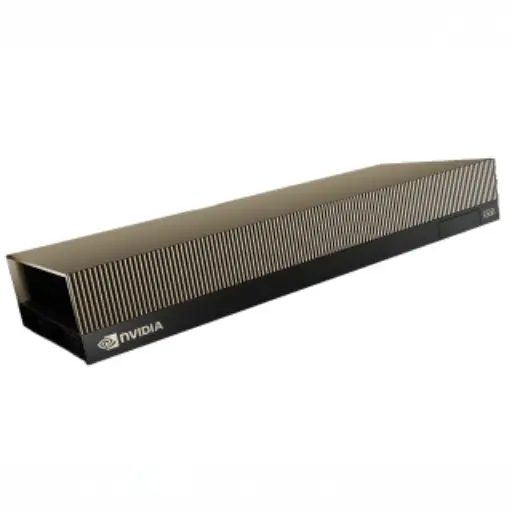
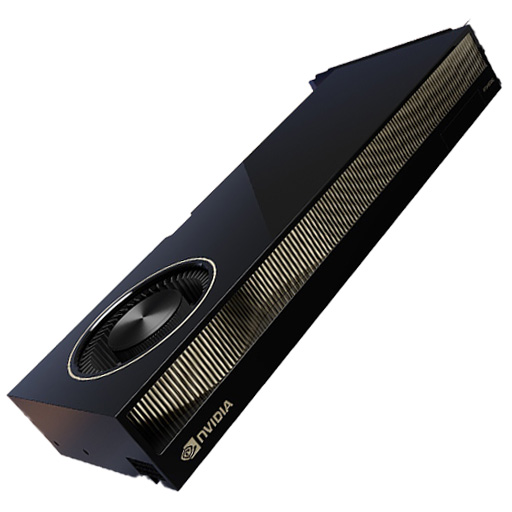
- NVIDIA H100 NVL GPU Original price was: USD33,000.USD30,500Current price is: USD30,500.
- NVIDIA L40S Original price was: USD11,500.USD10,500Current price is: USD10,500.
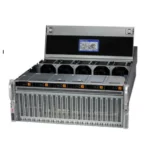
- HGX H100 Optimized X13 8U 8GPU Server: The Ultimate AI and HPC Powerhouse for Exascale ComputingUSD300,000
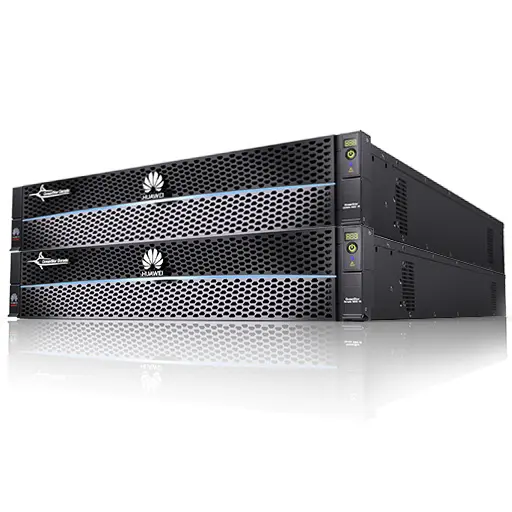
- H3C S9855 Series High-Density RoCEv2 Ethernet SwitchUSD16,000


Author: ITCT Infrastructure Architecture Team
Technical Guide Last Updated: December 28, 2025
Reading Time: 12 Minutes
Quick Answer: What makes a GPU Cluster “Production-Grade?
A high-performance GPU cluster isn’t just about stacking H100s. It requires a balanced ecosystem where the network bandwidth matches GPU throughput (e.g., 400Gbps NDR InfiniBand), storage offers parallel access (Lustre/GPFS), and cooling infrastructure can handle densities exceeding 40kW per rack. The Golden Rule: The weakest link determines the cluster’s speed. Investing in GPUs without upgrading your network topology (Leaf-Spine) results in expensive idle hardware. :::
Key Takeaways for Decision Makers:
- Networking: Why InfiniBand is non-negotiable for large-scale LLM training vs. where Ethernet (RoCEv2) saves costs.
- Infrastructure: Handling the heat—Air cooling limits vs. the necessity of Direct-to-Chip liquid cooling.
- Storage Strategy: How to architect a tiered system (NVMe + Object Storage) to keep GPUs fed without bottlenecks.
- Scalability: From 8-GPU research nodes to 1000+ GPU hyperscale pods.
(This guide draws from real-world deployment data of H100/H200 clusters and industry best practices for High-Performance Computing environments.)
The exponential growth of artificial intelligence, machine learning, and high-performance computing workloads has transformed GPU clusters from specialized research tools into mission-critical infrastructure for organizations across industries. Whether training large language models with billions of parameters, running complex scientific simulations, or powering real-time inference services at scale, properly designed GPU clusters deliver computational capabilities that were unimaginable just a few years ago.
GPU cluster design
However, building an efficient GPU cluster extends far beyond simply racking servers with high-end GPUs. Success requires meticulous planning across multiple dimensions—network architecture, storage systems, power distribution, cooling infrastructure, and operational management. Each component must be carefully selected and configured to work in harmony, as the weakest link in the system determines overall performance and reliability.
This comprehensive guide explores the critical design decisions and best practices for building production-grade GPU clusters that deliver maximum performance, reliability, and return on investment. From selecting optimal network topologies to implementing efficient storage architectures and ensuring adequate power and cooling infrastructure, we provide actionable insights drawn from real-world deployments and industry expertise.
Understanding GPU Cluster Architecture Fundamentals
Core Components and Their Roles
A GPU cluster represents a carefully orchestrated ecosystem of interconnected components, each playing a critical role in delivering computational performance. Understanding these components and their interactions provides the foundation for making informed design decisions.
Compute Nodes form the heart of any GPU cluster, typically comprising high-density servers equipped with multiple enterprise-grade GPUs such as NVIDIA H100, H200, or A100 accelerators. Modern GPU servers can accommodate 4-8 GPUs per node, with advanced configurations like the NVIDIA DGX H200 integrating 8 GPUs in optimized baseboards featuring NVLink and NVSwitch interconnects for maximum GPU-to-GPU bandwidth.
Each compute node requires powerful dual-socket CPUs to manage I/O operations, data preprocessing, and coordination between GPUs. Organizations typically deploy Intel Xeon Scalable processors or AMD EPYC chips with sufficient PCIe lanes to support multiple GPUs, high-speed networking, and NVMe storage without creating bottlenecks.
Network Infrastructure connects compute nodes and storage systems, enabling the massive data exchanges required by distributed training and parallel computing workloads. Modern GPU clusters employ specialized networking technologies including InfiniBand for ultra-low latency communication or high-speed Ethernet with RoCEv2 (RDMA over Converged Ethernet) for lossless, RDMA-capable connectivity.
The choice between InfiniBand and Ethernet significantly impacts cluster architecture. InfiniBand networks, built on switches like the NVIDIA Quantum-2 QM9790, deliver exceptional performance with sub-microsecond latency and proven scalability to tens of thousands of nodes. Alternatively, modern Ethernet solutions using switches such as the H3C S9855 Series provide comprehensive RoCEv2 implementation with competitive performance at potentially lower cost points.
Storage Systems provide the massive data capacity and throughput required to feed hungry GPUs with training datasets, checkpoints, and intermediate results. GPU clusters typically employ parallel filesystem architectures capable of delivering hundreds of GB/s aggregate throughput across thousands of concurrent operations.
Management Infrastructure encompasses the control plane systems that orchestrate cluster operations, including job schedulers, resource managers, monitoring systems, and administrative interfaces. Effective management infrastructure maximizes GPU utilization, prevents resource conflicts, and provides visibility into cluster health and performance.
Deployment Scale Considerations
GPU cluster design requirements vary dramatically based on deployment scale, from small research clusters supporting individual teams to hyperscale installations powering cloud AI services.
| Scale Category | GPU Count | Network Topology | Storage Architecture | Use Cases |
|---|---|---|---|---|
| Small Research Cluster | 8-32 GPUs | Single-switch fabric | Direct-attached NVMe + NFS | Academic research, model prototyping |
| Departmental Cluster | 32-128 GPUs | Two-tier leaf-spine | Parallel filesystem (Lustre, GPFS) | Enterprise ML, departmental HPC |
| Production AI Platform | 128-1024 GPUs | Multi-tier spine-leaf with scale-out | High-performance parallel filesystem | Production training, inference serving |
| Hyperscale Installation | 1000+ GPUs | Multiple pods with inter-pod networking | Massive-scale object + parallel storage | Foundation model training, cloud AI services |
Small research clusters (8-32 GPUs) can often operate with simplified architectures using single-switch fabrics and shared NFS storage. These systems suit academic research environments, proof-of-concept projects, and organizations beginning their AI journey. A typical configuration might employ a multi-GPU training server with 8x A100 GPUs connected through a single high-radix switch.
Departmental clusters (32-128 GPUs) require more sophisticated designs with two-tier leaf-spine network topologies to eliminate oversubscription and ensure consistent performance. Storage needs expand to parallel filesystems capable of supporting multiple concurrent training jobs without I/O bottlenecks. Organizations at this scale benefit from dedicated AI workstation and GPU server infrastructure optimized for their specific workload mix.
Production AI platforms (128-1024 GPUs) demand enterprise-grade reliability, sophisticated orchestration, and advanced networking. These clusters support mission-critical applications serving customers or business-critical analytics, requiring redundancy, monitoring, and operational rigor. Network architecture evolves to multi-tier spine-leaf designs with non-blocking fabrics, while storage systems scale to petabyte capacities with high-performance parallel filesystems.
Hyperscale installations exceeding 1000 GPUs represent the cutting edge of computational infrastructure, enabling training of trillion-parameter foundation models and serving AI services to millions of users. These deployments partition into multiple pods, each functioning as an independent cluster interconnected through high-bandwidth pod-to-pod networking. Storage architecture combines massive object storage for datasets with high-performance parallel filesystems for active training data.
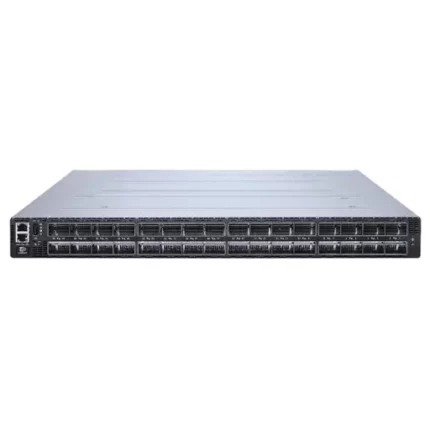
NVIDIA Quantum-2 QM9700
Network Architecture Design
Network Technology Selection: InfiniBand vs RoCEv2
The network infrastructure decision between InfiniBand and RDMA over Converged Ethernet (RoCEv2) represents one of the most consequential choices in GPU cluster design, impacting performance, cost, operational complexity, and long-term scalability.
InfiniBand Architecture has dominated HPC and AI training clusters for over two decades, delivering exceptional performance characteristics that consistently outperform alternative technologies. Modern InfiniBand networks using Quantum-2 switches provide 400Gb/s per port bandwidth with sub-microsecond latency, supporting GPU-to-GPU communication patterns with minimal overhead.
Key InfiniBand Advantages:
- Ultra-low latency (typically <500ns for MPI operations)
- Zero packet loss through credit-based flow control
- Hardware-accelerated collective operations (all-reduce, all-gather, broadcast)
- Proven scalability to 10,000+ node clusters
- Integrated network management and congestion control
- Comprehensive ecosystem of tested hardware and software
InfiniBand Considerations:
- Higher per-port cost compared to Ethernet
- Specialized skill requirements for operations teams
- Limited multi-vendor ecosystem compared to Ethernet
- Separate management network typically required
RoCEv2 Ethernet Architecture has emerged as a compelling alternative, leveraging advances in Ethernet technology to provide RDMA capabilities over standard Ethernet infrastructure. Solutions like the H3C S9855 series switches implement comprehensive lossless networking through Priority-based Flow Control (PFC), Explicit Congestion Notification (ECN), and intelligent buffer management.
Key RoCEv2 Advantages:
- Cost-effective infrastructure leveraging commodity Ethernet
- Single converged network for compute, storage, and management
- Familiar operational model for networking teams
- Multi-vendor ecosystem with competitive pricing
- Simplified procurement and vendor management
RoCEv2 Considerations:
- Higher latency than InfiniBand (typically 1-2μs)
- Requires careful configuration to maintain lossless operation
- PFC deadlock risks without proper safeguards
- Less mature tooling and ecosystem compared to InfiniBand
Practical Decision Framework
Organizations should evaluate several factors when selecting between InfiniBand and RoCEv2:
Choose InfiniBand when:
- Training extremely large models requiring absolute minimum latency
- Scaling to thousands of GPUs in tightly-coupled training
- Performance is paramount regardless of cost
- Team has InfiniBand expertise or access to vendor support
- Budget accommodates premium networking infrastructure
Choose RoCEv2 when:
- Building converged infrastructure for compute and storage
- Cost optimization is a significant consideration
- Leveraging existing Ethernet skills and tooling
- Moderate scale deployments (up to several hundred GPUs)
- Flexible vendor selection is important
Hybrid Approach:
Some organizations deploy InfiniBand for the high-performance GPU interconnect fabric while using Ethernet for storage networks and management connectivity. This approach delivers optimal performance for AI training while leveraging cost-effective Ethernet for non-latency-sensitive traffic.
Network Topology Design Patterns
Regardless of technology selection, GPU clusters typically employ leaf-spine or fat-tree topologies to provide non-blocking, low-latency connectivity with consistent performance characteristics.
Leaf-Spine Architecture represents the modern standard for GPU cluster networking, offering predictable latency and simple scaling. In this design, “leaf” switches connect directly to compute nodes while “spine” switches interconnect all leaf switches, ensuring any-to-any communication traverses exactly two hops (leaf-spine-leaf).
Design Specifications:
| Component | Configuration | Rationale | |—|—|—|—| | Leaf Switches | H3C S9855-48CD8D (48×100G + 8×400G) or equivalent | High server-facing port density with sufficient uplinks | | Spine Switches | H3C S9855-32D (32×400G) or InfiniBand equivalents | Maximum bandwidth and port count for leaf interconnection | | Server Connectivity | 100-400Gb/s per server depending on GPU count | Match network bandwidth to GPU communication requirements | | Oversubscription Ratio | 1:1 to 2:1 for AI workloads | Minimize contention during collective operations |
For a 256-GPU cluster organized as 32 8-GPU servers, a practical leaf-spine design might employ:
- 4 leaf switches (8 servers per leaf using 100G connections)
- 4 spine switches (each leaf connects to all spines with 400G uplinks)
- Total fabric bandwidth: 12.8 Tbps (4 leaves × 8 uplinks × 400G)
- Oversubscription: ~1.25:1 (considering 32 servers × 800G = 25.6 Tbps downstream, 12.8 Tbps uplinks)
Fat-Tree Topology extends the leaf-spine concept to larger scales by adding additional layers of switching, enabling clusters to scale to thousands of nodes while maintaining non-blocking characteristics. Large installations might employ a three-tier architecture with edge switches (server connectivity), aggregation switches (inter-pod connectivity), and core switches (global fabric).
GPU-Direct Technologies
Modern GPU clusters leverage several NVIDIA technologies that optimize data movement between GPUs, storage, and networks:
NVLink provides direct GPU-to-GPU interconnects within a single server, delivering 900GB/s bidirectional bandwidth per link with NVLink 4.0 (H100/H200 generation). Systems like the HGX H100 8-GPU server use NVLink and NVSwitch to create full-bandwidth, non-blocking communication between all GPUs, critical for efficient distributed training.
GPUDirect RDMA enables network adapters to read/write directly to GPU memory without CPU involvement, eliminating PCIe bottlenecks and reducing latency. This technology requires RDMA-capable networks (InfiniBand or RoCEv2) and compatible network adapters, typically ConnectX-6 or newer NICs from NVIDIA.
GPUDirect Storage allows direct data transfers between network-attached or NVMe storage and GPU memory, bypassing both CPU and system memory. This capability dramatically improves I/O performance for training workloads that stream data from storage systems, reducing storage access latency and eliminating CPU overhead.
Storage Architecture for GPU Clusters
Storage Requirements Analysis
GPU clusters impose unique storage demands that differ substantially from traditional enterprise workloads. AI training and HPC applications generate massive I/O patterns characterized by high sequential throughput, large file sizes, and concurrent access from dozens or hundreds of compute nodes simultaneously.
Capacity Requirements for AI workloads scale rapidly with model size and dataset complexity. Modern large language models require training datasets measuring terabytes to petabytes, while computer vision applications accumulate similar volumes of image and video data. A typical production cluster should provision 100-500TB of high-performance storage per 100 GPUs, with additional object storage for long-term dataset archives.
Throughput Requirements reflect the need to continuously feed data to GPUs operating at maximum computational capacity. Each modern GPU can process training data at rates exceeding 1-2GB/s, meaning an 8-GPU server requires 8-16GB/s aggregate storage throughput to avoid I/O bottlenecks. Scaling to a 256-GPU cluster necessitates 256-512GB/s total storage bandwidth—a requirement that only parallel filesystem architectures can satisfy.
Latency Requirements impact interactive development workflows and applications sensitive to storage access times. While sequential throughput dominates during model training, metadata operations, small file access, and checkpoint loading benefit from low-latency storage architectures. NVMe-based storage solutions provide sub-millisecond latencies essential for responsive interactive environments.
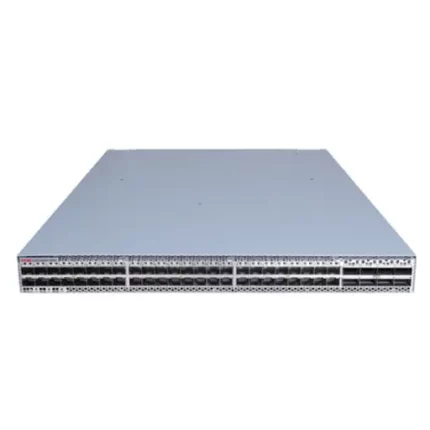
H3C S9855 Series High-Density RoCEv2 Ethernet Switch
Storage Architecture Options
Organizations building GPU clusters can choose from several storage architecture patterns, each with distinct performance characteristics, cost profiles, and operational complexity.
Local NVMe Storage provides the highest performance and lowest latency by placing fast NVMe SSDs directly in compute nodes. Modern servers support 4-8 NVMe drives offering 3.84TB capacity per drive, delivering per-node storage throughput exceeding 20GB/s.
Advantages:
- Maximum performance (7GB/s+ per drive, 28GB/s+ per node with 4 drives)
- Lowest latency (sub-100μs)
- No network bandwidth consumption
- Simple deployment and management
Limitations:
- Limited capacity per node (typically 4-32TB)
- No data sharing between nodes without application-level solutions
- Potential for unbalanced capacity utilization
- Requires data replication strategies for fault tolerance
Use Cases: Ideal for scratch space, temporary datasets, and applications with node-local data processing patterns. Many clusters combine local NVMe for hot data with shared storage for persistent datasets.
Parallel Filesystems (Lustre, GPFS, BeeGFS) provide shared namespace storage with scalable performance achieved through striping data across multiple storage servers. These systems can deliver hundreds of GB/s aggregate throughput while maintaining POSIX filesystem semantics familiar to applications and users.
Modern parallel filesystems leverage NVMe storage in distributed architectures where metadata servers manage file namespace operations while object storage servers handle data I/O. A typical architecture employs:
- Metadata servers (2-4 for redundancy)
- Object storage servers (8-32+ depending on scale)
- High-speed network (100GbE or InfiniBand) for storage traffic
Configuration Example for 256-GPU Cluster:
| Component | Specification | Rationale |
|---|---|---|
| Metadata Servers | 2× dual-socket servers with NVMe RAID | Redundancy and metadata operation performance |
| Storage Servers | 16× servers with 12× 7.68TB NVMe each | ~1.47PB usable capacity, ~640GB/s throughput |
| Network | 100GbE or InfiniBand to compute nodes | Match storage bandwidth to GPU throughput needs |
| Management | Dedicated monitoring and administration nodes | Proactive issue detection and performance optimization |
Object Storage (S3, Ceph, MinIO) provides cost-effective capacity for dataset archives, model checkpoints, and results storage. While offering lower performance than parallel filesystems, object storage excels at massive-scale capacity with excellent cost-per-TB economics.
Organizations typically deploy hybrid architectures combining:
- Parallel filesystem for active training data and hot datasets
- Object storage for archives, completed experiments, and long-term retention
- Local NVMe for scratch space and temporary files
Data Flow Pattern:
- Large datasets stored in object storage
- Active training data staged to parallel filesystem before job execution
- Compute nodes cache frequently accessed data in local NVMe
- Training checkpoints and results written to parallel filesystem
- Completed experiments archived back to object storage

Storage Network Design
Storage traffic often rivals or exceeds GPU-to-GPU communication in aggregate bandwidth requirements, necessitating dedicated consideration during network design. Organizations can deploy separate storage networks or converged infrastructures carrying both compute and storage traffic.
Separate Storage Network Approach:
- Advantages: Traffic isolation, independent scaling, simpler QoS configuration
- Disadvantages: Higher cost, increased complexity, duplicate cabling
- Recommendation: Consider for larger deployments (128+ GPUs) with heavy storage I/O
Converged Network Approach:
- Advantages: Lower cost, simplified infrastructure, single network to manage
- Disadvantages: Requires sophisticated QoS, potential for interference
- Recommendation: Suitable for smaller/medium deployments with proper QoS implementation
When deploying converged networks with RoCEv2-capable switches, implement priority-based QoS ensuring GPU communication receives highest priority while storage traffic operates in lower-priority queues. Modern switches support fine-grained traffic classification enabling effective sharing without performance degradation.
Power and Cooling Infrastructure
Power Requirements and Distribution
GPU clusters consume enormous amounts of electrical power, with modern servers drawing 5-10kW per 8-GPU configuration. Planning adequate power infrastructure represents a critical success factor that, if overlooked, can prevent cluster operation or force costly retrofits.
Power Consumption Estimates:
| Component | Per-Unit Power | 256-GPU Cluster (32 servers) |
|---|---|---|
| Compute Servers (8× H100/H200) | 6-8kW per server | 192-256kW |
| Network Infrastructure | 2-5kW depending on scale | 10-15kW |
| Storage Systems | 1-2kW per storage server | 16-32kW |
| Cooling Infrastructure | 30-50% of IT load | 65-152kW |
| Total Facility Load | Including UPS losses | 300-500kW |
Organizations must ensure data center infrastructure can deliver required power with appropriate redundancy. Critical considerations include:
Power Distribution: Modern data centers employ redundant power feeds (A/B power) to server racks, with each feed capable of carrying the full rack load. GPU servers equipped with redundant power supplies connect to both feeds, maintaining operation even during single power feed failures.
Power Density: GPU-heavy racks can exceed 40-60kW per rack, far above traditional data center densities of 5-10kW/rack. Facilities must provide appropriate power distribution units (PDUs), electrical panels, and upstream infrastructure supporting these concentrated loads.
Uninterruptible Power Supplies (UPS): Enterprise deployments require UPS systems providing battery backup during utility power disruptions, allowing graceful shutdown of training jobs and preventing data loss. For large clusters, centralized UPS systems (500kW+ capacity) prove more cost-effective than distributed rack-level solutions.
Power Monitoring: Real-time power monitoring enables capacity planning, cost allocation, and anomaly detection. Modern HGX-based servers provide detailed power telemetry through BMC interfaces, allowing infrastructure teams to track power consumption at server, GPU, and component levels.
Cooling Architecture Design
The massive heat generation from dense GPU clusters requires sophisticated cooling strategies far beyond traditional air-cooling approaches. Modern deployments increasingly adopt liquid cooling technologies to achieve required thermal management at acceptable efficiency levels.
Air Cooling Approaches:
Traditional air cooling remains viable for moderate densities (up to ~30kW/rack) with proper infrastructure design:
Hot Aisle / Cold Aisle Containment: Organize racks in alternating rows with cold air delivered to front-facing intakes and hot exhaust removed from rear-facing outlets. Physical containment barriers prevent hot/cold air mixing, dramatically improving cooling efficiency.
High-Velocity Cooling: Increase airflow rates using more powerful Computer Room Air Handlers (CRAHs) and optimized airflow paths. This approach can support densities up to 40-50kW/rack but requires substantial air handling infrastructure.
Raised Floor vs Overhead Delivery: Cold air delivery via raised floor plenum or overhead ducting. Modern designs increasingly favor overhead delivery for better airflow control and reduced contamination risk.
Liquid Cooling Technologies:
Rack densities exceeding 40-50kW overwhelm air cooling capabilities, necessitating liquid cooling adoption:
Rear Door Heat Exchangers: Mount heat exchangers on rack rear doors, capturing hot exhaust air and transferring heat to facility water loops. This passive approach supports densities up to 60-70kW/rack without modifying server designs.
Direct-to-Chip Cooling: Attach cold plates directly to GPUs and CPUs, removing heat at the source with minimal air cooling. This approach supports rack densities exceeding 100kW while maintaining safe component temperatures. Advanced GPU servers increasingly ship with optional liquid cooling blocks compatible with facility water loops.
Immersion Cooling: Submerge entire servers in dielectric fluid, providing ultimate cooling capacity with minimal facility infrastructure. While offering excellent thermal performance, immersion cooling requires specialized servers and introduces operational complexity limiting adoption.
Environmental Design Considerations
Operating Temperatures: GPUs operate optimally within specific temperature ranges (typically 20-30°C ambient). Exceeding these ranges triggers thermal throttling, reducing computational performance and potentially causing premature hardware failures.
Humidity Control: Maintain relative humidity between 20-80% to prevent electrostatic discharge risks (low humidity) and condensation issues (high humidity). Data centers in humid climates require dehumidification systems, while dry climates need humidification.
Air Quality: Particulate contamination and corrosive gases accelerate hardware degradation. Deploy appropriate filtration systems and maintain positive pressure environments to minimize contamination ingress.
Acoustic Considerations: High-density GPU clusters generate substantial noise (70-85 dB) requiring acoustic isolation or remote installation away from office environments. Purpose-built data centers provide appropriate acoustic isolation automatically.
Compute Node Configuration Best Practices
GPU Selection and Configuration
Selecting appropriate GPU models represents the most impactful decision in cluster design, directly determining computational capabilities, power requirements, and budget allocation.
GPU Options for AI Workloads:
| GPU Model | Memory | TDP | Use Cases | Typical Price |
|---|---|---|---|---|
| NVIDIA H200 | 141GB HBM3e | 700W | Large-scale training, long-context LLMs | $30,000-35,000 |
| NVIDIA H100 80GB | 80GB HBM3 | 700W | Training, HPC, inference | $25,000-30,000 |
| NVIDIA A100 80GB | 80GB HBM2e | 400W | Training, inference, proven platform | $10,000-15,000 |
| NVIDIA L40S | 48GB GDDR6 | 350W | Mixed workloads, graphics + AI | $8,000-10,000 |
Selection Criteria:
Memory Capacity determines the largest model trainable on a single GPU and affects batch sizes, critical for training efficiency. Models exceeding GPU memory require model parallelism or gradient checkpointing, increasing complexity and reducing efficiency.
Compute Performance measured in TFLOPS varies by precision (FP32, TF32, FP16, INT8). Modern training workloads predominantly use FP16 or TF32 mixed precision, making these metrics most relevant for AI applications.
Memory Bandwidth impacts training throughput for memory-bound operations common in transformer architectures. The H200’s 4.8TB/s memory bandwidth provides 76% improvement over A100 (2.0TB/s), accelerating large model training.
Power Efficiency affects operational costs and cooling requirements. While newer generations like Hopper (H100/H200) consume higher absolute power, they deliver substantially better performance-per-watt than earlier architectures.
Server Platform Selection
GPU density, configurability, and reliability requirements influence server platform selection:
Pre-Integrated Systems like the NVIDIA DGX H200 provide turnkey solutions with validated configurations, comprehensive software stacks, and unified support. These systems excel for organizations wanting simplicity and vendor accountability, though they command premium pricing.
OEM Platforms based on NVIDIA HGX baseboards offer flexibility with multiple vendor options (Supermicro, Dell, HPE) at lower cost than DGX. These servers provide customization opportunities in CPU, memory, and storage configurations while maintaining GPU performance through validated HGX designs.
Custom-Built Servers maximize flexibility for specialized requirements but require extensive validation and testing. Organizations with specific needs (unusual form factors, specialized I/O requirements, cost optimization) may pursue custom designs, accepting additional engineering effort and risk.
Memory, Storage, and Networking Configuration
System Memory Sizing: Provision adequate RAM for dataset preprocessing, model loading, and system operations. Minimum recommendations:
- 512GB for 4-GPU servers
- 1TB for 8-GPU servers
- 2TB+ for 8-GPU servers with large-scale training
Local Storage Architecture: Deploy high-speed NVMe storage for operating system, datasets, checkpoints:
- 2× 2TB NVMe in RAID1 for OS and system software
- 4-8× 7.68TB NVMe for local datasets and scratch space
- Consider PCIe Gen4 or Gen5 NVMe drives for maximum throughput
Network Adapter Selection: Match network bandwidth to GPU count and communication patterns:
- Single 100GbE for 1-2 GPU development systems
- Dual 100GbE or single 200GbE for 4-GPU servers
- 2-4× 200GbE or 400GbE for 8-GPU servers in large clusters
- RDMA-capable adapters (ConnectX-6 Dx or newer) for optimal performance
Infrastructure Management and Orchestration
Job Scheduling and Resource Management
Efficient GPU utilization requires sophisticated orchestration ensuring that expensive accelerators remain productive rather than sitting idle waiting for work.
Slurm Workload Manager dominates HPC environments, providing mature job scheduling, resource management, and accounting. Slurm’s GPU-aware scheduling prevents oversubscription while enabling fine-grained resource allocation.
Kubernetes with GPU Support serves cloud-native environments, leveraging NVIDIA GPU Operator and device plugins for GPU orchestration. Kubernetes excels for containerized workloads and microservices architectures common in production ML serving.
Specialized ML Platforms (Run:AI, Determined.AI) provide higher-level abstractions optimized for ML workflows, offering features like automated hyperparameter tuning, experiment tracking, and resource fairness across teams.
Monitoring and Observability
Comprehensive monitoring enables proactive issue detection, capacity planning, and performance optimization:
GPU Metrics: Track utilization, memory usage, temperature, power consumption, and error rates using NVIDIA DCGM (Data Center GPU Manager) or vendor-specific tools.
Network Monitoring: Monitor bandwidth utilization, packet loss, latency, and link errors across cluster fabric. InfiniBand UFM and Ethernet network management tools provide visibility into network health.
Storage Performance: Track throughput, IOPS, latency distributions, and queue depths across parallel filesystem infrastructure. Storage monitoring prevents I/O bottlenecks from limiting training performance.
Environmental Monitoring: Monitor temperature, humidity, airflow, and power distribution to detect cooling issues before they impact hardware reliability.

NVIDIA A100 80GB Tensor Core GPU
GPU cluster design: Cost Optimization Strategies
Capital Expenditure Optimization
Phased Deployment: Begin with smaller clusters, validate designs, then scale capacity based on actual utilization patterns. This approach reduces initial capital risk while enabling architecture refinement based on operational experience.
Strategic Component Selection: Balance performance against cost—newer-generation GPUs provide better performance-per-dollar over equipment lifecycle despite higher initial costs. The comprehensive GPU buying guide helps navigate these tradeoffs.
Power and Cooling Efficiency: Invest in efficient power distribution and cooling infrastructure to reduce operational costs over cluster lifetime. Higher capital costs for liquid cooling pay back through reduced energy consumption and increased rack density.
Operational Expenditure Management
Power Efficiency: Select components with superior performance-per-watt characteristics. Modern GPUs like H100/H200 deliver 2-3× better efficiency than earlier generations, directly reducing electricity costs.
Utilization Optimization: Implement sophisticated scheduling and resource management ensuring GPUs remain productive. Idle GPUs represent pure cost without value creation—maximizing utilization directly improves ROI.
Preventive Maintenance: Regular monitoring and proactive component replacement prevent catastrophic failures disrupting cluster operations and causing expensive downtime.
Frequently Asked Questions
What is the optimal GPU cluster size for starting an AI project?
For organizations beginning AI infrastructure deployment, starting with a small cluster of 8-32 GPUs (1-4 servers) provides adequate computational power for model development and experimentation without excessive capital investment. This scale allows validation of architecture decisions and operational procedures before committing to larger deployments. Consider starting with AI workstation configurations for individual researchers before scaling to shared server infrastructure.
Should I choose InfiniBand or Ethernet networking?
InfiniBand delivers superior performance (lower latency, higher throughput) and remains the gold standard for large-scale AI training, particularly for models requiring tightly-coupled parallelism across hundreds of GPUs. However, RoCEv2 Ethernet using switches like the H3C S9855 series provides compelling price-performance for moderate-scale deployments (up to several hundred GPUs) while offering operational familiarity and convergence with storage networks.
How much storage capacity should I provision per GPU?
A practical guideline allocates 1-5TB of high-performance parallel filesystem storage per GPU, depending on workload characteristics. Computer vision applications with large image datasets require more capacity than NLP workloads operating on text data. Additionally, provision 5-10× this capacity in lower-cost object storage for dataset archives and long-term experiment retention.
What cooling approach is most cost-effective?
Air cooling with hot/cold aisle containment remains most cost-effective for rack densities below 30-40kW. Above these thresholds, direct-to-chip liquid cooling provides better economics despite higher capital costs, as it enables greater rack density, reduces facility cooling infrastructure, and improves energy efficiency. Organizations should evaluate cooling approaches based on total cost of ownership over expected infrastructure lifetime rather than initial capital costs alone.
How can I maximize GPU utilization in my cluster?
Implement sophisticated job scheduling ensuring GPUs never sit idle, batch similar jobs for efficient scheduling, enable multi-tenant sharing with appropriate isolation, monitor utilization metrics to identify underutilized resources, and provide self-service interfaces enabling researchers to quickly submit jobs without administrative delays. Utilization rates exceeding 70-80% indicate well-optimized infrastructure, while rates below 50% suggest opportunities for improvement.
What are the critical success factors for GPU cluster deployment?
Success requires meticulous planning across network architecture (adequate bandwidth, proper topology), sufficient storage throughput to feed GPUs continuously, adequate power and cooling infrastructure supporting dense GPU configurations, sophisticated job scheduling and resource management, comprehensive monitoring and alerting, and skilled operations teams with GPU infrastructure expertise. Organizations underestimating any of these factors risk deployments that underperform expectations or fail to deliver reliable service.
How do I estimate total cost of ownership for a GPU cluster?
Calculate TCO including initial hardware costs (servers, GPUs, networking, storage), facilities infrastructure (power distribution, cooling systems, racks), software licenses (operating systems, management tools, applications), operational costs (electricity, cooling, maintenance, staff), and refresh cycles (typically 3-5 years for compute, longer for facilities). Many organizations find operational costs equal or exceed initial capital costs over equipment lifecycle, making efficiency a critical consideration.
What networking bandwidth do I need per GPU?
Network bandwidth requirements depend on workload characteristics and cluster scale. As a guideline, provision 50-100Gb/s of network bandwidth per GPU for training workloads with moderate communication requirements, 100-200Gb/s for communication-intensive applications like large language model training, and consider InfiniBand for maximum performance in latency-sensitive or tightly-coupled parallel applications. The comparison between GPU servers and workstations provides additional context for different deployment scales.
Conclusion
Building effective GPU cluster infrastructure requires careful consideration of numerous interdependent factors spanning compute, network, storage, power, cooling, and management domains. While complexity can seem overwhelming, systematic planning using the best practices outlined in this guide enables organizations to deploy clusters that deliver reliable, high-performance service supporting mission-critical AI and HPC workloads.
The key to success lies in understanding that no single component determines overall system performance—the weakest link limits cluster capabilities. Investing in powerful GPUs provides little value if inadequate networking creates communication bottlenecks, insufficient storage starves GPUs for data, or thermal limitations force throttling reducing computational throughput.
Organizations should approach cluster design as an iterative process, starting with thorough requirements analysis, developing detailed designs addressing all infrastructure dimensions, validating architectures through proof-of-concept deployments, and refining based on operational experience before scaling to production capacity. This methodical approach minimizes risks while enabling continuous improvement as technology evolves and organizational needs change.
The rapid pace of GPU and infrastructure innovation means that optimal designs evolve continuously. Components considered cutting-edge today become mainstream tomorrow, while entirely new technologies emerge to address previously insurmountable challenges. Organizations should design for flexibility, enabling incremental upgrades and technology refresh without requiring complete infrastructure overhauls.
As AI and HPC workloads continue expanding across industries, well-designed GPU cluster infrastructure becomes increasingly critical to competitive advantage. Organizations that invest in understanding best practices, implement comprehensive designs, and commit to operational excellence position themselves to leverage computational capabilities that transform their businesses and enable breakthrough innovations.
“The most common failure mode in GPU cluster design isn’t buying the wrong GPU; it’s under-provisioning the network. If your ‘All-Reduce’ operations are stalling because of 2:1 oversubscription in the spine layer, you are effectively paying for H100s but getting A100 performance.” — Principal Network Architect
“Storage I/O patterns for AI are brutal. We moved from standard NFS to a parallel file system architecture because feeding 500 GPUs requires aggregate throughput in the hundreds of gigabytes per second—something a single controller pair just can’t handle.” — Head of AI Infrastructure
“Cooling is now a primary design constraint. With H200 racks pushing 60kW, traditional raised-floor air cooling is obsolete. Direct-to-chip liquid cooling isn’t just ‘nice to have’ anymore; it’s an operational necessity for density and PUE efficiency.” — Data Center Facilities Director
Last update at December 2025