


Every AI team eventually faces the same budget question: keep renting GPUs in the cloud, or buy servers and run them on premises? Cloud GPUs are flexible and instantly available, but the bill grows with every hour of use. On-premise GPU servers require capital, power and skills, but after a certain level of utilisation they become far cheaper per GPU-hour. The right answer depends on how many hours your GPUs actually work, your data constraints and your team. This guide builds a transparent three-year cost comparison you can adapt with your own numbers.
What goes into the comparison
| Cost item | Cloud | On-premise |
|---|---|---|
| GPU compute | Hourly rate per GPU (on-demand, reserved or spot) | Server purchase, amortised over 3 years |
| Storage | Per GB-month plus IOPS tiers | NVMe and storage hardware |
| Data transfer | Egress fees for downloading data and models | Internet and internal network |
| Power and cooling | Included | Electricity, cooling, UPS |
| Space | Included | Colocation rack or own server room |
| Operations | Less hardware work, still needs MLOps | Hardware maintenance, monitoring, spares |
| Support | Cloud support plan | Warranty and support contracts |
A worked example: 8 × H100-class GPUs
The numbers below are illustrative assumptions to show the method. Replace them with current quotes.
- Cloud: on-demand H100 at about USD 2.5–4 per GPU-hour from specialised GPU clouds (hyperscalers often charge more); reserved commitments lower this.
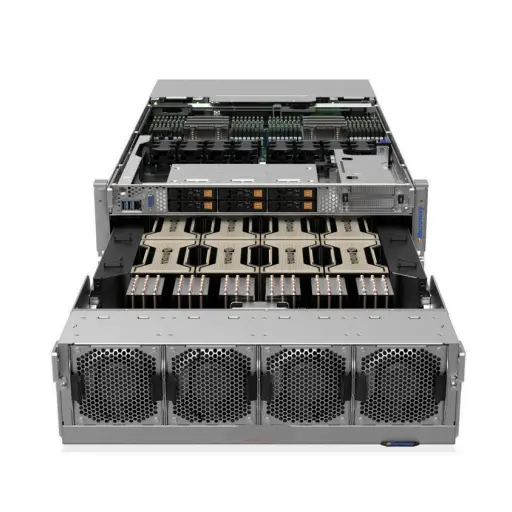
- On-premise: an 8-GPU H100 server with networking and storage; see our 8-GPU H100 server cost breakdown for current ranges.
- Power: ~10 kW average draw including cooling overhead; electricity and colocation priced for the UAE.
- Operations: a share of an engineer’s time and annual support.
| Utilisation | GPU-hours over 3 years (8 GPUs) | Typical outcome |
|---|---|---|
| 20% (occasional experiments) | ~42,000 | Cloud usually cheaper |
| 40–50% (regular training and inference) | ~84,000–105,000 | Roughly break-even zone |
| 70%+ (production inference, continuous training) | ~147,000+ | On-premise usually much cheaper |
The pattern is consistent across most real-world quotes: the higher and steadier your utilisation, the stronger the case for owning hardware. Many teams break even within 12 to 24 months at sustained high utilisation.
Beyond cost
- Data sovereignty: regulated data in the UAE (government, healthcare, finance) may need to stay in-country or on premises.
- Availability: cloud GPU capacity can be scarce for the newest models; owned hardware is always available to you.
- Flexibility: cloud lets you scale up for a short project and switch GPU generations easily.
- Skills: on-premise needs people who can run servers, drivers, networking and schedulers.
- Egress: moving large datasets and models out of the cloud adds cost that is easy to underestimate.
The hybrid approach
Many organisations end up with a hybrid model: own enough GPUs to cover steady baseline workloads (production inference, routine fine-tuning) and burst to the cloud for peaks or large one-off training runs. This combines the low unit cost of owned hardware with cloud flexibility.
Choosing the right on-premise hardware
- For inference and fine-tuning, PCIe GPU servers can deliver much better value than HGX systems; see HGX H100 alternatives for SMBs.
- Size GPU memory to your models with our LLM GPU memory guide.
- Consider tested refurbished data center GPUs to shorten payback further.
ITCT helps teams in the UAE and the region model cloud vs on-premise costs with real quotes and supplies GPU servers from Dubai stock. Share your workload and expected utilisation for a tailored comparison.
Frequently asked questions
When is on-premise GPU cheaper than cloud?
Usually when GPUs are busy more than about 40–50% of the time over several years. Below that, cloud or a hybrid model is often cheaper.
How long is the payback period for an on-premise GPU server?
At sustained high utilisation, often 12 to 24 months compared with on-demand cloud pricing; longer against discounted reserved cloud capacity.
What hidden costs does cloud GPU have?
Storage, data egress, idle instances left running and premium support. These can add significantly to the GPU-hour price.
What hidden costs does on-premise GPU have?
Power, cooling, rack space, networking, spare parts, warranty and staff time to operate the systems.
Is a hybrid setup worth the complexity?
For teams with a steady baseline and occasional peaks, yes: owned GPUs cover the baseline cheaply and cloud handles bursts.
Last update at December 2025